Portfolio case study

Schedulink: Service appointment booking marketplace

A service appointment marketplace that connects provider discovery, location and category filters, availability management, customer booking, appointment confirmation, provider dashboards, and admin user controls.

Name changed to respect NDA.

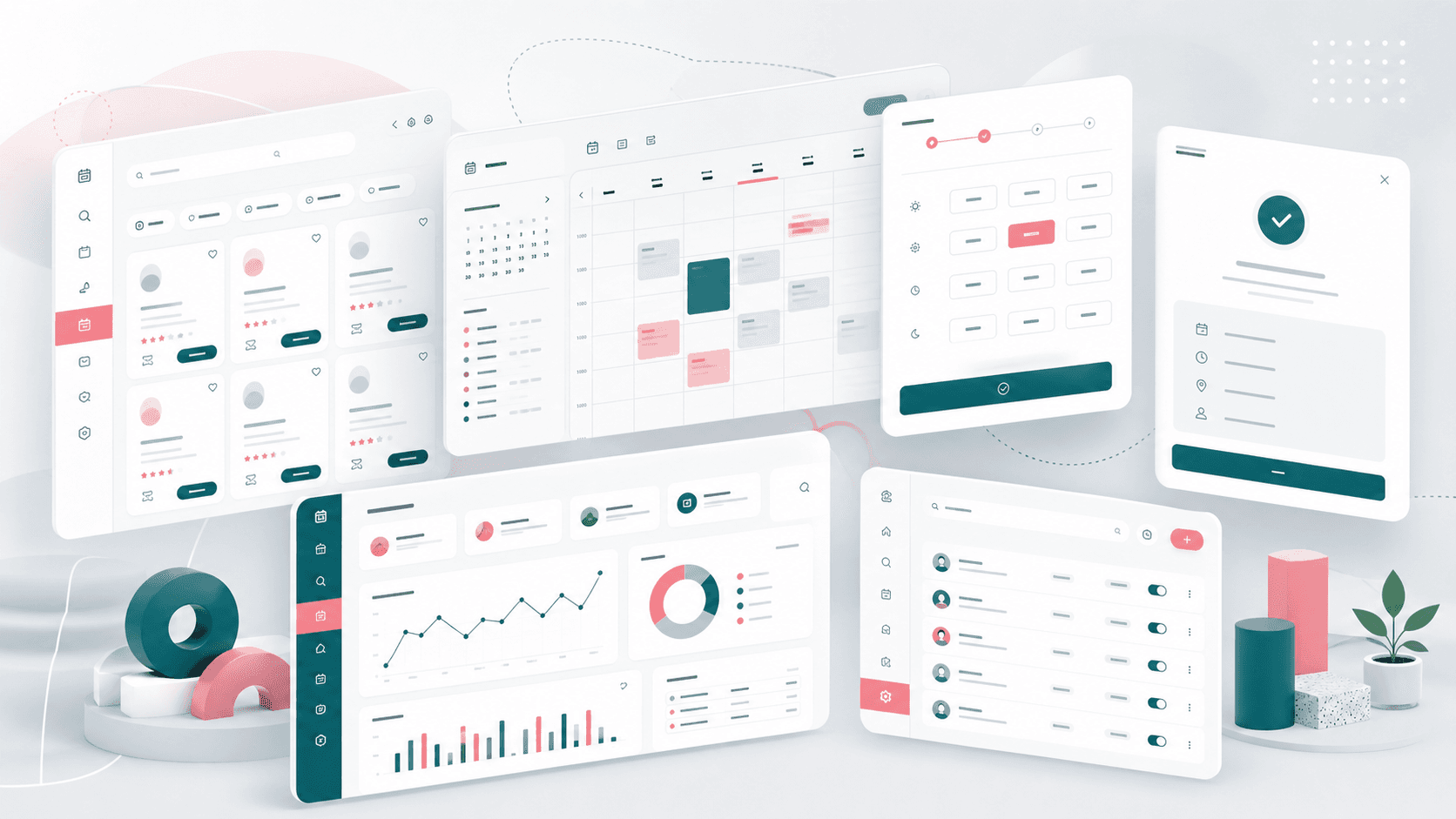
Service appointment marketplace visual with provider discovery cards, calendar availability, time slots, booking confirmation, dashboard metrics, and admin user controls
Project scope

Frontend product engineering across customer booking, provider profile management, availability scheduling, appointment dashboards, location/category discovery, and admin user operations

3
role-specific web surfaces
7 days
provider availability model
3
daily slot groups
Admin
user operations console

Timeline

Customer, provider, and admin web platform delivery for a service scheduling marketplace

Service booking needed to work for customers and providers

The product needed to help customers find nearby service providers, compare basic business context, pick available times, and complete bookings while giving providers a practical workspace for availability, profiles, and appointment follow-up.

  • Customers needed searchable provider discovery with category, country, and city filtering
  • Booking flows had to translate provider availability into clear morning, afternoon, and evening slot choices
  • Providers needed profile, logo, category, address, contact, and weekly availability controls
  • Operators needed a protected admin area for user lookup, pagination, and user detail access

A marketplace booking flow with provider operations built in

Schedulink pairs a customer-facing React booking experience with provider dashboards and a lightweight admin console so marketplace activity, appointments, availability, and user support stay connected.

  • Public discovery pages for nearby providers with search, category, country, city, pagination, and provider cards
  • Appointment booking journey with calendar date selection, API-backed slot availability, customer details, and confirmation redirect
  • Provider workspace with appointment counts, date filters, appointment detail panes, profile editing, image upload, and availability management
  • Admin console with authenticated routing, user table, pagination, row detail navigation, and token-aware API handling

Product surfaces

What the platform brought together

The work spanned core product operations, daily user workflows, data-heavy coordination, and resilient platform management.

Provider discovery and filtering

Customers can narrow the marketplace to relevant providers before starting a booking flow.

  • Search-driven provider list with debounced query updates
  • Category, country, and city filters connected to API-backed place data
  • Paginated provider cards that keep marketplace browsing manageable

Calendar and time-slot booking

The booking surface turns provider availability into a clear date and slot selection experience.

  • Calendar-driven date selection with refreshed provider slots by day of week
  • Morning, afternoon, and evening slot grouping with booked and past times filtered out
  • Customer detail capture, appointment creation, booking confirmation, and account handoff

Provider profile and availability workspace

Providers can keep their marketplace listing and bookable schedule current without operator assistance.

  • Business profile fields for business name, tagline, category, location, contact, address, and description
  • Logo upload and preview path with fallback image handling
  • Weekly availability editor with open-day toggles and start/end time selection

Appointment and admin operations

Service teams and platform operators get the operational views needed to follow up on bookings and support users.

  • Provider appointment dashboard with total, approved, and cancelled appointment counts
  • Search, date filtering, paginated appointment table, and appointment detail panel
  • Admin user list with protected routes, pagination, row-click user details, and session recovery handling

Buyer priorities

What mattered most to the people evaluating the platform

Prospective buyers want to know whether the work solved real workflow, adoption, reliability, data, and operations problems. These priorities shaped the product decisions.

Lower booking friction

Customers needed to move from provider discovery to a confirmed appointment with as little ambiguity as possible.

  • Location and category filters reduced browsing noise
  • Grouped slots made availability easier to scan on a small set of choices
  • Confirmation and account redirect gave users a clear post-booking path

Provider self-service

Marketplaces scale better when providers can update their own listing, business details, and hours.

  • Profile editing kept provider metadata close to appointment operations
  • Availability controls let providers manage bookable days and operating windows
  • Appointment dashboards gave providers a daily work queue for follow-up

Support visibility

Operators needed simple administrative visibility without overloading the first admin release.

  • User tables and detail routes gave support teams a starting point for account investigation
  • Authenticated admin routing protected operational views
  • Token-aware error handling reduced stale-session confusion

System model

How the platform connects roles, workflows, and product surfaces

The product architecture brings every role into the same operating model, with shared data moving cleanly between web, mobile, media, and notification layers.

Three roles, one appointment marketplace

Customers, providers, and administrators share one scheduling model through role-specific surfaces.

Discovery to confirmed booking

Customers move from provider search to filters, calendar selection, slot choice, customer details, and appointment confirmation.

Marketplace operations platform

Provider profiles, availability, appointment records, uploads, places, categories, and users connect through shared API services.

Technology

The Stack We Used And Why

The stack section is written for buyers who need to understand the product architecture, operational trade-offs, and long-term maintainability of the system.

Customer and provider web app

Used for marketplace browsing, booking, provider account areas, and appointment workflows in one React application.

ReactTypeScriptReact RouterBootstrapSass

Admin console

Used for protected user operations, paginated tables, user detail routes, and support-oriented account management.

ReactTypeScriptMaterial UIAnt DesignReact Router

Scheduling UX

Used to support calendar selection, time picking, availability windows, date formatting, and appointment filters.

Moment.jsReact DatepickerReact TimekeeperReact Hook Form

API integration

Used to keep provider discovery, appointments, availability, profiles, uploads, categories, places, and admin users connected.

AxiosREST APIsRuntime configLocal storageToken-aware requests

Why React For The Marketplace

The product needed fast iteration across public browsing, authenticated provider screens, and form-heavy booking flows.

  • React Router supported distinct customer, provider, and authenticated booking routes
  • TypeScript helped keep appointment, provider, and place data contracts clearer
  • Reusable controls kept forms and select fields consistent across booking and profile flows

Why Dedicated Availability Controls

A booking marketplace depends on accurate operating hours, so availability needed its own provider-facing workflow.

  • Weekly open-day toggles gave providers a simple operating model
  • Start and end time controls mapped provider schedules into bookable slots
  • Slot filtering protected customers from booked and expired appointment times

Why A Separate Admin Surface

Platform support work has different density and permission needs than customer booking or provider self-service.

  • A separate admin shell kept operational user management out of public flows
  • Paginated user tables created a foundation for support and moderation
  • Protected routes and session handling gave the admin app clearer access boundaries

Delivery

How the product came together

The work moved from domain modeling to core platform delivery, mobile adoption, and operational hardening.

1

Map the marketplace roles

Define how customers, providers, and administrators interact with discovery, bookings, profiles, availability, and support.

2

Build the booking path

Create provider discovery, filters, calendar availability, slot selection, customer details, and booking confirmation.

3

Add provider self-service

Give providers profile editing, logo upload, weekly availability, appointment counts, date filters, and appointment detail views.

4

Create admin visibility

Add a protected admin shell for user list management, pagination, detail navigation, and session-aware API handling.

Operational depth

What made the platform usable after launch

The strongest case studies are not only feature lists. They show how the system is operated, monitored, governed, and improved when real users depend on it.

Availability as a core workflow

The scheduling model was treated as provider-owned product behavior rather than a static business-hours field.

  • Seven-day availability setup with open/closed status per day
  • Start and end time selection for each available day
  • Appointment booking screens fetch available slots by provider and selected day

Appointment work queue

Providers get a practical view of upcoming appointment activity and customer details.

  • Total, approved, and cancelled appointment counts
  • Search and date filters for appointment lists
  • Detail panel for the selected appointment record

Location and category marketplace data

Discovery depends on structured marketplace data that customers can use before committing to a booking.

  • Category lists for service-type filtering
  • Country and city selectors backed by place APIs
  • Provider profile fields for business identity, location, image, and description

Results

The measurable and observable lift from the work

The strongest improvements are the ones a buyer can connect to daily work: fewer disconnected tools, safer operations, clearer workflows, and more reliable product behavior.

3 roles

Marketplace Access Model

Customer, provider, and admin experiences were separated so each role could focus on its own booking and support workflows.

7-day setup

Availability Control

Providers received a weekly availability editor with open-day controls and time windows that feed customer slot selection.

Slot based

Booking Flow

Customers could choose a date, scan grouped available slots, submit contact details, and receive a booking confirmation.

Support ready

Admin Foundation

The admin console established protected user operations with table, pagination, and detail routes.

Outcome

A stronger operating system for service appointment booking marketplace

The platform reduced tool fragmentation and gave each role a clearer path from live activity to day-to-day action.

A customer-facing service marketplace with provider discovery, location/category filters, booking, and confirmation flows

A provider workspace for appointment counts, searchable appointment lists, selected appointment details, profile editing, image upload, and weekly availability

A protected admin console for user management, pagination, user detail routing, and session-aware API handling

A scheduling foundation that can grow into payments, notifications, provider verification, cancellation policies, reviews, and deeper marketplace operations

FAQ

Frequently Asked Questions About Schedulink

Answers about the service appointment booking marketplace scope, platform model, technology choices, operational workflows, and related build patterns.

What Kind Of Scheduling Platform Does This Case Study Represent?

It represents a service appointment marketplace where customers discover providers, choose available slots, submit booking details, and providers manage profiles, appointments, and weekly availability.

Why Does A Booking Marketplace Need Provider Self-Service?

Provider self-service keeps listings, hours, contact details, and appointment follow-up current without making platform operators manually maintain every business profile.

Can This Pattern Support Salons, Clinics, Consultants, Or Local Services?

Yes. The same architecture pattern can support appointment-led marketplaces such as salons, clinics, consultants, wellness providers, tutors, home services, and other local service categories.

What Should A Buyer Prepare Before Building A Similar Platform?

Useful inputs include provider categories, location rules, booking duration, cancellation policy, provider onboarding requirements, customer account flow, notifications, payment rules, and admin support workflows.

Related services

Build a similarly ambitious product without starting from a blank page.

We can help scope the web, mobile, AI, media, and operating layers needed for your own platform.

Start a project inquiry