Portfolio case study

VaultFlow: Team knowledge-sharing mobile app

A shared team notes and knowledge-sharing app that combines rich notes, journals, reminders, folders, controlled sharing, comments, search, offline mobile capture, and cross-device sync in one mobile-first workspace.

Name changed to respect NDA.

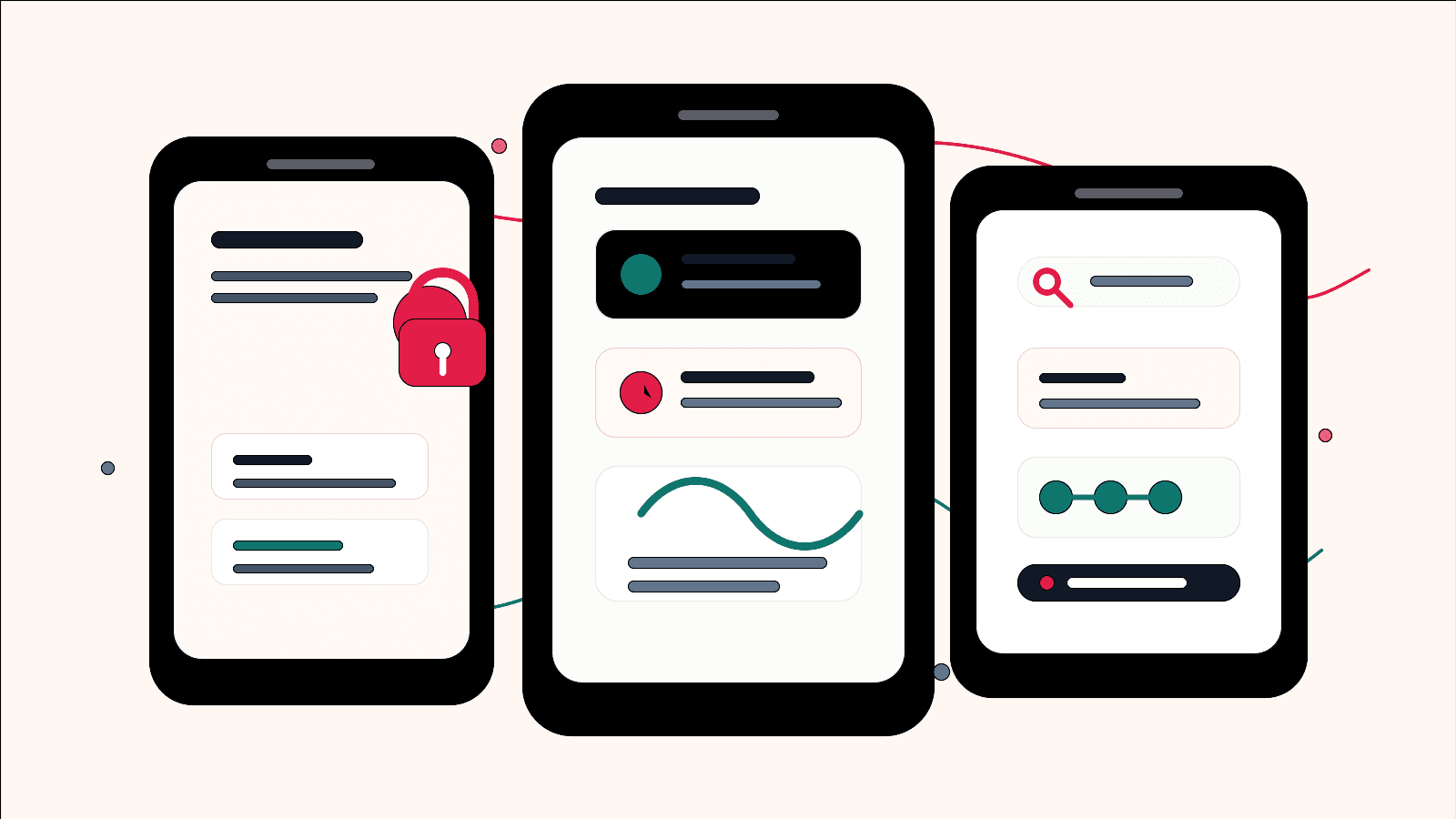
Shared team notes and knowledge-sharing product visual with abstract mobile screens for locked notes, reminders, search, sharing, and offline sync
Project scope

Mobile app modernization, native iOS support, Flutter delivery, API integration, offline persistence, shared notes, comments, and team knowledge workflows

3
core capture modes
2
mobile app generations
4
offline data tables
Live
team sharing and comments

Timeline

Multi-version mobile product rebuild and platform evolution

Team knowledge was scattered across notes, reminders, and message threads

The product needed to help people capture working knowledge quickly, organize it into reusable notes and journals, share selected records with teammates, discuss context in comments, and return to the right information later from mobile.

  • Team notes, journals, reminders, and folders needed separate workflows without feeling like separate products
  • Users needed controlled sharing, item-level access, and optional locks around sensitive internal notes
  • Mobile capture had to keep working when connectivity dropped and then reconcile with the server later
  • Comments, contacts, search, and reminders needed to turn captured notes into shared operational knowledge

A mobile-first workspace for shared notes and team recall

VaultFlow organizes team knowledge into notes, journal-style entries, reminders, folders, searchable content, share lists, and comment threads while keeping the mobile experience fast enough for daily capture.

  • Flutter screens for journals, notes, reminders, folders, search, sharing, comments, web views, and media capture
  • Native iOS and C# surfaces that preserved earlier product behavior while the mobile experience evolved
  • SQLite-backed offline storage with pending create, update, and delete queues for sync recovery
  • API-backed sharing, PDF generation, deep links, push notifications, and real-time comment history for shared knowledge handoff

Product surfaces

What the platform brought together

The work spanned core product operations, daily user workflows, data-heavy coordination, and resilient platform management.

Team notes and rich knowledge records

Teams can capture formatted knowledge, decisions, field observations, meeting notes, and reusable context from a mobile editor.

  • Journal, note, and reminder editors with title, content, lock, flag, reminder, and sharing fields
  • Embedded rich editor support for formatting, attachments, media capture, and HTML content
  • PDF generation and share flows that turn internal knowledge into controlled handoff assets

Controlled access and knowledge governance

Sensitive notes can stay protected while useful knowledge remains easy to share with the right people.

  • Passcode-backed locked journals, notes, and reminders
  • Ghost-link password flow for guarded item access
  • Local preference storage for session, passcode, pending sync, notification, and team-sharing state

Reminders and notification loops

Captured team knowledge can become timed follow-ups instead of static notes.

  • Reminder editor with scheduled time, repeat period, and pre-reminder behavior
  • Local notification scheduling across minutes, hours, days, and weekly reminder offsets
  • Push notification support and deep links that reopen the right journal, note, or reminder for follow-through

Sharing, comments, and searchable team memory

The product helps teams share context, discuss records, revoke access, and find prior knowledge without digging through chat history.

  • Email-based share and unshare flows with contact lookup
  • Search across journals, notes, and reminders with item-specific navigation
  • Real-time comment threads backed by WebSocket message history on shared journal channels

Module depth

Dedicated product blocks for the highest-value workflows

For large platforms, the conversion story depends on showing how each major module solves a specific operating problem, not only listing features.

Shared capture

One workspace for team notes, journals, and reminders

The strongest buyer value is not a single editor screen; it is the way three capture modes share identity, sync, search, reminders, comments, and controlled access.

Supported by Flutter route maps, editor screens, SQLite tables, and API models for journals, notes, folders, and reminders.

  • Journal workflows handle long-form project updates, observations, and decision context
  • Notes and folders support lightweight organization and shared recall
  • Reminder workflows bring time-sensitive follow-up into the same knowledge workspace

Governance

Sharing and access control coexist

The app needed to let teams share selected notes with trusted contacts while protecting sensitive records when needed.

Supported by passcode helpers, locked item open checks, share screens, and native iOS share view models.

  • Lock and password fields travel with journal, note, and reminder records
  • Share lists and contact search keep collaboration item-scoped
  • Unshare workflows make access revocation part of normal use

Reliability

Offline edits recover into API sync

Field notes, meeting follow-ups, and shared knowledge updates cannot depend on perfect connectivity, so the mobile app stores local records first and reconciles when the network is available.

Supported by the Flutter database handler and controller sync paths for create, update, fetch, and delete behavior.

  • SQLite tables store journals, reminders, notes, and folders
  • Pending ID and delete lists preserve offline mutations
  • Online refresh reconciles local records into server-backed lists

Buyer priorities

What mattered most to the people evaluating the platform

Prospective buyers want to know whether the work solved real workflow, adoption, reliability, data, and operations problems. These priorities shaped the product decisions.

Team capture speed

A team notes app only works when people can create, edit, share, and find knowledge without ceremony.

  • Direct mobile routes keep journals, notes, reminders, search, and share actions close
  • Local persistence protects work when a user is offline or moving between screens
  • Deep links and notifications reopen the exact item that needs attention

Knowledge-sharing control

Teams need sharing to be useful without turning every note into an open workspace artifact.

  • Locked content checks avoid opening protected items without passcode confirmation
  • Sharing is item-based instead of workspace-wide
  • Public case-study assets avoid real source screens, names, hosts, and identifiers

Cross-generation continuity

The product had to carry an older native app and API layer forward while modernizing the daily team knowledge experience.

  • Native iOS source preserved Core Data, share extension, notification, and rich editor behaviors
  • Flutter rebuilt the mobile workflow with shared controllers, models, and route structure
  • C# service helpers documented earlier API contracts for notes, books, and reminders

System model

How the platform connects roles, workflows, and product surfaces

The product architecture brings every role into the same operating model, with shared data moving cleanly between web, mobile, media, and notification layers.

Team capture to shared recall workflow

A user captures a journal, note, or reminder, stores it locally, syncs it, shares it with teammates, then reopens it through search, notification, or deep link.

Shared knowledge with selective access

Team notes can be shared, commented on, exported, revoked, or locked when the record is sensitive.

Three content roles

Journals, notes, and reminders each serve a different team intent while sharing authentication, storage, search, notification, and sharing plumbing.

Technology

The Stack We Used And Why

The stack section is written for buyers who need to understand the product architecture, operational trade-offs, and long-term maintainability of the system.

Mobile app

Used for cross-platform team notes, journals, reminders, search, sharing, notifications, offline records, and daily knowledge capture workflows.

FlutterDartProviderDioSharedPreferencesFlutter local notifications

Native iOS continuity

Used to preserve earlier iOS product behavior, including Core Data, rich editing, share extension, notification services, and view models.

SwiftUIKitCore DataShare ExtensionOneSignalRichEditorView

Offline and sync

Used to keep team capture reliable across weak connectivity and reconcile records with server state.

SQLitesqfliteUUIDsPending sync queuesREST APIs

Collaboration and delivery

Used for selective sharing, comments, generated PDFs, deep links, and team knowledge handoffs.

WebSocket channelsRocket.Chat-style message historyPDF generationUniversal linksEmail sharing

Why Flutter For The Modern App

The product needed one mobile codebase for capture-heavy team workflows while still reaching both iOS and Android users.

  • Flutter kept editor, reminder, search, share, and offline behavior aligned across platforms
  • Dart controllers and models made sync behavior explicit and testable as workflows expanded
  • A route-based app structure made deep links and notification targets easier to reason about

Why Offline Storage Was A Product Requirement

A shared notes product fails quickly if users lose content when the network drops.

  • SQLite allowed journals, notes, reminders, and folders to remain available locally
  • Pending mutation lists preserved the difference between local edits and server-confirmed state
  • Server refresh paths rebuilt local state after successful sync

Why Collaboration Stayed Item-scoped

Team knowledge tools need collaboration that feels deliberate, reversible, and limited to the chosen item.

  • Share and unshare actions are tied to a specific item GUID and type
  • Contact lookup helps users choose recipients without opening broad workspace access
  • Comment channels attach conversation to a shared item rather than to the whole account

Delivery

How the product came together

The work moved from domain modeling to core platform delivery, mobile adoption, and operational hardening.

1

Map the existing product behavior

Review native iOS, Flutter, and API source surfaces to separate durable product value from old implementation details.

2

Rebuild the mobile workflow

Create a Flutter experience for journals, reminders, notes, search, sharing, comments, and item-level team navigation.

3

Add offline and recovery behavior

Use local tables and pending mutation lists so team capture survives network gaps and later reconciles with server state.

4

Connect collaboration and reminders

Layer in share lists, comments, local notifications, push notification state, deep links, and export/PDF paths for team handoff.

Operational depth

What made the platform usable after launch

The strongest case studies are not only feature lists. They show how the system is operated, monitored, governed, and improved when real users depend on it.

Offline-first team capture

The app keeps records available locally and tracks mutations that still need server confirmation.

  • Journal, Reminder, Note, and Folder tables model the user workspace
  • Pending ID lists and delete lists help reconcile offline work
  • Local records are refreshed after server fetches to keep the cache current

Controlled team collaboration

Sharing tools sit close to content but remain explicit enough for sensitive team material.

  • Recipients are chosen by email or contact search
  • Existing shares can be reviewed and revoked
  • Comments are attached to item channels rather than global account feeds

Reminder and return paths

The app was built around re-entry, because teams often return to working knowledge through alerts, links, and search.

  • Local notifications schedule reminder and pre-reminder states
  • Deep links open journal, reminder, or note detail flows by item ID
  • Search results route directly into the correct editor surface

Results

The measurable and observable lift from the work

The strongest improvements are the ones a buyer can connect to daily work: fewer disconnected tools, safer operations, clearer workflows, and more reliable product behavior.

3 modes

Team Capture Coverage

Journals, notes, and reminders give teams different ways to save, share, and revisit working knowledge without leaving the app.

4 tables

Offline Data Model

Local persistence covers journals, reminders, notes, and folders for mobile recovery and sync.

2 app eras

Continuity Preserved

Native iOS and Flutter sources show the platform evolving while preserving core vault behavior.

Item-scoped

Sharing Control

Share, unshare, comment, and PDF paths operate around selected content instead of broad workspace exposure.

Outcome

A stronger operating system for shared team notes and knowledge-sharing app

The platform reduced tool fragmentation and gave each role a clearer path from live activity to day-to-day action.

A cross-platform shared notes workspace for journals, notes, reminders, search, folders, sharing, comments, and rich editing

Offline persistence and sync recovery for capture-heavy team knowledge workflows

Access-control patterns for locked records, passcodes, item-level sharing, revocation, and guarded entry points

Modern Flutter delivery that carried forward native iOS and API-era product behavior without exposing private implementation details

FAQ

Frequently Asked Questions About VaultFlow

Answers about the shared team notes and knowledge-sharing app scope, platform model, technology choices, operational workflows, and related build patterns.

What Kind Of App Does This Case Study Represent?

It represents a shared team notes and knowledge-sharing app with journals, notes, reminders, rich editing, offline storage, search, selective sharing, comments, notifications, and PDF/export workflows.

Why Build A Custom Team Notes App Instead Of Using Generic Docs Or Chat?

A custom app can combine mobile-first capture, item-level sharing, comments, reminders, offline sync, PDF handoff, deep links, and access controls in ways that generic docs or chat tools usually cannot support cleanly.

Can This Pattern Support Field Teams, Coaching Teams, Or Internal Knowledge Bases?

Yes. The same architecture can support field team notes, coaching staff notebooks, internal knowledge bases, client handoff notes, education teams, research logs, and regulated mobile knowledge capture.

What Should A Buyer Prepare Before Building A Similar Team Knowledge App?

The most useful inputs are team roles, content types, access rules, sharing model, offline expectations, reminder behavior, export needs, retention rules, and examples of how users should return to saved knowledge.

Related services

Build a similarly ambitious product without starting from a blank page.

We can help scope the web, mobile, AI, media, and operating layers needed for your own platform.

Start a project inquiry