Portfolio case study

WorkLoom: Work management and HRM platform

A unified work operating system that brings collaborative notes, Kanban task management, production cycles, daily to-dos, collaborative email, meeting logs, attendee management, HR leave approvals, documents, and dashboards into one connected workspace.

Name changed to respect NDA.

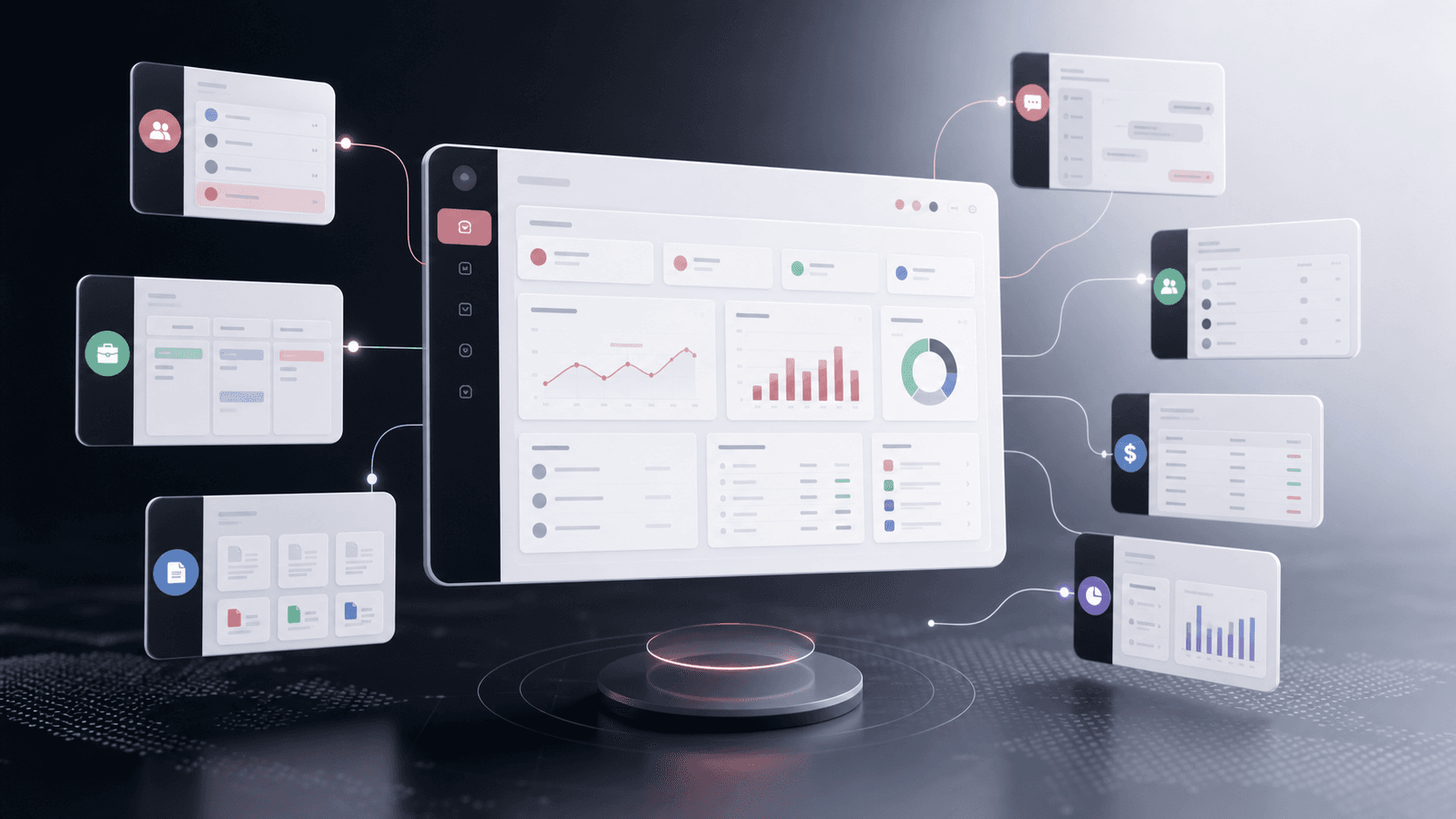
Abstract business operations platform visual with anonymous dashboard panels for projects, clients, documents, chat, finance, HR, and reporting
Project scope

Frontend product engineering and public-safe case-study positioning for a modular SaaS workspace spanning notes, tasks, production cycles, meetings, email, documents, HRM, leave management, dashboards, and integrations

10+
work modules connected
8
department workflows mapped
5
buyer personas supported
1
shared operating layer

Timeline

Large multi-module work-management frontend with later public portfolio positioning and source-backed feature expansion

Growing teams were losing context across scattered tools

The product needed to explain how private businesses, professional-service firms, and internal teams could replace fragmented work tools with one operating layer without making the experience feel abstract or bloated.

  • Client records, project work, documents, conversations, meetings, notes, time logs, and approvals were positioned as connected workflows instead of isolated feature pages
  • The landing page had to speak to lawyers, consultants, accountants, companies, and small teams without creating five separate products
  • Department-level value for operations, sales, IT, projects, HR, marketing, and finance needed to be easy to scan from one interactive section
  • The product story needed to make integrations and inbox consolidation feel practical rather than another dashboard promise

A modular SaaS product story for one connected business workspace

WorkLoom organizes a broad operations platform into clear modules, department workflows, persona-specific pain points, and conversion paths so buyers can quickly understand what the product replaces and how it supports daily work.

  • Collaborative knowledge, task, project, meeting, email, and HR workflows were described as connected parts of one daily operating system
  • An interactive department overview connects daily tasks, operations, sales, IT, projects, HR, marketing, and finance to specific workflow outcomes
  • Feature and persona data models cover client management, collaboration, Kanban-style project work, HR, people operations, and business operations modules
  • A booking modal, CTA path, navigation system, integration section, and tool-consolidation section support lead-generation readiness

Product surfaces

What the platform brought together

The work spanned core product operations, daily user workflows, data-heavy coordination, and resilient platform management.

Collaborative notes for shared team knowledge

The notes module turns scattered ideas, meeting summaries, research, and client context into searchable team knowledge that can stay attached to the work it supports.

  • Rich text notes can be organized by project, client, task, or topic instead of living in personal files or message drafts
  • Shared notes make project updates, client meeting records, research findings, and team decisions accessible to the right people
  • Full-text search, organization, tagging, and links to projects, clients, meetings, and tasks reduce repeated context hunting

Task management Kanban and ownership workflows

Task management is positioned as a complete accountability system rather than a flat list, with work moving from capture to assignment, priority, progress, and completion.

  • Kanban-style project and task views help teams see what is waiting, active, blocked, and ready for review
  • Tasks can be assigned to owners, connected to clients and projects, prioritized, given deadlines, and tracked through progress updates
  • Task lists support daily organization, filtering, sorting, ownership, due dates, and shared team initiatives

Production cycle management

The project module frames operational delivery as a managed production cycle with phases, milestones, resources, progress tracking, and stakeholder visibility.

  • Project timelines, milestones, task assignments, resource allocation, and progress reports give teams one view of delivery health
  • Production cycles can be planned around team capacity, leave availability, deadlines, and client commitments
  • Stakeholder visibility reduces manual status meetings because updates, progress, and next actions stay visible in the workspace

Daily to-dos and personal work planning

Daily work is separated from long-running project structure so individuals and teams can see what needs attention today without losing the larger context.

  • Customizable task lists help users organize personal tasks, client work, project actions, and urgent requests in the way they work
  • Priority, due-date, ownership, reminder, and progress signals keep daily responsibilities from disappearing into email or chat
  • Triage logic supports incoming work prioritization so teams can separate urgent items from lower-value distractions

Collaborative email and unified communication

WorkLoom treats email and messaging as part of the operating record, not a separate inbox that teams must manually reconcile with client and project work.

  • Outlook Web and Gmail integrations support collaborative emailing directly from the platform workflow
  • Email, team chats, client threads, platform notifications, WhatsApp-style communication, and custom-number messaging are framed as one unified inbox layer
  • Conversations can stay connected to clients, tasks, projects, files, and decisions so teams do not lose context between tools

Advanced meeting log system

Meetings are connected to execution through scheduling, notes, recordings, action items, and follow-up tasks instead of ending as disconnected calls.

  • Meeting scheduling, availability checks, video calls, notes, recordings, and calendar integration are presented as one workflow
  • Discussion points can become tracked action items connected to projects, clients, tasks, and shared notes
  • Persistent collaboration rooms support screen sharing, recordings, transcripts, and automatic links back to relevant work

Attendee management and meeting accountability

The meeting management surface accounts for who is involved, what was discussed, and which commitments came out of each session.

  • Meeting records include schedules, attendees, agendas, notes, recordings, and linked work items
  • Client consultations, team standups, project reviews, and internal planning sessions can all keep attendee context attached to the meeting log
  • Action items and follow-up tasks create accountability after the meeting so decisions do not rely on memory or scattered notes

HRM leave approval and team availability

The HRM layer gives HR, managers, and employees one place to request, approve, review, and plan around leave without managing approvals through informal messages.

  • Employees can submit leave requests, review leave balances, and track approval status through a self-service flow
  • Managers and HR teams can review requests with team availability, policy context, and project impact before approving
  • Multi-level leave management supports manager and HR approval paths, leave calendars, leave type categorization, policy enforcement, and coverage planning

Client, document, and approval records

Client-heavy teams get a single source of truth for relationship context, documents, signatures, communication, and related project work.

  • Client profiles, client files, document center, version history, secure storage, search, and permission-oriented messaging
  • E-signature workflow positioning for contracts, proposals, engagement letters, and client approvals
  • Persona examples for legal, consulting, and accounting workflows where document retrieval and relationship history matter

Business operations and integrations

The platform narrative connects department workflows with integrations so a broad product still feels anchored in practical operating needs.

  • Department map covering daily tasks, operations, sales, IT, projects, HR, marketing, and finance workflows
  • Integration messaging for Outlook Web, Gmail, Twilio, WhatsApp, collaborative email, custom numbers, and CRM-style chat
  • Tool consolidation narrative that compares the platform against chat, task, document, meeting, CRM, email, and time-tracking tool sprawl

Buyer priorities

What mattered most to the people evaluating the platform

Prospective buyers want to know whether the work solved real workflow, adoption, reliability, data, and operations problems. These priorities shaped the product decisions.

Clarity for broad product scope

A business operating system can feel too wide unless buyers can see how each module maps to recognizable daily work.

  • Feature categories grouped modules into client management, team collaboration, project work, HR, people operations, and operations
  • Persona pages and use cases made the same platform feel relevant to lawyers, consultants, accountants, companies, and small teams
  • Department cards connected the platform to daily operational areas instead of leaving the product as a generic dashboard

Conversion readiness

The public experience needed a path from first impression to demo or signup without forcing buyers to decode the whole platform alone.

  • Hero CTA, booking modal, navigation, and repeated CTA sections keep the next step visible
  • Impact stats and tool-replacement framing help buyers understand value before reading feature details
  • Industry and persona sections give different buyer types a reason to keep exploring

Operational trust

Professional-service and business buyers need confidence that the platform respects sensitive files, permissions, and process consistency.

  • The IT section emphasizes secure document storage, request tracking, compliance-oriented organization, and system alignment
  • Client-file and document-center positioning highlights version control, access control, search, and organized records
  • Integration messaging shows how existing communication channels can connect into the platform instead of being discarded overnight

System model

How the platform connects roles, workflows, and product surfaces

The product architecture brings every role into the same operating model, with shared data moving cleanly between web, mobile, media, and notification layers.

Tool sprawl to operating system

Disconnected notes, tasks, email, meetings, HR approvals, files, CRM, and reporting tools consolidate into one connected workspace.

Persona-aware product model

Employees, managers, HR, project leads, and client-facing teams see role-relevant workflows while sharing the same platform foundation.

Operations platform foundation

Vue routes, Vuex modules, API-backed services, real-time meeting presence, and communication integrations work together as one operations workspace.

Technology

The Stack We Used And Why

The stack section is written for buyers who need to understand the product architecture, operational trade-offs, and long-term maintainability of the system.

Vue operations frontend

Used for the core browser workspace across HRM, task management, meetings, notes, documents, dashboards, routes, and role-based navigation.

Vue 2Vue CLIVue RouterVuexBootstrapVueCoreUI Vue

Work management UI

Used for Kanban boards, task popups, task lists, calendars, Gantt views, spreadsheet-style task views, and dense operational screens.

vue-kanbanvuedraggabledragulafrappe-ganttDevExtreme VueSyncfusion calendars

Data and service layer

Used to connect frontend modules to API endpoints for task lists, todos, meetings, leave management, leave rules, notes, permissions, and email.

AxiosVuex modulesREST APIsHttpRequest helperlocalStorage utilities

Communication and collaboration

Used for collaborative email, meeting participation, notification workflows, real-time meeting presence, and connected communication context.

SparkPost transmission serviceAbly presenceTwilio ConversationsMicrosoft Teams SDKOneSignal

Operations and quality

Used for large Vue application builds, staging/prod modes, linting, unit/e2e test hooks, and production asset handling.

ESLintJestNightwatchCypress configVue CLI build modesSurge deploy script

Why Vue For A Dense Operations Workspace

The product needed a large authenticated workspace with many route-based modules, shared state, modals, calendars, and real-time collaboration surfaces.

  • Vue Router mapped the workspace into dedicated routes for notes, todos board, task management, meetings, leave calendar, leave management, and settings
  • Vuex modules kept service-backed state for task lists, todos, meetings, notes, leave rules, leave types, email, and permissions
  • BootstrapVue and CoreUI supported dense admin layouts, dialogs, tables, and side navigation without creating every primitive from scratch

Why Specialized Work Components

The platform was not just a CRM page. It needed work-specific views for planning, meetings, approvals, and daily execution.

  • Kanban, Gantt, calendar, spreadsheet, and popup task views let teams choose the right shape for different work cycles
  • Meeting screens support meeting details, public meetings, previous meetings, pending action points, minutes email, and sprint creation from meetings
  • Leave management combines leave requests, statuses, calendars, rules, applicable rules, leave types, and employee-level rule assignments

Why Integrations Stay Close To Work

Communication, email, and notifications are most valuable when they are attached to the work record rather than living in separate tools.

  • SparkPost email support made sprint reports and meeting minutes shareable from inside operations workflows
  • Ably presence helped public meeting screens reflect attendee participation and live meeting activity
  • Twilio, Teams, and OneSignal dependencies supported communication, meeting, and notification paths around the operational workspace

Delivery

How the product came together

The work moved from domain modeling to core platform delivery, mobile adoption, and operational hardening.

1

Map The Platform Story

Group a wide operations product into buyer-friendly modules across notes, tasks, production cycles, meetings, collaborative email, HR leave, and documents.

2

Verify The Real Product Modules

Cross-check the public case study against the private frontend routes, services, Vuex modules, and components so the page reflects actual product depth.

3

Translate Depth Into Public Copy

Turn detailed module evidence into public-safe blocks that highlight real workflow capability without exposing private project names, URLs, credentials, or implementation identifiers.

4

Prepare For Product-Led Conversion

Use CTA repetition, integration explanations, persona context, and tool-replacement messaging to help buyers self-identify the fit.

Operational depth

What made the platform usable after launch

The strongest case studies are not only feature lists. They show how the system is operated, monitored, governed, and improved when real users depend on it.

Route-backed module architecture

The frontend exposes the breadth of the product through dedicated routes and component folders rather than one overloaded dashboard.

  • Routes cover notes, todos board, task management, meetings, meeting details, pending items, leave calendar, leave management, leave rules, leave types, and documents
  • Component folders separate Todo, TaskManagement, Meetings, LeaveManagement, shared notes, company settings, and document management workflows
  • Vuex modules and services keep task lists, todos, meetings, email, notes, leave rules, leave types, permissions, and leave management connected to APIs

Meeting-to-work conversion

Meetings are operational objects that can produce minutes, action points, pending items, and task or sprint records.

  • Meeting screens handle details, public meeting access, previous meeting review, pending action points, and in-meeting workflows
  • Task list services include sprint report email and create-sprint-from-meeting actions
  • Meeting attendee, leader, moderator, external attendee, agenda, note, and action point records create an audit trail around decisions

HR policy and approval controls

The leave system supports day-to-day employee requests while giving HR and managers policy, availability, and rule configuration controls.

  • Leave management screens cover request creation, status tracking, filters, calendar views, leave rules, applicable rules, and leave types
  • Employee profile flows support selected leave rules and company-level rule assignment
  • Approval-oriented dashboard copy and status components distinguish pending, approved, and rejected leave states

Results

The measurable and observable lift from the work

The strongest improvements are the ones a buyer can connect to daily work: fewer disconnected tools, safer operations, clearer workflows, and more reliable product behavior.

10+ modules

Connected Work Surface

Notes, todos, Kanban tasks, task lists, production cycles, meetings, email, documents, leave management, leave calendars, and dashboards were represented as one operating workspace.

Meeting to sprint

Execution Continuity

Meeting workflows connect attendees, agendas, notes, action points, minutes, pending items, and sprint or task creation instead of stopping at a meeting record.

Multi-stage HR

Leave Governance

Leave requests, approval status, leave calendars, leave rules, leave types, employee rule assignments, and HR dashboards support structured leave management.

Collaborative

Communication Layer

Outlook, Gmail, SparkPost-style email flows, meeting minutes, notifications, and chat-oriented communication are tied back to work records.

Outcome

A stronger operating system for work management and hrm platform

The platform reduced tool fragmentation and gave each role a clearer path from live activity to day-to-day action.

A public case study that now reflects the deeper product, not only the lightweight marketing site around it

Separate public-safe module blocks for collaborative notes, Kanban tasks, production cycles, daily to-dos, collaborative email, advanced meeting logs, attendee management, HRM leave approvals, client records, documents, and integrations

A more accurate technology story grounded in the cloned Vue frontend, including Vue Router, Vuex modules, task-list services, meeting components, leave-management screens, and email services

A stronger changed name, WorkLoom, that better represents a platform weaving daily work, meetings, approvals, and communication into one operating layer

FAQ

Frequently Asked Questions About WorkLoom

Answers about the work management and hrm platform scope, platform model, technology choices, operational workflows, and related build patterns.

What Kind Of Platform Does WorkLoom Represent?

WorkLoom represents a business operations and work management platform that brings collaborative notes, task boards, task lists, production cycles, daily to-dos, collaborative email, meetings, attendees, HR leave management, client records, documents, integrations, and dashboards into one connected workspace.

Why Was Custom Software Needed For This Operating System?

The product covered workflows that usually live in separate tools: notes, tasks, production planning, meetings, email, attendance context, leave policies, client records, documents, and dashboards. Custom software let those workflows share context instead of forcing teams to reconcile them manually.

How Does The Stack Support Dense Work Management?

The Vue frontend uses Vue Router for module routes, Vuex for service-backed state, Axios for API access, and specialized UI libraries for Kanban boards, calendars, Gantt views, task popups, meeting workflows, and HR leave screens.

How Do Meetings Become Actionable Work?

The meeting system includes meeting details, attendees, leaders, moderators, external attendees, agendas, notes, action points, previous meetings, pending items, minutes email, and create-from-meeting flows that can turn discussion into sprint or task records.

How Does The HRM Leave Workflow Work?

The HRM flow supports leave requests, status tracking, leave calendars, leave rules, leave types, applicable rules, selected employee leave rules, manager and HR review, and policy-aware approval paths.

Can This Pattern Be Adapted To Other B2B SaaS Platforms?

Yes. The same pattern works for B2B SaaS products that need to explain several connected modules, department workflows, operational records, and approval paths without overwhelming prospects.
Related services

Build a similarly ambitious product without starting from a blank page.

We can help scope the web, mobile, AI, media, and operating layers needed for your own platform.

Start a project inquiry