
Quick Answer: What Should Be Ready Before Launching An E-Commerce Website?
Before launching an e-commerce website, make sure the business model, product catalog, checkout flow, payment setup, shipping rules, tax logic, analytics, SEO foundations, mobile experience, speed, security, support process, and post-launch growth plan are ready together. A launch is not just publishing a storefront. It is the moment when marketing, operations, payments, fulfillment, and customer support start depending on the same system.
The safest way to prepare is to separate launch-critical checks from later improvements. Product data, checkout, payments, fulfillment, analytics, legal pages, email notifications, and support workflows must be dependable before launch. Personalization, loyalty, advanced campaigns, and mobile apps can follow once the core store is stable. If you are still deciding whether your store needs a custom platform, review the practical cost drivers in the web app development cost guide before freezing scope.

Define The Launch Strategy Before Design
Start with the commercial plan. Decide who the first buyers are, which products are launch-critical, how orders will be fulfilled, which markets are supported, how returns work, and which metrics will prove that the launch is working. Without those decisions, website design can look polished while the operating model remains unclear.
The launch plan should also define what is not in scope. Many teams delay launch by trying to ship every wishlist item: loyalty, subscriptions, product bundles, influencer campaigns, complex search, international checkout, and advanced personalization. Put those into a roadmap, but protect the first release around the buyer journey and the operational basics that must work on day one.
Prepare Product Data And Merchandising
Product data is the foundation of an ecommerce website. Each product should have a clear title, useful description, category, price, images, variants, inventory status, shipping information, return rules, and SEO-friendly metadata. If customers cannot understand the product quickly, traffic and ads will not fix the conversion problem.
Merchandising should be intentional. Group products by how customers shop, not only by internal categories. Add filters, sorting, product badges, bundles, comparison cues, and related products where they help decisions. For stores with a mobile-heavy audience, plan product discovery with the same discipline used in mobile app development: small screens, fast decisions, low friction, and clear next actions.
Map The Complete Customer Journey
The launch checklist should follow the customer from first visit to repeat purchase. Test how a buyer lands on a campaign page, finds a product, compares options, adds to cart, applies a coupon, chooses delivery, pays, receives confirmation, tracks the order, asks for help, and returns later.
Do not test only the happy path. Check out-of-stock products, failed payments, invalid coupons, address changes, shipping restrictions, tax edge cases, refund requests, account recovery, email delivery, and support escalation. The user experience is only ready when these edge cases fail clearly and recoverably.
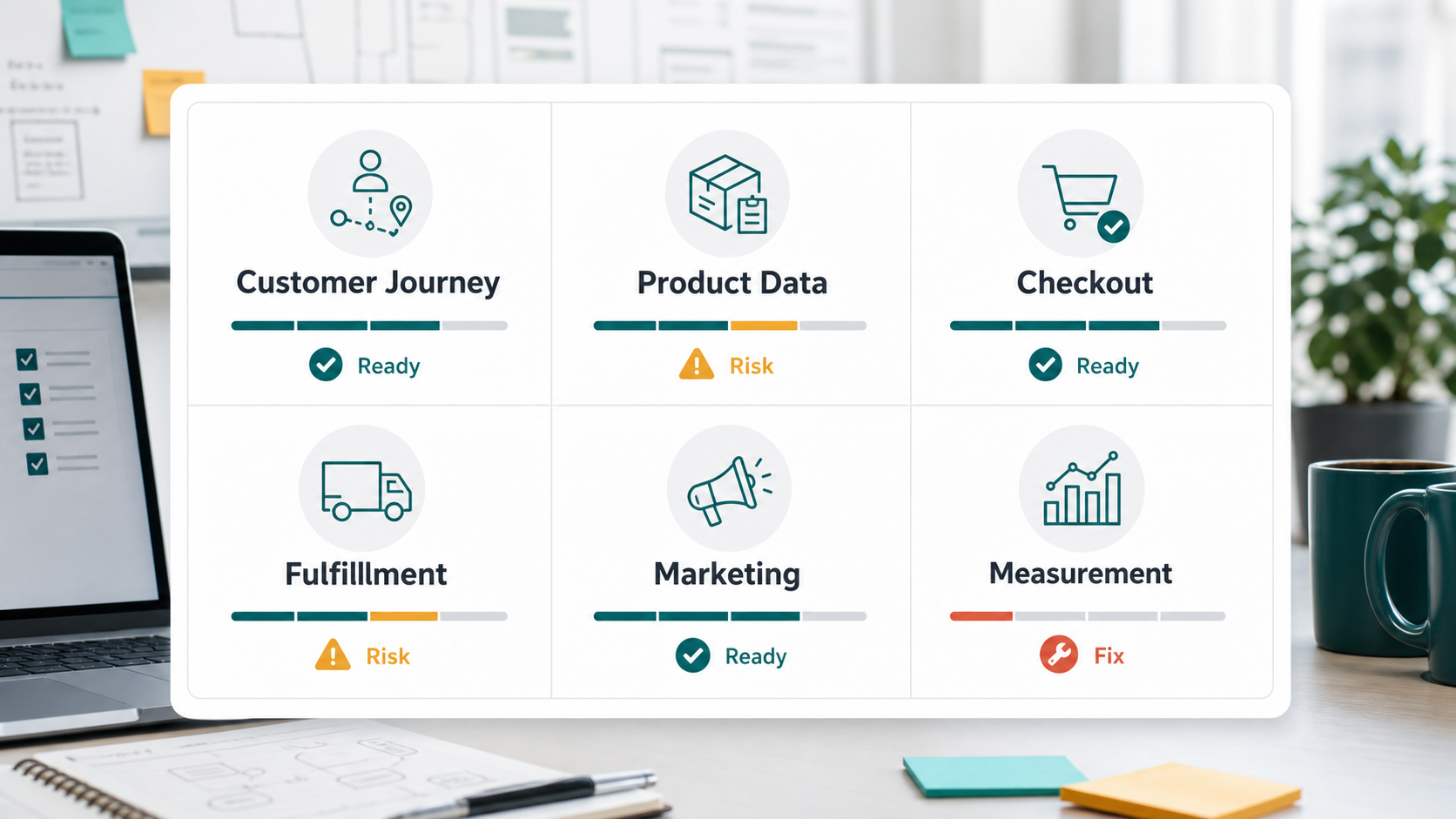
Make Checkout, Payments, And Fulfillment Dependable
Checkout is the highest-risk part of an ecommerce launch because small friction creates direct revenue loss. Keep forms short, show total cost before payment, support the right payment methods, make delivery choices clear, and confirm the order only after server-side payment verification succeeds.
Payment setup should cover gateway credentials, test mode removal, webhook validation, failed payment behavior, refunds, chargebacks, reconciliation, fraud checks, and support visibility. Fulfillment setup should cover inventory sync, packing rules, delivery partners, tracking numbers, cancellation windows, returns, and exception handling. For deeper budget planning around payment, integration, and MVP choices, use the eCommerce app development cost guide and the Custom Software Cost Estimator.
Test Mobile Experience And Performance
Most ecommerce discovery now touches mobile even when the final purchase happens elsewhere. Test the home page, category pages, product detail pages, cart, checkout, account flows, menus, filters, search, images, and forms on actual mobile viewport sizes. Tap targets should be comfortable, sticky elements should not hide form fields, and product media should load without making the page feel unstable.
Performance affects both conversion and search visibility. Compress images, avoid unnecessary scripts, keep critical pages cacheable where appropriate, monitor Core Web Vitals, and test category and product pages under realistic network conditions. If the current store is slow or awkward on phones, the issues are similar to the ones covered in website revamp planning: the launch needs a better user path, not just a new campaign.
Set Up SEO, Analytics, And Search Console
SEO preparation starts before launch. Check crawlable category and product pages, clean URLs, canonical tags, metadata, schema, image alt text, XML sitemap, robots rules, redirects, internal links, and duplicate content. Publish helpful category copy where it supports buying intent instead of stuffing keywords into every page.
Analytics should be installed and tested before the first campaign goes live. Track product views, add-to-cart events, checkout starts, purchases, revenue, coupon use, search queries, form errors, payment failures, and traffic sources. Connect Google Search Console and submit the sitemap so indexing problems are visible early.
Prepare Security, Privacy, And Trust Signals
Customers need to trust the store before they share payment or personal details. Confirm HTTPS, secure cookies, admin permissions, strong passwords, role-based access, backup routines, payment tokenization, privacy policy, terms, return policy, shipping policy, contact details, and customer support channels.
Trust signals should be visible where doubt happens: product pages, cart, checkout, delivery selection, and returns. Show delivery timelines, return rules, payment security cues, support contact options, real product images, and review or social proof where available. Avoid hiding important conditions until after payment.
Run A Launch QA Checklist
Launch QA should include browser checks, mobile checks, payment tests, email tests, analytics tests, content review, accessibility review, SEO validation, performance checks, and operations rehearsals. Ask the team to place test orders, refund them, cancel them, update inventory, handle a support issue, and confirm that all notifications and dashboards show the expected state.
| Launch Area | What To Verify | Why It Matters |
|---|---|---|
| Catalog | Product names, prices, variants, images, descriptions, inventory, categories, and filters. | Bad product data creates buyer doubt and support load. |
| Checkout | Cart, coupons, taxes, shipping, payment success, payment failure, refunds, and confirmation emails. | Checkout defects turn launch traffic into lost revenue. |
| Marketing | Landing pages, pixels, UTM parameters, email capture, campaigns, and abandoned cart flows. | Launch traffic must be measurable and recoverable. |
| Operations | Order dashboard, fulfillment process, tracking, cancellation, returns, support, and reporting. | The business must be able to deliver after orders arrive. |
| Risk | Security, privacy, backups, admin access, legal pages, and fraud handling. | Trust and recovery planning protect the launch. |
Plan Post-Launch Growth Before Launch Day
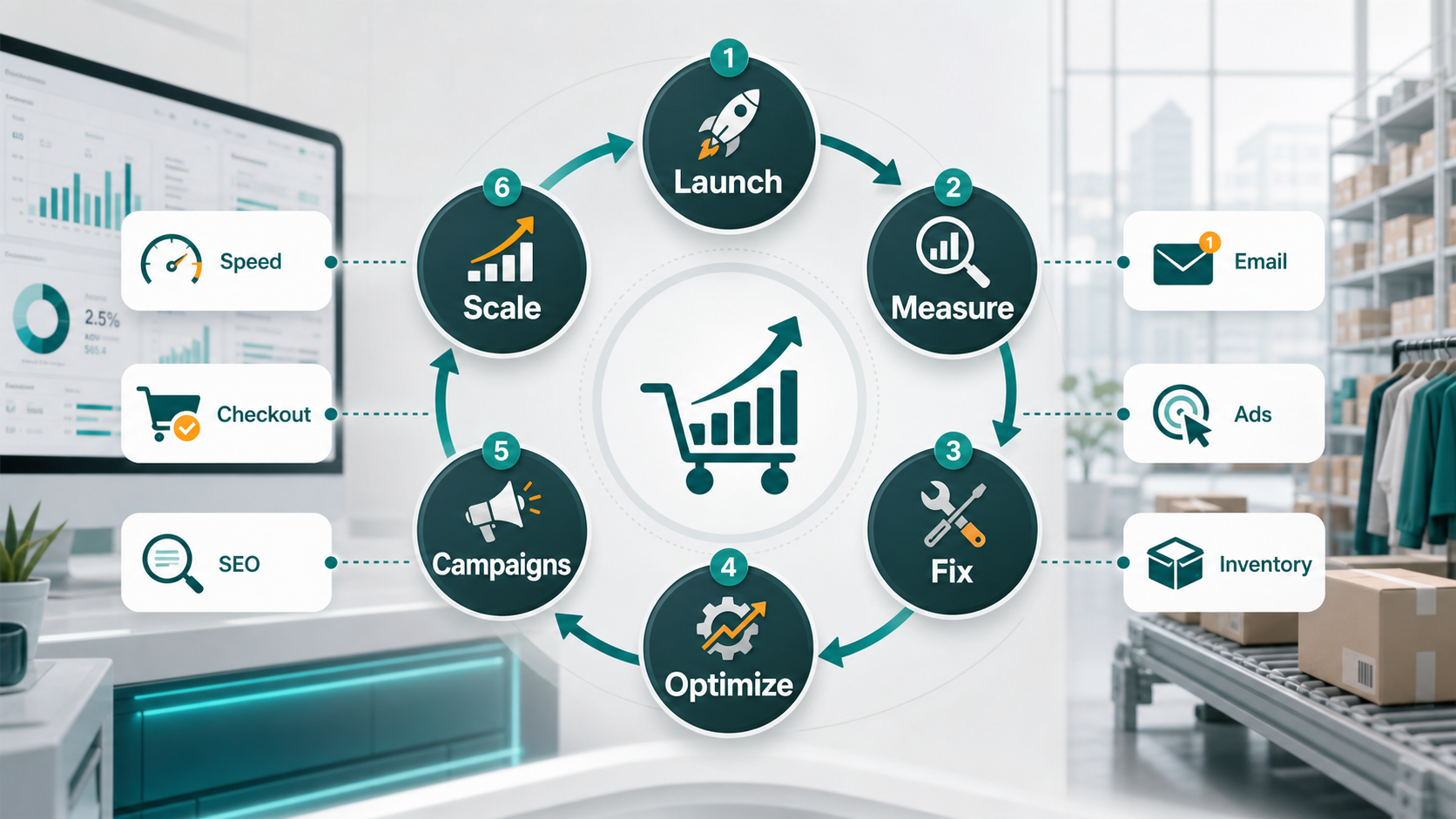
The launch is the start of measurement, not the end of the project. Create a weekly rhythm for reviewing traffic, conversion, checkout completion, payment failures, average order value, repeat purchase rate, support tickets, returns, SEO indexing, and campaign quality. Use those signals to decide whether the next sprint should fix checkout, improve product pages, speed up the site, add new offers, or expand acquisition.
If repeat mobile buying becomes important, consider whether the website should be paired with a mobile commerce roadmap. The supporting guide on e-commerce mobile apps explains how app experiences can support faster repeat purchases, loyalty, notifications, and mobile-first shopping behavior.
Final Recommendation
Before launching an e-commerce website, make the core buying system reliable: clear product data, fast mobile pages, trustworthy checkout, secure payments, dependable fulfillment, tested analytics, SEO foundations, and visible support. A smaller launch with clean operations is stronger than a broad launch that breaks under first traffic.
Once the store is live, measure behavior weekly and improve the highest-friction part of the journey first. Ecommerce growth comes from a dependable operating loop: launch, measure, fix, optimize, campaign, and scale.