
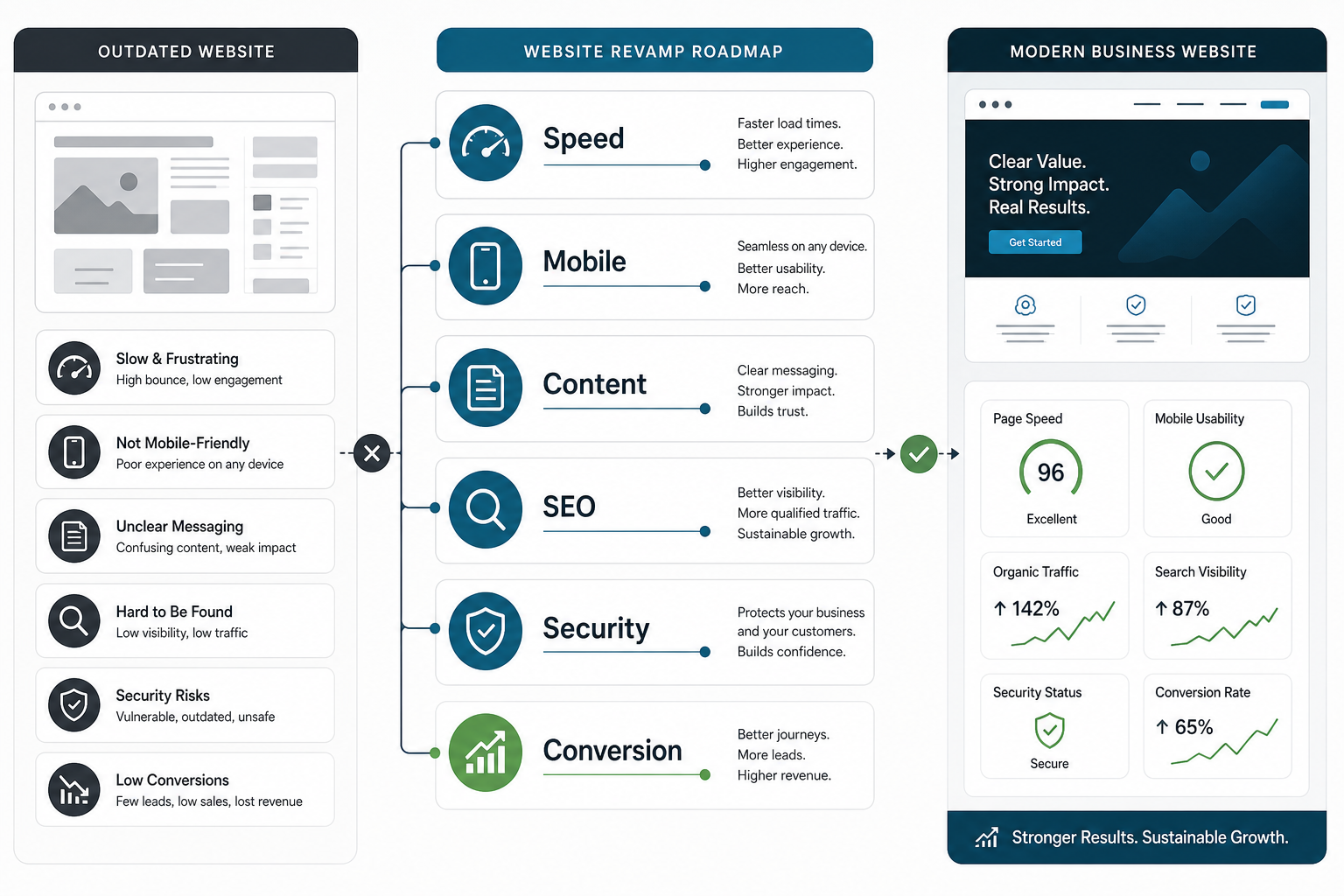
A website revamp is worth considering when your current site no longer explains the business clearly, loads slowly, fails on mobile, creates support questions, or does not turn traffic into qualified leads. The goal is not to make the site look newer. The goal is to make the website easier to trust, easier to use, easier to find, and easier to buy from.
The practical answer: revamp your website when it is hurting speed, search visibility, brand credibility, security, or conversion. If the site is also tied to quoting, onboarding, dashboards, customer portals, or internal workflows, treat the redesign as part of web app development or custom software development, not just a visual refresh.
Quick Answer: When Should You Revamp Your Website?
You should revamp your website when the current experience creates measurable friction: slow pages, poor mobile usability, outdated offers, weak SEO structure, confusing navigation, low conversion rates, security risk, or a brand story that no longer matches the business. A redesign becomes urgent when those issues affect revenue, trust, recruitment, support load, or sales cycles.
Do not wait for every page to feel broken. A website can still be online and still be costing the business opportunities. The strongest revamps start with an audit of what the site must do for customers, search engines, sales teams, and operations.
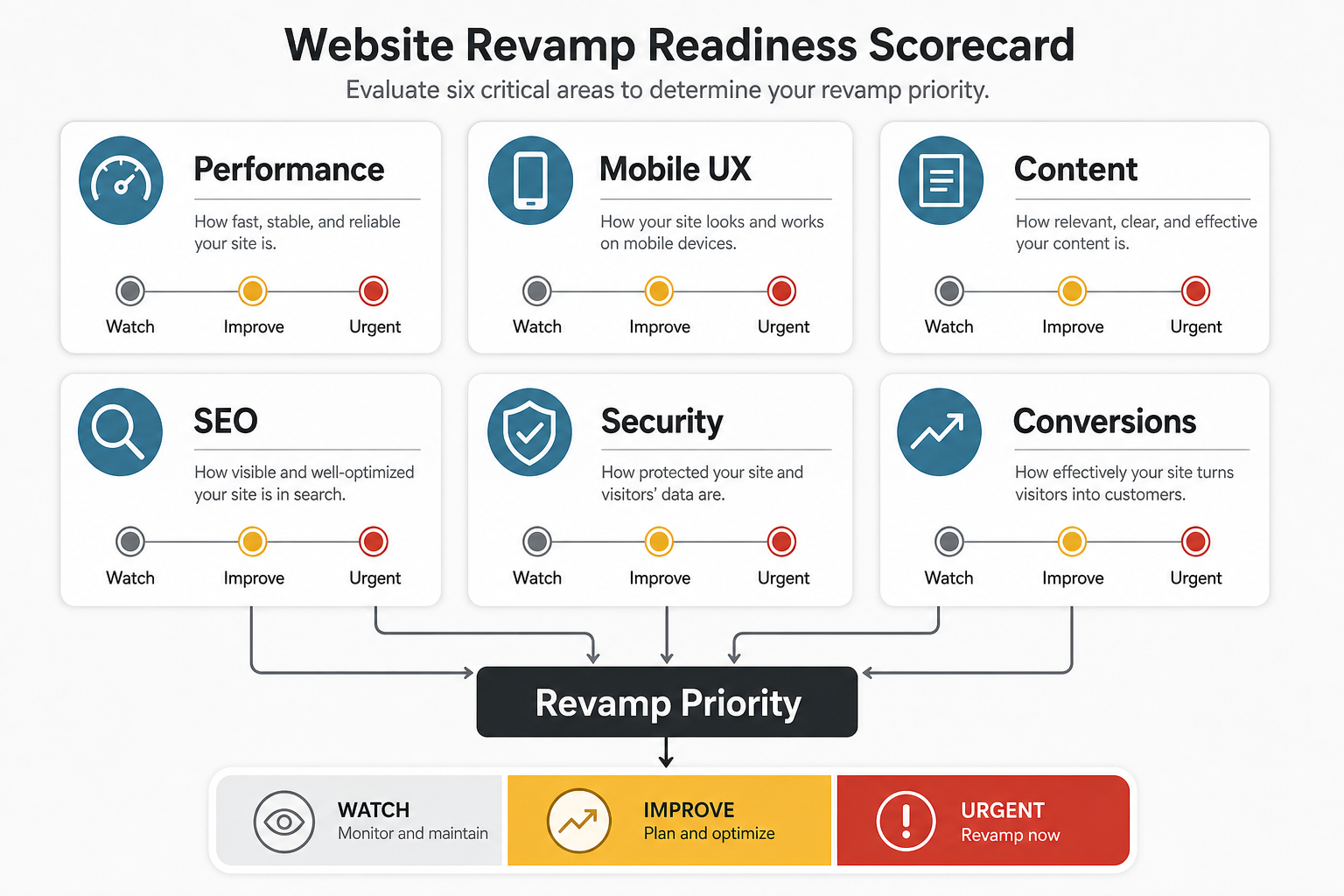
Website Revamp Readiness Scorecard
Before rewriting pages or choosing a design style, score the current website across six practical areas. If two or more areas are urgent, a revamp is usually more effective than scattered fixes.
| Area | Warning Sign | What A Revamp Should Fix |
|---|---|---|
| Performance | Slow load times, heavy pages, poor Core Web Vitals | Faster templates, optimized media, cleaner frontend delivery |
| Mobile UX | Broken layouts, small tap targets, hard-to-read pages | Responsive layouts, mobile-first forms, clearer content hierarchy |
| Content | Old offers, vague copy, missing proof, unclear service pages | Current positioning, buyer-focused pages, stronger proof and CTAs |
| SEO | Weak metadata, thin pages, poor internal links, missing schema | Better page structure, topic clusters, technical SEO, answer-ready content |
| Security | Outdated plugins, weak hosting, missing maintenance process | Safer stack, patching plan, secure forms, reliable backups |
| Conversions | Traffic exists but leads are low quality or inconsistent | Sharper journeys, trust signals, forms, offers, analytics |
10 Reasons To Revamp Your Website
The reasons below are not separate design opinions. They are business symptoms. If several are present at the same time, the site is probably holding back growth.
1. Slow Website Loading Speed
Slow pages reduce patience, trust, search performance, and conversion. A visitor who waits too long for a page to load may never see your offer, and a sales team cannot recover leads that never arrived. A revamp should address page weight, image handling, scripts, hosting, caching, and the design choices that make pages heavy.
Use performance data instead of guessing. Check high-value pages, landing pages, contact forms, and blog templates on mobile and desktop. If the architecture is outdated, a small speed patch may not be enough.
2. Social Previews And Brand Presentation Look Weak
When links are shared on LinkedIn, Facebook, WhatsApp, Slack, or sales emails, the preview should make the company look credible. Missing thumbnails, weak titles, blurry images, or vague descriptions make the site feel neglected before the visitor clicks.
A strong revamp should include open graph images, clean page titles, useful descriptions, and visual consistency across blog cards, landing pages, and service pages.
3. Content Is Hard To Understand
Customers visit the website to answer specific questions: what you do, who it is for, what problem you solve, why you can be trusted, and what they should do next. If the content is scattered, outdated, or written around the company instead of the buyer, the site needs more than visual polish.
Use a structured website development process to align pages, navigation, proof, and calls to action before the build starts.
4. The Website Is Not Mobile Friendly
Mobile friendliness is no longer a bonus. Many visitors will evaluate your company on a phone before ever seeing the desktop site. If menus, forms, tables, images, or page sections break on mobile, the website is creating friction at the first serious interaction.
A revamp should simplify mobile navigation, reduce unnecessary page weight, make forms easier to complete, and ensure that the main value proposition is visible without effort.
5. The Website No Longer Reflects Your Brand
Companies change: offers mature, pricing changes, teams grow, case studies improve, industries shift, and buyers expect stronger proof. If the site still presents an older version of the company, the brand signal is working against the sales conversation.
Modern brand alignment is not only about colors or typography. It includes positioning, proof, expertise, service depth, trust signals, and whether the site supports the same conversations your sales team is having.
6. SEO Was Not Planned Into The Site
A website can look acceptable and still be difficult for search engines and AI answer engines to understand. Weak titles, duplicate pages, thin service copy, missing internal links, poor heading hierarchy, and old metadata make discovery harder.
Use the SEO Checklist For Websites to review fundamentals. For AI-era discoverability, the AI Search Visibility Checker can help identify whether your pages explain entities, services, proof, and answers clearly enough.
7. There Is No Content Marketing Strategy
A good website should give useful paths to buyers who are not ready to contact you today. Blog posts, service explainers, case studies, tools, and comparison pages can support search visibility and nurture future demand.
If the current site has content but no topic clusters, internal links, or conversion paths, the revamp should include a publishing and optimization plan, not just new templates.
8. Customers Cannot Find What They Need
Repeated calls, emails, and chat questions can reveal navigation problems. If visitors ask about services, pricing, timelines, process, technology, or next steps even though those pages exist, the site may not be organizing information around user intent.
A revamp should map the buyer journey: problem awareness, service evaluation, proof review, budget planning, and contact. Tools such as the Build vs Buy Decision Tool can also help visitors make decisions before they contact sales.
9. Security And Maintenance Risk Is Growing
Old CMS versions, outdated plugins, weak hosting, unmaintained forms, and missing backup routines can turn a website into a business risk. Security affects your company and your customers, especially when forms collect personal or project information.
A redesign is a chance to simplify the stack, remove unused plugins, improve hosting, protect forms, document maintenance ownership, and set a realistic update process.
10. Competitors Have Moved Ahead
If competitors explain their offer more clearly, load faster, publish better proof, rank for more relevant terms, or provide smoother forms and tools, they can win trust before your team is in the conversation.
Do not copy competitor design. Use their progress as evidence that buyer expectations have changed. The right response is a clearer strategy, stronger content, better proof, and a website experience that supports your actual sales process.
Website Revamp Workflow
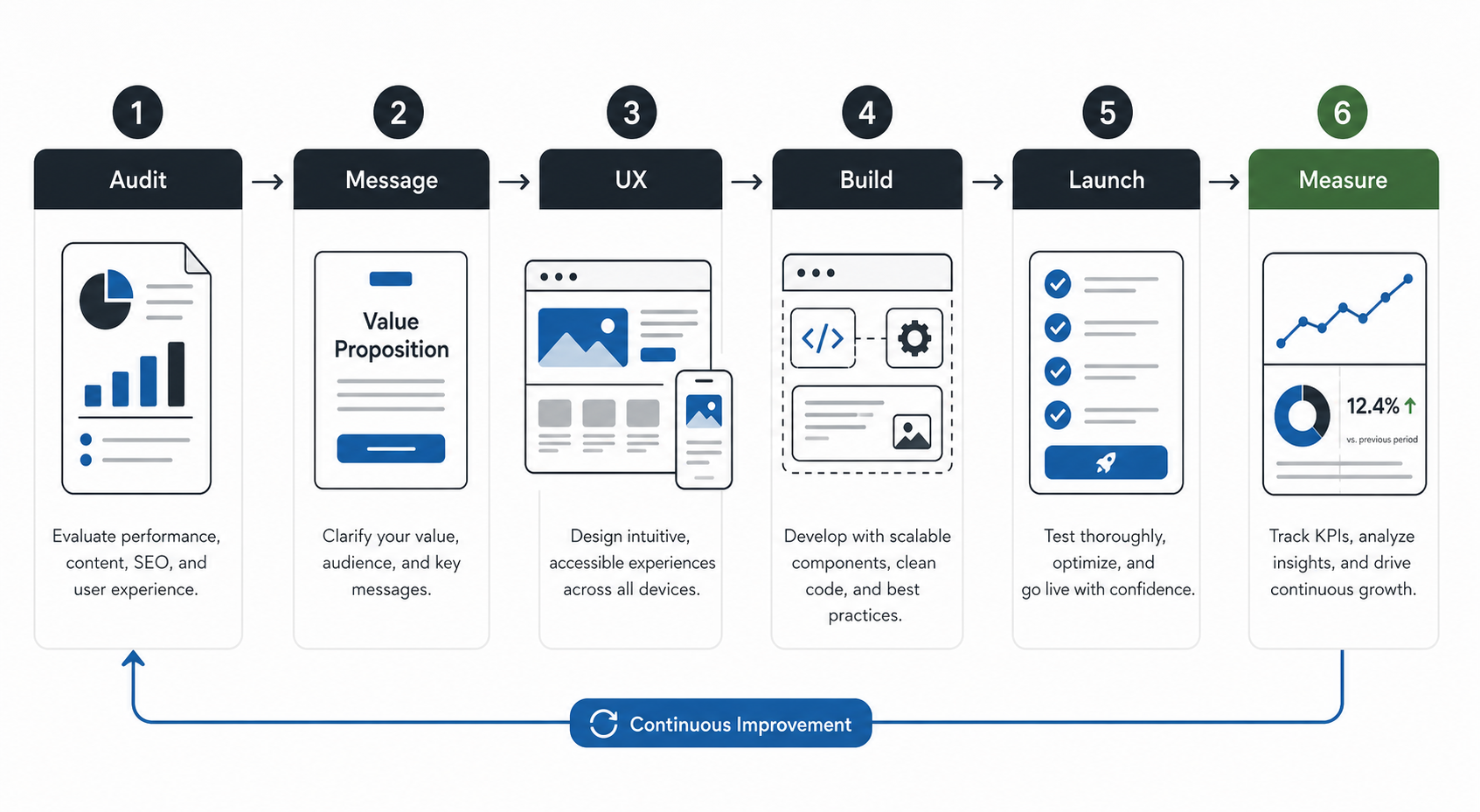
The best revamps follow a clear workflow. Jumping straight into visual design can hide weak messaging, missing conversion paths, poor technical choices, or unrealistic scope.
- Audit: review analytics, search data, page speed, mobile behavior, conversion paths, content gaps, and security risk.
- Message: clarify the audience, offer, positioning, proof, and calls to action.
- UX: plan navigation, page hierarchy, forms, mobile journeys, accessibility, and conversion paths.
- Build: implement a maintainable frontend, CMS or app architecture, media handling, metadata, and tracking.
- Launch: test redirects, forms, analytics, metadata, schema, speed, accessibility, and responsive layouts.
- Measure: monitor leads, rankings, engagement, speed, and content performance after launch.
How Much Should A Website Revamp Include?
The scope depends on what is broken. Some businesses need a focused page refresh. Others need a new information architecture, content system, component library, CRM integration, quoting workflow, or customer portal.
If the website is becoming part of a broader product or operations system, use a custom software cost estimator to frame budget and team shape before locking the redesign scope. If the main problem is search visibility in AI answer engines, compare the revamp plan with an AI search optimization roadmap so content, schema, and authority signals are designed together.
Common Website Revamp Mistakes
- Starting with visuals only: design cannot rescue unclear positioning or weak page structure.
- Ignoring redirects: changing URLs without a redirect plan can damage search visibility.
- Keeping every old page: outdated content should be merged, rewritten, redirected, or removed deliberately.
- Forgetting forms and analytics: a site that looks better but cannot measure leads is hard to improve.
- Launching without ownership: someone must own updates, security, content quality, and post-launch improvements.
What A Good Website Revamp Looks Like
A strong revamp makes the business easier to understand and easier to trust. It should improve the first impression, but it should also make the website more useful to sales, support, recruiting, marketing, and operations.
For a practical example of a website-led transformation, review the CodeCamp Studio case study, where positioning, content, and web experience work together to support a clearer digital presence.
Final Recommendation
Revamp your website when the current experience no longer supports how buyers evaluate your company. Prioritize the issues that affect trust and revenue first: speed, mobile usability, content clarity, SEO, security, and conversion.
The best redesigns are not cosmetic resets. They are operating improvements: clearer messaging, better journeys, stronger technical foundations, useful content, measurable conversions, and a site your team can keep improving after launch.