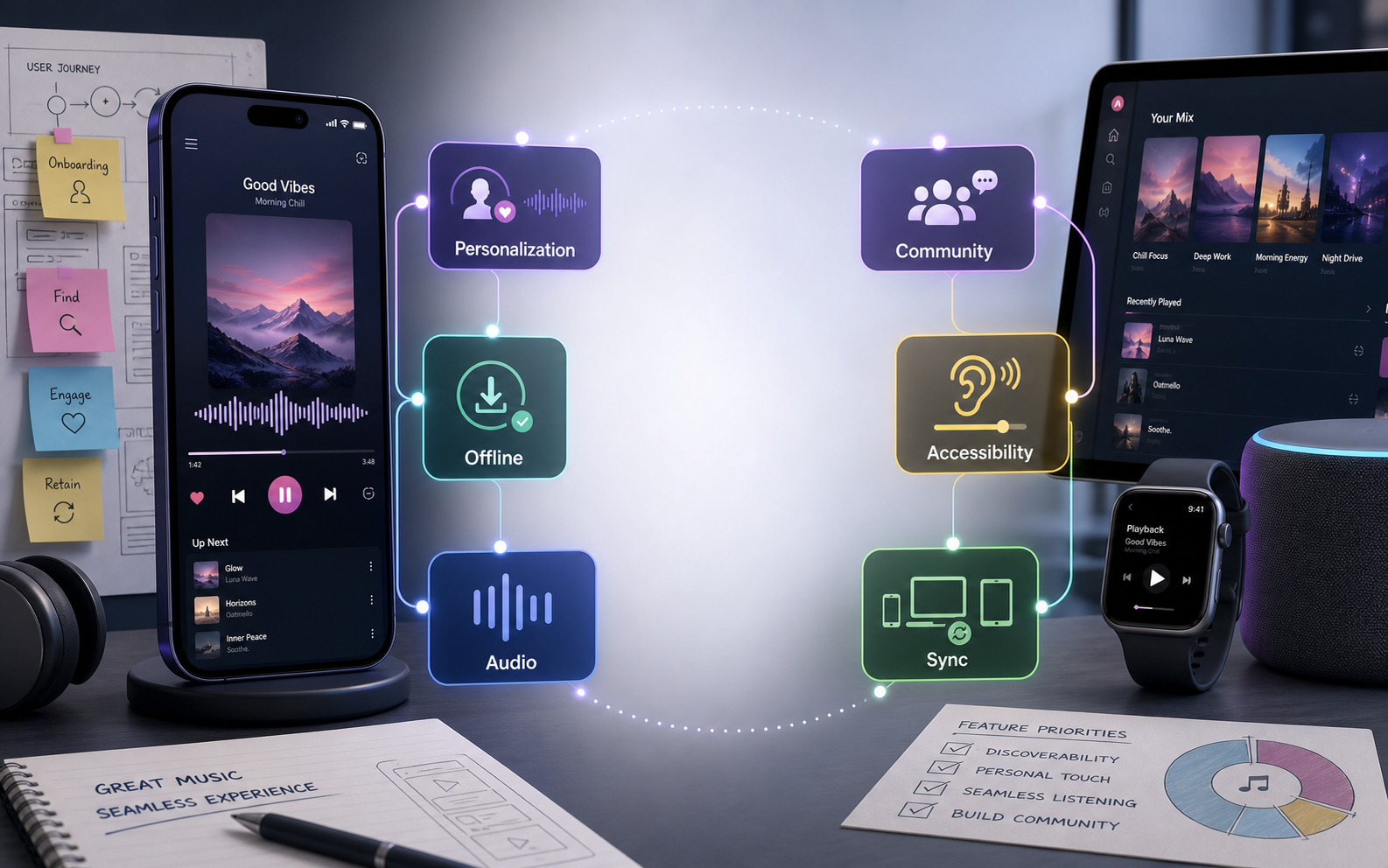

Creating an engaging user experience in music app development means making every listening moment feel fast, personal, reliable, and easy to return to. A music app is not only a player. It is a habit-building product that blends discovery, playback, playlists, social context, audio quality, offline access, and cross-device continuity.
The strongest music apps reduce friction between a listener and the next song they want to hear. They help users find the right track quickly, recover from weak network conditions, build personal libraries, share taste with friends, and feel understood without making the interface complicated.
Quick Answer: What Makes A Music App UX Engaging?
A music app becomes engaging when users can start listening quickly, discover relevant music, control playback without confusion, save content for later, continue across devices, and trust the app to work during travel, workouts, commuting, or low-connectivity moments. The experience should combine simple navigation with intelligent personalization and reliable streaming performance.
If you are planning a new streaming, creator, podcast, audio wellness, or entertainment platform, NextPage's mobile app development team can help shape the product architecture, release roadmap, and app experience around real listener behavior instead of a generic feature list.
Music App UX Framework For Product Teams
A practical music app UX framework starts with five decisions: who the listener is, how quickly they can start playback, how the app learns their taste, how it brings them back, and how the team keeps improving the product after launch.
| UX Area | What Users Expect | Product Decisions To Make |
|---|---|---|
| Onboarding | Fast account setup and immediate music discovery. | Guest mode, favorite artists, genre picks, location, permissions, and data consent. |
| Playback | Clear controls, low buffering, queue control, and background playback. | Streaming stack, caching rules, playback states, audio quality options, and error handling. |
| Discovery | Relevant recommendations without endless browsing. | Recommendation logic, search ranking, editorial playlists, and personalized home sections. |
| Retention | Reasons to return without annoying notifications. | Saved mixes, daily playlists, follow alerts, creator updates, loyalty hooks, and reactivation triggers. |
| Trust | Privacy clarity, accessibility, stable billing, and dependable downloads. | Subscription flows, screen reader support, parental controls, explicit-content controls, and support paths. |
Good UX starts before interface design. Teams should map user personas, listening contexts, and jobs-to-be-done before committing to screens. NextPage's guide to user personas in app development is a useful companion for this discovery step.
Research Listening Context Before Designing Screens
Music apps are used in different states: commuting, studying, working out, hosting, relaxing, driving, sleeping, or discovering new artists. Each context changes what the interface should prioritize. A workout listener may need large controls and offline playlists. A discovery-focused listener may care more about recommendations, lyrics, radio, and artist credits.
- Listening intent: understand whether users want discovery, focus, mood matching, social sharing, learning, or background playback.
- Device context: design for headphones, car systems, smart speakers, watches, tablets, desktop, and mobile handoff.
- Network reality: plan for weak connections, offline mode, download queues, and transparent playback recovery.
- Subscription behavior: define where free users meet limits and where premium value becomes clear.
- Content model: decide whether the product centers on songs, podcasts, playlists, creators, live audio, lessons, or community.
Design Onboarding Around The First Successful Play
The first session should move users toward a satisfying play as quickly as possible. Avoid asking for too much information before the app proves its value. A strong onboarding flow can collect only the minimum needed to personalize the first home screen, then progressively ask for more preferences as users listen.
Useful onboarding patterns include guest listening, favorite artist selection, genre chips, import-from-library prompts, notification explanations, and a clear reason for every permission. The goal is not to show every feature. The goal is to help the user hear something they like within the first minute.
Personalization Should Feel Helpful, Not Random
Personalization is one of the biggest engagement drivers in music app development, but it must feel understandable. Users should see why recommendations appear and have simple ways to tune them. Saved favorites, skipped tracks, followed artists, playlist adds, listening time, and repeated search patterns can all guide the experience.
- Start with explicit taste signals: ask for favorite genres, artists, moods, and content categories during onboarding.
- Use behavior carefully: distinguish a one-time novelty listen from a real preference.
- Let users correct the system: add hide, dislike, tune, or not-interested actions where recommendations appear.
- Mix familiar and new: a good home screen balances comfort with discovery.
- Explain recurring playlists: daily mixes, focus sessions, and artist radios should have clear labels.
Prioritize Features By User Value And Build Effort
A music app can quickly become too large for a first release. Product teams should separate the features that prove the core listening experience from features that can wait until retention, monetization, or creator workflows are validated.
| Feature | Why It Matters | Typical Priority |
|---|---|---|
| Search, player, queue, and library | They form the core path from discovery to playback. | Launch foundation |
| Playlists and favorites | They help users return to saved music and build identity inside the app. | Launch foundation |
| Offline listening | It protects the experience during travel and weak connectivity. | High priority for premium or commuter-heavy products |
| Recommendations | They improve discovery and retention when backed by good data. | Start simple, deepen over time |
| Social sharing and community | They support organic growth and music identity. | Prioritize after core listening works |
| Lyrics, creator tools, live events, and advanced analytics | They can differentiate the product but increase licensing, moderation, and workflow complexity. | Phase by business model |
For first-release planning, use the MVP scope builder to separate launch essentials from later-phase features before the roadmap becomes too broad.
Make Player Controls Predictable Across The App
Music app users build muscle memory quickly. Player controls should remain predictable across the mini-player, full player, lock screen, queue, lyrics, downloads, and connected-device surfaces. Do not move essential controls between screens without a clear reason.
- Keep primary actions stable: play, pause, skip, previous, repeat, shuffle, save, and queue should be easy to find.
- Separate playback from discovery: users should be able to browse without interrupting the current track.
- Show playback state clearly: buffering, offline, casting, explicit content, and device output should not be ambiguous.
- Design gestures carefully: swipes and long presses should enhance the experience but never hide essential controls.
Offline Listening And Streaming Reliability Build Trust
Even beautiful music apps fail if playback feels fragile. Users notice buffering, lost downloads, inconsistent queue state, and unclear error messages more than they notice decorative UI polish. Reliability is part of UX.
Plan download states, storage limits, expired content rules, retry behavior, quality settings, and fallback messages early. For paid products, offline listening can be one of the clearest premium benefits, but it needs transparent controls so users know what is saved and what still requires a connection.
Use Social Features To Support Music Discovery
Social features should help people express taste and discover music from trusted sources. A good sharing flow might include playlist collaboration, artist follows, friend activity, listening rooms, clips, comments, or creator updates. The right mix depends on whether the app is a private listening tool, a community product, or a creator marketplace.
Keep social mechanics focused. Users should not need a full social network just to share a song. Lightweight sharing, collaborative playlists, and meaningful follow alerts often create more value than noisy feeds.
Accessibility Makes The Music Experience Better For Everyone
Accessibility should be treated as a product requirement, not a final checklist. Music apps need readable contrast, scalable type, screen reader labels, predictable focus order, captions or transcripts where relevant, accessible player controls, and support for users with motor or visual impairments.
Inclusive interface decisions also help users in everyday situations: bright sunlight, one-handed commuting, noisy environments, tired eyes, or hands-free listening. NextPage's article on user interfaces in mental wellness app development is relevant because it covers calm, trust-building UI patterns for sensitive app experiences.
Choose The Stack Around Playback And Device Continuity
The platform decision should reflect performance needs, audio background behavior, integrations, budget, and long-term maintenance. A native build may offer deeper platform control for media sessions, wearables, connected devices, and background playback. A cross-platform build can move faster when the product does not need heavy platform-specific audio behavior at launch.
Before choosing a stack, compare target devices, team skills, expected integrations, and performance risk. NextPage's guide to native vs cross-platform mobile app development can help frame this decision.
Use Analytics To Improve Engagement Without Overfitting
Music app analytics should measure whether users find, play, save, share, and return. Avoid optimizing only for raw session time. A focused listening app may be successful when users quickly find a playlist and leave the screen off while audio continues.
- Activation: time to first play, completed onboarding, first favorite, and first playlist add.
- Engagement: searches, saves, skips, listens, playlist creation, and recommendation interaction.
- Retention: repeat listening days, push reactivation, saved mixes, premium conversion, and churn signals.
- Reliability: buffering rate, failed playback, download failures, crash rate, and device handoff issues.
- Monetization: trial starts, subscription conversion, ad tolerance, plan changes, and cancellation reasons.
How To Start A Music App UX Project
Start with the listening model, not the screens. Decide whether the app is for streaming, podcasts, artist discovery, music education, live audio, wellness, creator subscriptions, or a niche community. Then define the smallest reliable version that proves the product promise.
- Identify the main listener segments and their top listening contexts.
- Map the first-session journey from install to first successful playback.
- Choose the core content model, licensing assumptions, and playback architecture.
- Prioritize launch features around search, player, library, playlists, personalization, and reliability.
- Define accessibility, privacy, billing, and support requirements before development starts.
- Estimate the release plan, team shape, and budget range with the custom software cost estimator.
Final Takeaway
An engaging music app experience is built through clarity, speed, personalization, reliability, and habit loops. The app should help users start listening quickly, discover music that fits their context, control playback with confidence, save what matters, and return because the product keeps getting better.
The best music app development projects treat UX, streaming architecture, content strategy, accessibility, and retention as one system. When those pieces work together, the product feels less like a list of features and more like a listening companion users trust every day.