
Quick Answer: Event Management App Features
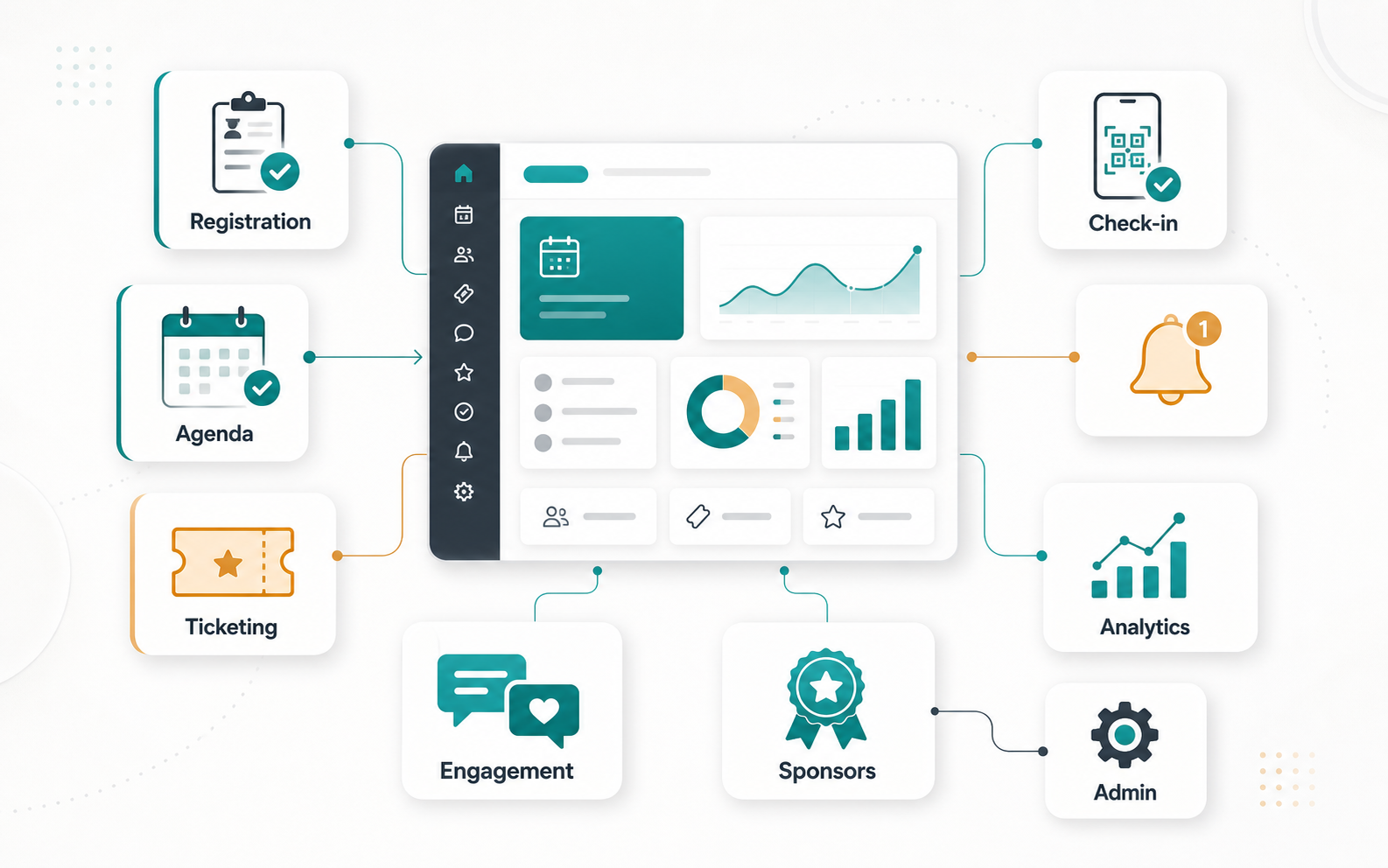
An event management app should help organizers plan the event, sell or manage registrations, communicate with attendees, run the onsite experience, keep sponsors visible, and measure what happened after the event. The best feature set is not just a long checklist; it is a connected operating system for the event lifecycle.
For most corporate, conference, community, and hybrid event products, the first release should include event setup, registration, ticketing or RSVP flows, attendee profiles, agenda management, push or email updates, speaker and sponsor management, QR check-in, support workflows, and basic analytics. Advanced features such as matchmaking, live polling, AI recommendations, sponsor attribution, and predictive attendance planning should follow once the core workflow is stable.
Why Feature Prioritization Matters
Event apps have to serve several user groups at once: organizers, attendees, speakers, sponsors, exhibitors, vendors, volunteers, and administrators. A feature that looks small on the attendee screen can create work across payments, access control, content moderation, support, notifications, and analytics.
This is why feature planning should happen during mobile app development, not after the interface is already designed. A useful roadmap separates launch-critical workflows from engagement and revenue features, then connects every feature to an owner, data source, and success metric.
Must-Have Event Management App Features
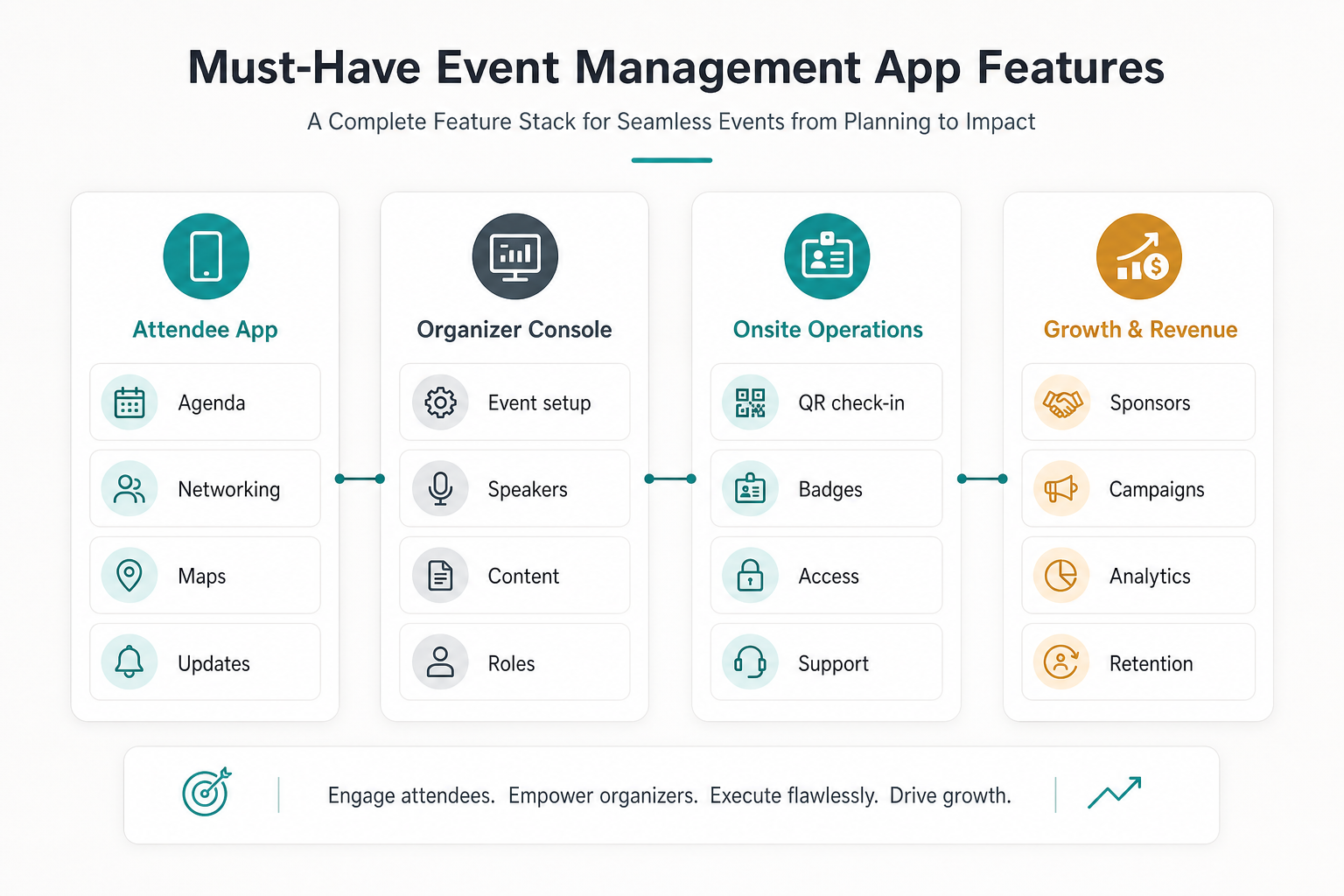
| Feature Area | What It Should Support | Launch Priority |
|---|---|---|
| Event setup | Create event pages, sessions, speakers, venues, tracks, ticket rules, and visibility settings. | Must have |
| Registration and ticketing | Capture attendee details, payments, promo codes, waitlists, invoices, and confirmations. | Must have |
| Agenda and content | Show schedules, speaker bios, session details, saved agendas, maps, and updates. | Must have |
| Communication | Send push, SMS, email, or in-app updates for schedule changes, reminders, and support. | Must have |
| Onsite operations | Handle QR check-in, badges, access rules, help desk tasks, and staff coordination. | Must have |
| Engagement | Enable networking, live polls, Q&A, session feedback, gamification, and community features. | Growth stage |
| Analytics | Track registrations, attendance, check-ins, session demand, sponsor engagement, and ROI. | Growth stage |
Attendee App Features
The attendee experience should make the event easier to navigate. Prioritize account setup, registration status, digital tickets, personal agenda, venue maps, speaker details, notifications, saved sessions, networking preferences, support access, and post-session feedback. For events with multiple tracks, the app should help attendees choose sessions without losing context.
Attendee interface quality matters because event users are often distracted, moving between venues, or checking updates quickly. For a deeper UX-focused companion article, review event app development for user-friendly interfaces.
Organizer And Admin Features
Organizers need controls for event creation, session publishing, ticket inventory, pricing, discounts, speakers, sponsors, content, roles, communication, refunds, and reporting. Multi-event or multi-location teams also need permission levels, approval workflows, audit trails, reusable templates, and exports for finance or CRM systems.
If your event workflow depends on custom roles, integrations, reporting, or branded attendee journeys, packaged event tools may not fit cleanly. The Build vs Buy Decision Tool can help compare SaaS configuration, custom development, and integration-heavy options.
Ticketing, Payments, And Access Control
Registration and ticketing features should support paid, free, invite-only, waitlisted, and group registrations. Payment flows need transparent pricing, promo codes, tax or invoice logic, refunds, confirmations, and secure transaction handling. Access control should connect each ticket type to check-in rules, badge permissions, session capacity, and staff visibility.
For a related event-specific payment discussion, pair this section with secure payment options in event management apps.
Attendee Engagement Features
Engagement features should be tied to real event goals, not added only because they look interactive. Useful options include session Q&A, live polls, attendee matchmaking, meeting scheduling, sponsor booths, feedback forms, gamified challenges, community posts, and post-event content access.
For virtual or hybrid formats, engagement planning should connect polls, moderation, chat, and analytics. The article on Q&A and live polls in virtual event apps is a useful supporting reference.
Event App Roadmap From MVP To Scale
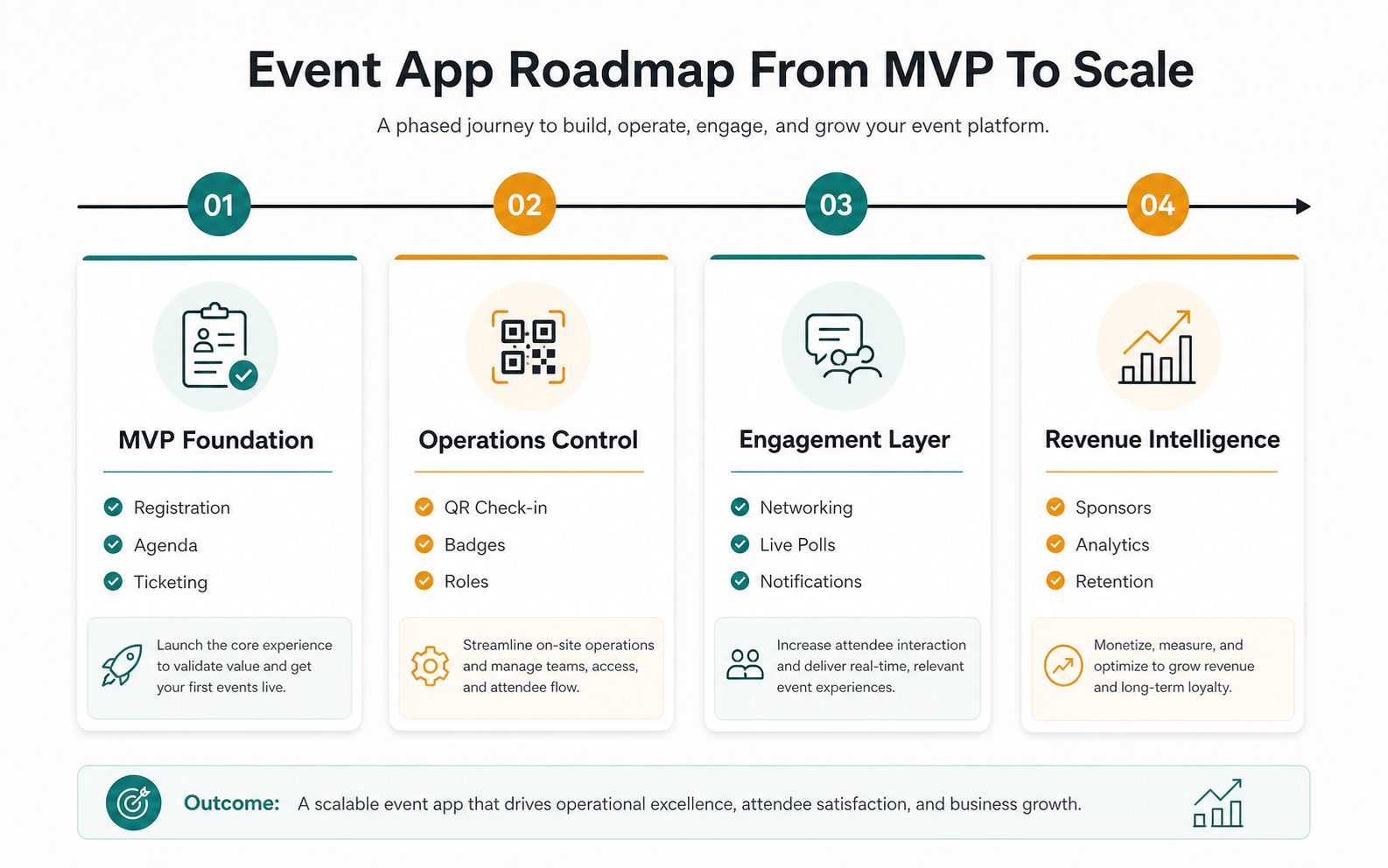
- MVP foundation: event setup, public event page, registration, ticketing or RSVP, attendee profile, agenda, basic notifications, and admin controls.
- Operations control: QR check-in, badge support, access rules, help desk workflows, staff roles, content updates, and cancellation or refund handling.
- Engagement layer: networking, live polls, Q&A, personalized agendas, sponsor discovery, feedback, and community features.
- Revenue intelligence: sponsor analytics, attendee segmentation, campaign attribution, retention workflows, predictive attendance, and post-event reporting.
If you need a quick budget and complexity view before choosing the first release, the Custom Software Cost Estimator can help frame effort around integrations, roles, payments, admin dashboards, and analytics.
Integrations That Make Event Apps Operational
Many event apps need integrations with payment gateways, CRM, marketing automation, calendar systems, ticket scanners, badge printers, analytics tools, video platforms, maps, email, SMS, and customer support systems. Integration depth should match the event model. A small community event may only need RSVP and email. A paid conference may need payment reconciliation, sponsor reporting, access control, and CRM handoff.
Plan integrations early because they affect data models, admin workflows, support processes, and reporting accuracy. A clean integration plan also prevents teams from rebuilding the same attendee, speaker, and sponsor records in multiple systems.
Metrics To Track After Launch
The most useful event app metrics connect product behavior to event outcomes. Track registration conversion, ticket payment completion, check-in rate, agenda saves, session attendance, notification engagement, networking requests, Q&A participation, poll responses, sponsor clicks, support tickets, refund reasons, and post-event feedback.
These metrics help organizers decide which features to improve next. For example, low agenda saves may point to weak session discovery, while high check-in support volume may point to unclear QR instructions, badge issues, or access rules that need simplification.
Final Recommendation
Build the event management app around the full lifecycle: plan the event, register attendees, manage access, guide the onsite or virtual experience, create meaningful engagement, support sponsors, and measure outcomes. Start with reliable registration, agenda, communication, and check-in workflows, then expand into engagement, sponsor intelligence, and personalization when the foundation is working.