
Quick Answer: SEO Checklist For Websites
An SEO checklist for websites should cover crawlability, indexing, sitemap and robots rules, clean URLs, title tags, meta descriptions, heading structure, helpful content, internal links, image alt text, structured data, mobile experience, Core Web Vitals, analytics, Search Console, and a repeatable refresh process. The goal is not to tick random tasks. The goal is to make every important page discoverable, understandable, useful, fast, and measurable.
Start with technical access, then improve page relevance and content quality, then measure whether the changes help search visibility and conversions. If the website is being rebuilt or expanded, include SEO in the website development process instead of treating it as a final launch checklist.
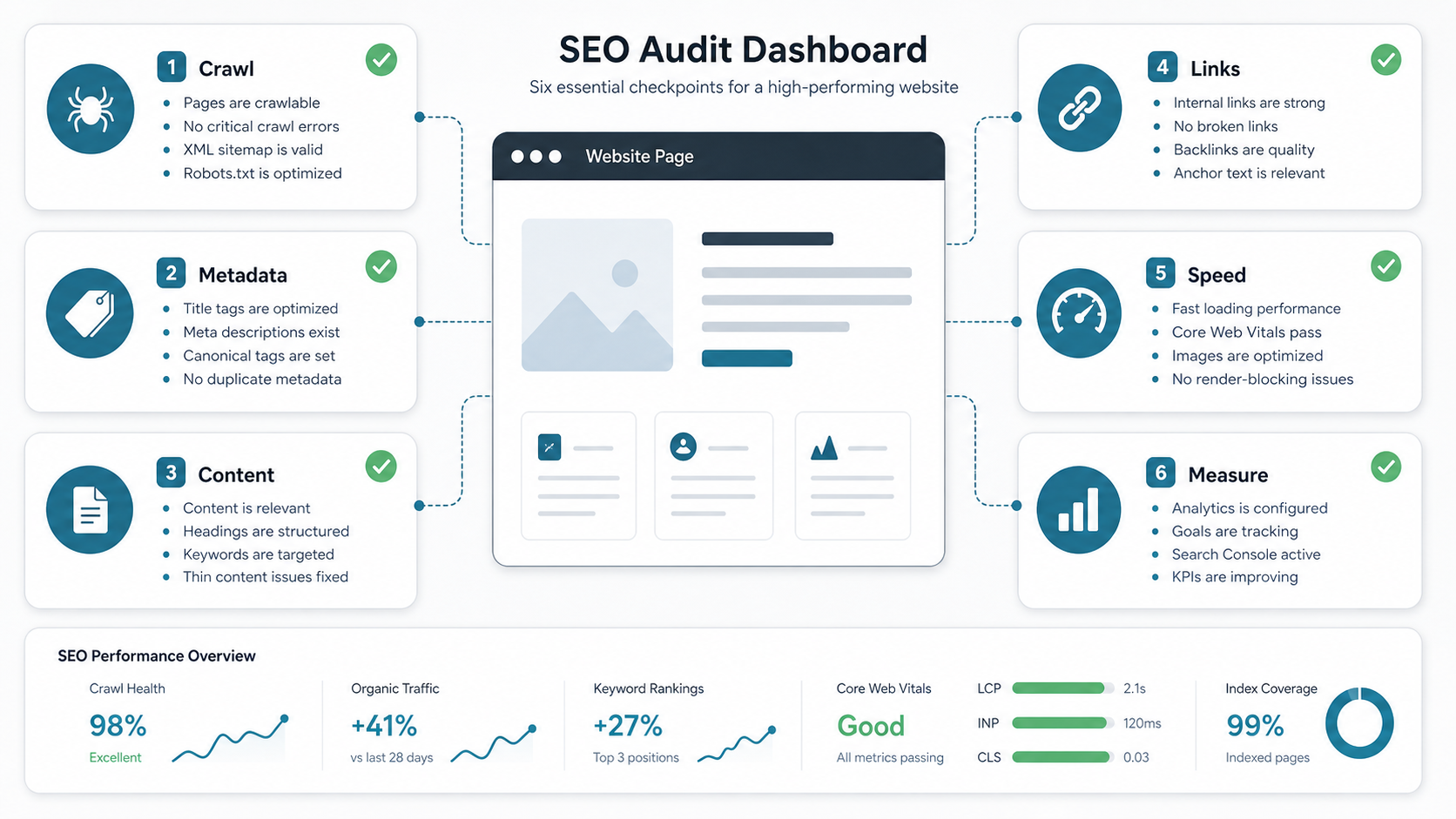
Set Up The SEO Measurement Foundation
Before changing pages, make sure the website can be measured. Set up Google Search Console, analytics, conversion events, and a simple reporting view for organic sessions, indexed pages, queries, landing pages, conversions, and page experience. Search Console helps you see how Google discovers, crawls, indexes, and reports search performance for your pages.
Submit or verify the XML sitemap, inspect priority URLs, review indexing status, check manual actions or security issues, and confirm canonical signals for important pages. Analytics should answer what happens after search users arrive: which pages engage, which forms convert, which journeys stall, and which pages need better intent alignment.
Make The Site Crawlable And Indexable
Technical SEO starts with access. Important pages should return the right HTTP status, load for anonymous users, avoid accidental noindex tags, and avoid being blocked by robots.txt when they are meant to rank. Google can discover pages through links and sitemaps, so the site architecture should expose important URLs through clear navigation and internal linking.
Check the sitemap against the live site. Remove redirected, duplicate, noindex, private, thin, and broken URLs from the sitemap. Confirm canonical tags point to the preferred version of each page, especially when the site has filters, tracking parameters, pagination, duplicate category pages, or both HTTP and HTTPS history.
Fix Technical SEO And Page Experience
A technically sound website is easier for search engines to process and easier for users to trust. Prioritize HTTPS, mobile usability, clean status codes, redirect hygiene, structured navigation, fast server response, compressed images, stable layouts, and JavaScript that does not hide important content from crawlers.
Core Web Vitals should be treated as a product quality signal, not only an SEO metric. Track Largest Contentful Paint, Interaction to Next Paint, and Cumulative Layout Shift on important templates. If the site is slow, unstable, or awkward on mobile, the SEO problem overlaps with website revamp planning: users and crawlers both need a cleaner experience.
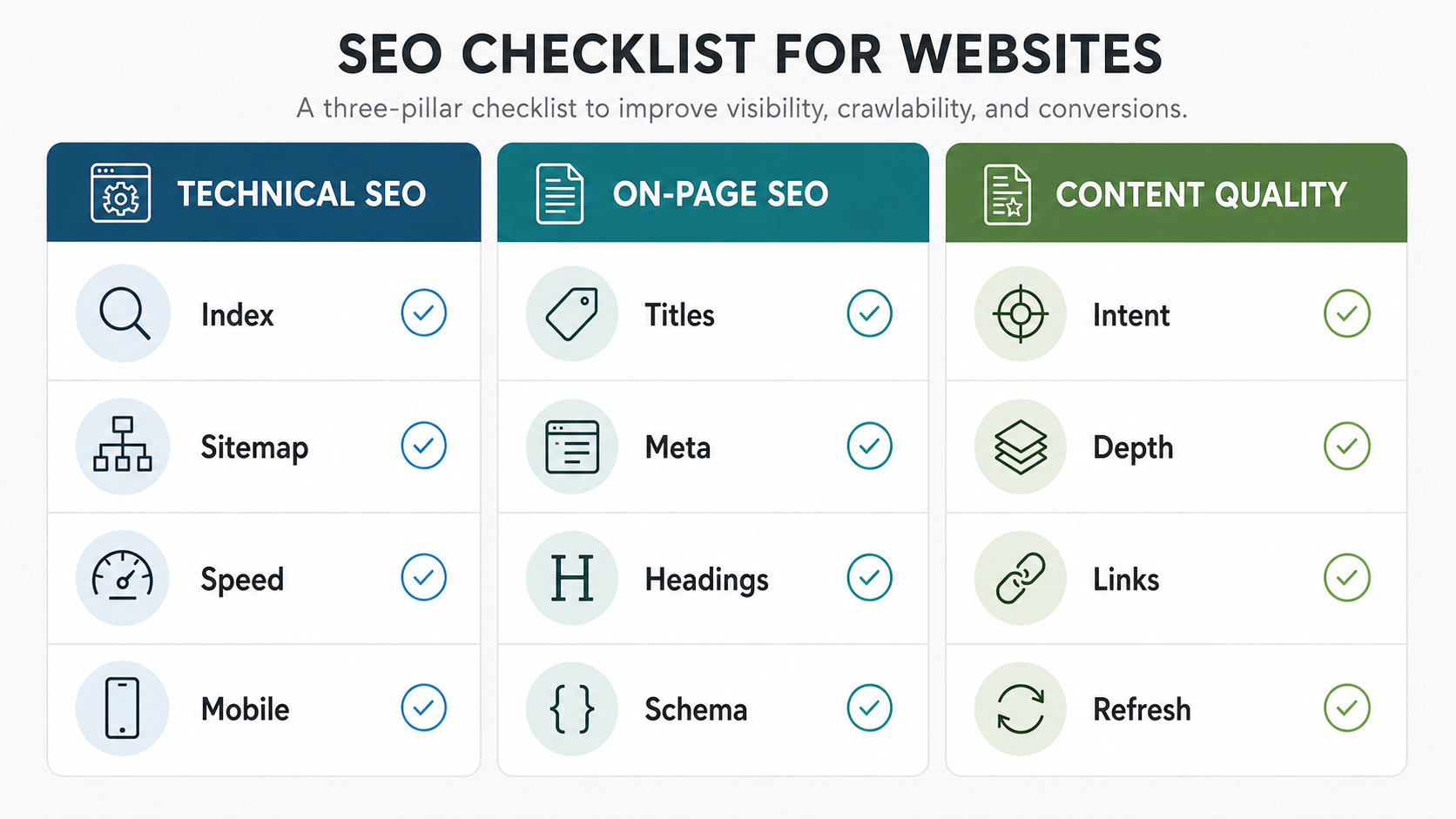
Optimize Titles, Meta Descriptions, And Headings
Every important page should have a clear title tag, useful meta description, descriptive H1, and headings that help readers scan the page. Titles should match the page promise, include the primary topic naturally, and avoid vague or repeated boilerplate. Meta descriptions should summarize the value of the page and give users a reason to click without promising something the page does not deliver.
Headings should organize the page by search intent. A service page may need sections for problems solved, process, technology, proof, pricing factors, and FAQs. A blog post may need a quick answer, decision framework, examples, checklist, common mistakes, and next steps. For CMS-heavy sites, a strong WordPress website foundation can help teams manage titles, descriptions, headings, and schema consistently, but the content strategy still needs human judgment.
Improve Content Quality And Search Intent Fit
Useful content is still the center of SEO. Each page should answer the searcher's real question, show enough depth to be trusted, and make the next action clear. Thin pages with generic paragraphs, outdated claims, weak examples, and no internal links rarely create durable rankings or qualified leads.
Audit each priority page against intent: informational, commercial, comparison, local, transactional, or support. Then check whether the page includes the expected proof, examples, tables, visuals, FAQs, and calls to action. Refresh stale pages when product details, pricing, technology, regulations, screenshots, or market assumptions have changed.
Build Internal Links Around Priority Pages
Internal links help users continue their journey and help search engines understand page relationships. Link from relevant blog posts to commercial service pages, from service pages to supporting guides, and from high-traffic informational pages to tools or offers that match the reader's next step.
Use descriptive anchor text. For example, a page about a custom website or workflow platform can link to a web app development team when the reader needs implementation support, and a planning section can point to the Custom Software Cost Estimator when scope and budget are still unclear.
Optimize Images, Schema, And Rich Results
Images should be compressed, correctly sized, lazy-loaded where appropriate, and described with useful alt text when the image carries meaning. Decorative images do not need keyword-stuffed alt text. Helpful diagrams, screenshots, product visuals, and framework images should explain what the reader would miss if the image failed to load.
Structured data can help search engines understand page type and key entities, but it should match visible content. Use schema for articles, FAQs, breadcrumbs, products, reviews, events, or organizations only when the page genuinely supports that information. Validate schema after implementation and monitor Search Console enhancement reports for errors.
Prioritize SEO Fixes By Impact And Effort
Not every SEO issue deserves the same urgency. Fix crawl blocks, broken priority pages, missing titles, duplicate canonical problems, slow templates, broken forms, and important pages with no internal links before polishing low-traffic pages. Tie each fix to a business goal: more qualified traffic, better conversion, lower bounce, stronger lead quality, or lower maintenance risk.
For larger builds, estimate SEO-related work alongside design, engineering, content, and QA. The custom software development cost guide is useful when SEO improvements depend on templates, CMS changes, integrations, or custom workflows rather than simple content edits.
| SEO Area | What To Check | Priority Signal |
|---|---|---|
| Crawl and index | Sitemap, robots.txt, canonical tags, noindex rules, status codes, redirects, and duplicate URLs. | High when important pages are missing from search or wrong pages are indexed. |
| On-page relevance | Title tags, meta descriptions, H1s, headings, URLs, schema, and image alt text. | High when pages rank for weak queries or have poor click-through rates. |
| Content quality | Search intent, depth, examples, freshness, FAQs, proof, and CTA relevance. | High when traffic exists but users leave or do not convert. |
| Experience | Mobile layout, Core Web Vitals, navigation, accessibility, forms, and page stability. | High when users struggle, conversion drops, or templates are slow. |
| Authority and links | Internal link depth, orphan pages, anchor text, supporting content, and credible references. | High when priority pages are isolated or buried too deep. |
Turn The Checklist Into An Operating Rhythm
SEO is not a one-time launch task. Create a recurring rhythm for reviewing Search Console queries, landing page performance, index coverage, Core Web Vitals, content decay, broken links, conversion quality, and new internal link opportunities. A monthly review is enough for many smaller websites; high-volume sites may need weekly checks.
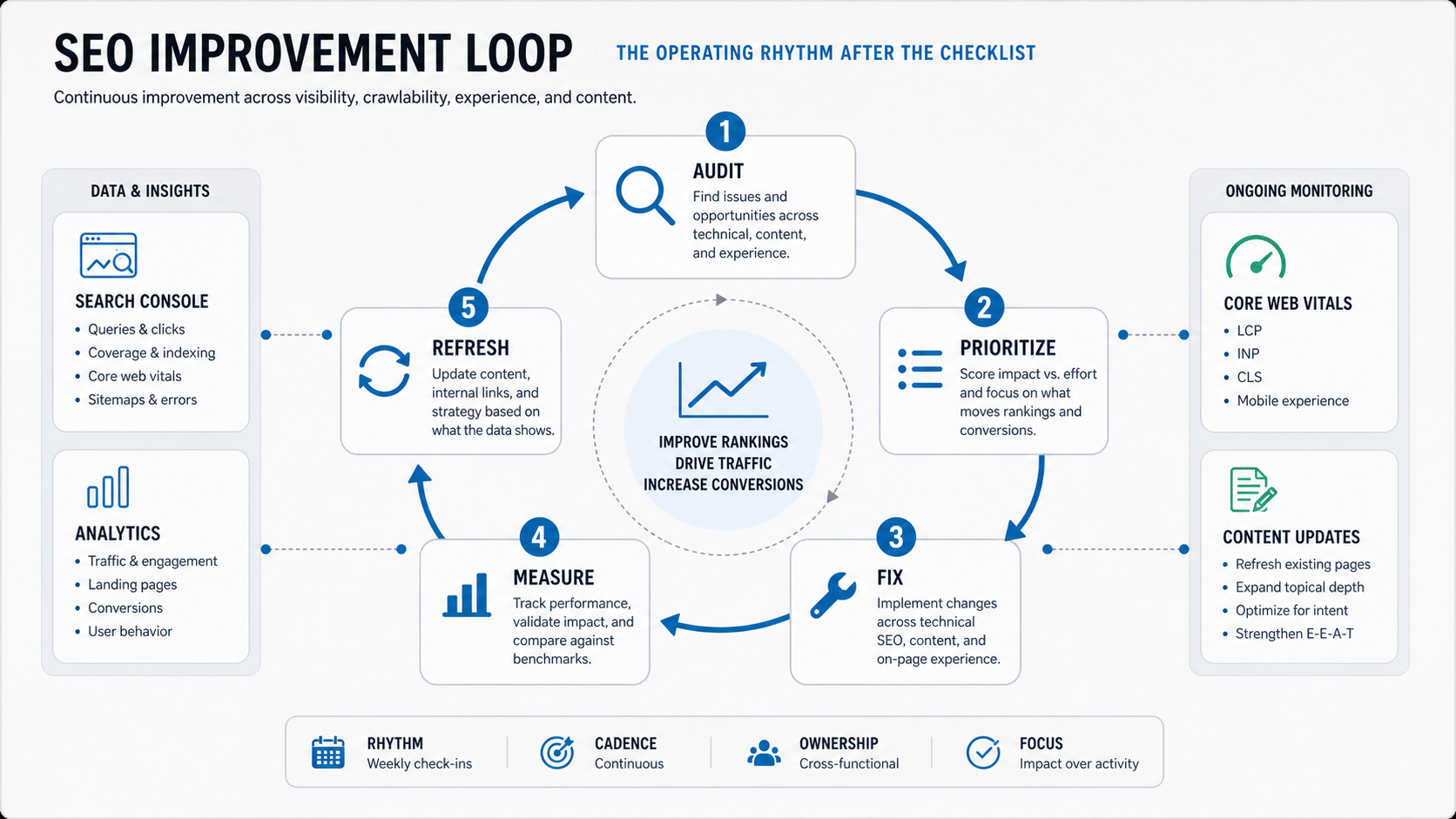
The output of each review should be a short, ranked backlog. Avoid long SEO reports that do not change the website. Assign owners, estimate effort, ship fixes, measure impact, and refresh the highest-value pages first.
How NextPage Helps With Website SEO Foundations
NextPage treats SEO as part of website and product engineering. We map the page architecture, content model, CMS workflow, metadata, performance, analytics, schema, and conversion path before implementation. That helps teams avoid launching a visually polished site that is difficult to crawl, slow to use, or hard to improve.
If your website needs a cleaner technical foundation, better landing pages, improved Core Web Vitals, or a content structure that supports search and lead generation, start by scoping the highest-impact fixes before rebuilding everything.