
Quick Answer: What Makes An Online Education App Worth Building?
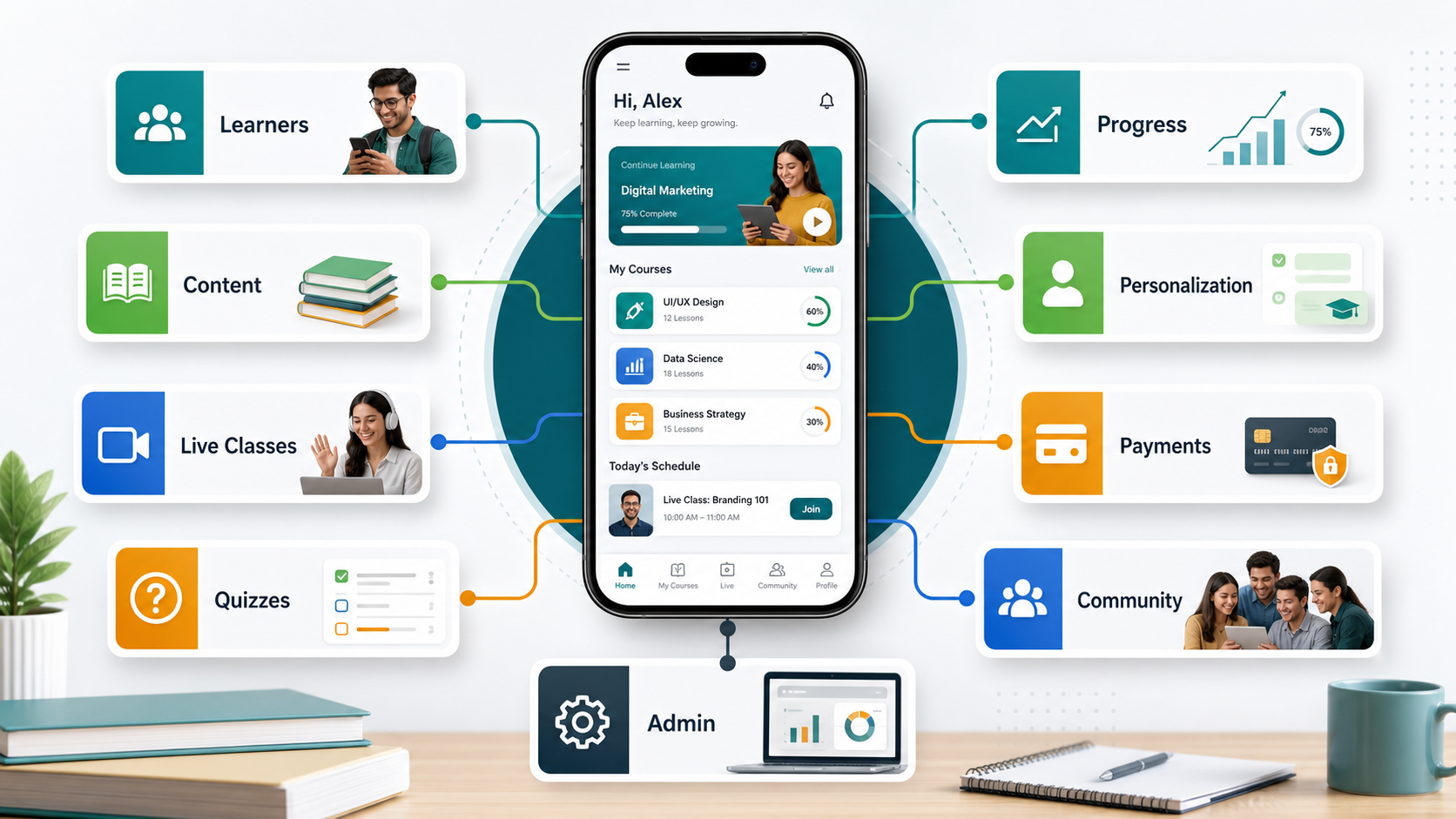
An online education app is worth building when it solves a specific learning job better than a generic course marketplace, video library, or classroom portal. The best products do not start with a long feature list. They start with a clear learner segment, a measurable outcome, a content model, and a support workflow that keeps learners moving when motivation drops.
For a school, coaching business, creator, or training company, the right app can put lessons, practice, live sessions, progress tracking, payments, and community in one place. For a startup, it can turn a focused learning method into a repeatable product. For an enterprise team, it can standardize training and certification across locations, roles, and schedules.
The build decision should come after you choose the learning model. A self-paced course app, live cohort platform, AI tutor, kids learning game, language app, and school LMS all need different product architecture. If the first release is unclear, use the MVP Scope Builder before committing to development.
Why Online Education Apps Still Matter
Online education apps matter because learning is no longer tied to one classroom, one device, or one schedule. Learners expect short lessons, searchable content, practice loops, progress feedback, offline access, and reminders that fit around work, school, and family responsibilities. Teachers and course owners expect tools that reduce manual admin rather than creating another place to update.
The market has also moved beyond simple video hosting. Modern education apps support blended learning, cohort-based programs, skill assessments, AI-assisted practice, parent or manager visibility, certificates, and analytics. That shift makes product strategy more important: the app has to improve learning outcomes and business operations at the same time.
UNESCO's guidance on generative AI in education emphasizes human-centered use, safeguards, and capacity building. OECD digital education work makes a similar point: digital tools and AI can improve personalization and inclusion, but they need clear policy, pedagogy, and implementation. For app builders, that means AI features should serve a learning workflow, not replace the instructional design.
Choose The Right Education App Model
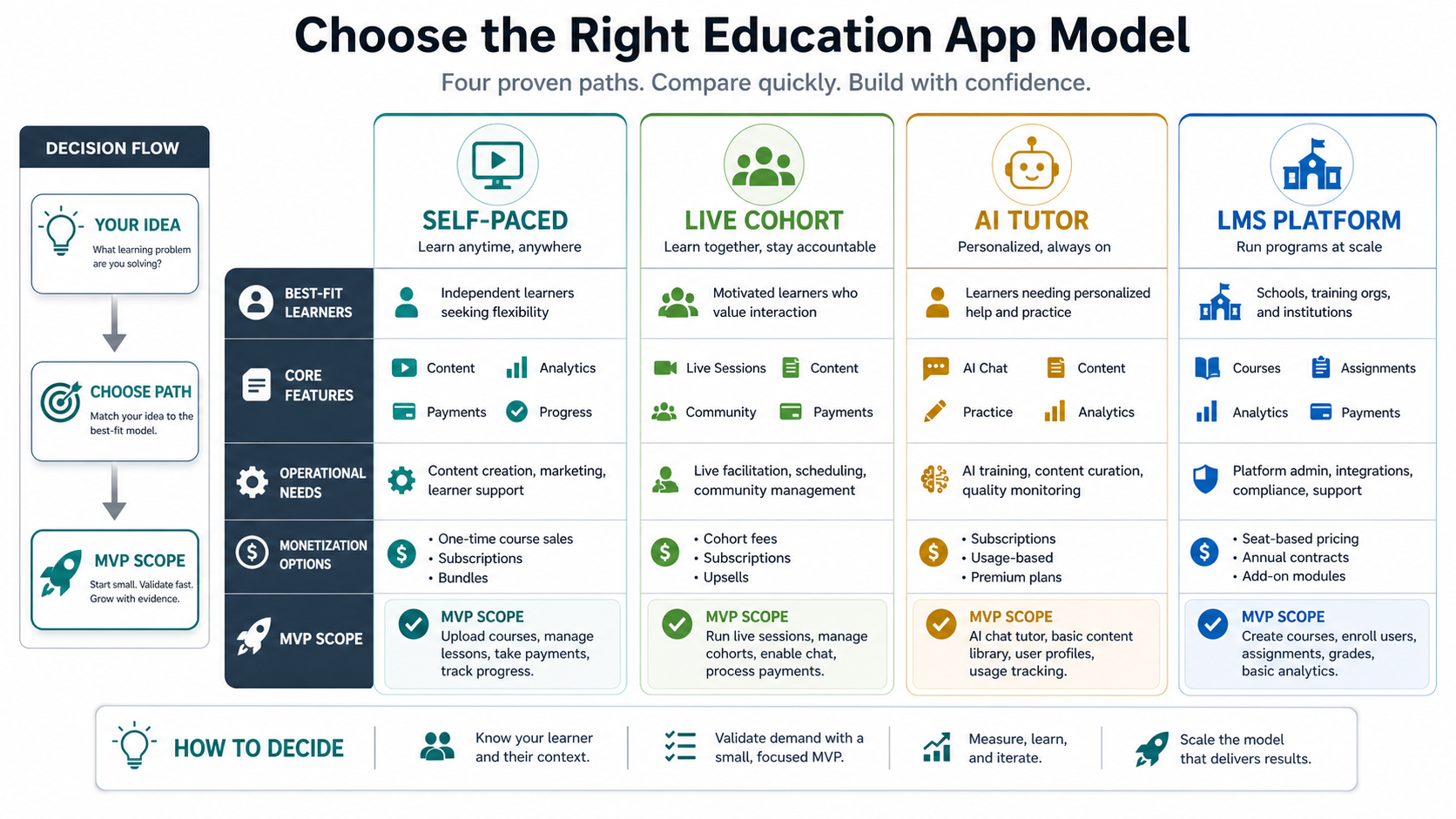
The most important product decision is the education app model. Each model has a different value promise, feature set, and operating cost.
| Model | Best Fit | Core Features | Budget Risk |
|---|---|---|---|
| Self-paced course app | Creators, academies, training businesses, professional upskilling | Courses, lessons, quizzes, progress, certificates, payments | Content operations, video hosting, completion rates |
| Live cohort app | Bootcamps, coaching programs, schools, language classes | Scheduling, live sessions, attendance, assignments, chat, reminders | Calendar rules, instructor workflows, missed-session handling |
| AI tutor or practice app | Language learning, exam prep, skill drills, corporate practice | Adaptive exercises, feedback, explanations, learner memory, safety rules | Data quality, evaluation, moderation, hallucination controls |
| School or LMS platform | Institutions, enterprises, franchises, multi-teacher programs | Roles, content management, reporting, permissions, integrations | Admin complexity, migrations, privacy, tenant boundaries |
Trying to ship all four models at once usually leads to a bloated first version. A stronger approach is to choose one primary learning loop, then add adjacent features after usage data proves what learners and instructors actually need.
Must-Have Features For Education Apps
Education app features should be ranked by learning value, operational value, and launch risk. A focused app may not need every feature below on day one, but the product plan should decide what ships now and what waits.
- Onboarding and learner goals: Ask what the learner wants to achieve, then personalize the first path.
- Course and lesson structure: Support modules, lessons, resources, transcripts, downloads, and completion states.
- Practice and assessment: Add quizzes, assignments, flashcards, coding tasks, speaking drills, or project submissions based on the subject.
- Progress tracking: Show streaks, completion, mastery, weak areas, and next actions without overwhelming the learner.
- Notifications and reminders: Use reminders for real learning moments, not generic engagement spam.
- Community and support: Include discussion, cohorts, instructor feedback, office hours, or peer review when the learning model needs accountability.
- Admin tools: Let course teams manage content, users, payments, certificates, and learner support without developer help.
- Analytics: Track lesson drop-off, quiz performance, cohort health, revenue, and support issues.
If the product needs native app performance, offline learning, push notifications, camera/audio practice, or app-store distribution, the estimate should include mobile strategy from the start. NextPage's mobile app development work usually starts by choosing the right native, cross-platform, or web-app path around the audience and product stage.
Personalization, AI, And Gamification
Personalization is useful when it adapts the learning path to a learner's goal, ability, pace, and mistakes. It is weak when it only shows different badges or recommends the next video without understanding performance. Strong personalization can adjust practice difficulty, review weak concepts, recommend resources, and alert an instructor when a learner needs human support.
AI can help with tutoring prompts, language practice, feedback drafts, quiz generation, content search, transcript summaries, and coach/admin workflows. But AI education features need guardrails: source grounding, age-appropriate behavior, refusal rules, teacher oversight, privacy controls, and quality evaluation. The AI Automation ROI Calculator is useful when deciding whether an AI tutoring or admin automation feature has enough repeat usage to justify a prototype.
Gamification should reinforce learning rather than distract from it. Streaks, levels, points, badges, leaderboards, challenges, and rewards work best when they encourage consistent practice, retrieval, reflection, or project completion. If learners chase points without improving skill, the game layer is measuring the wrong thing.
Content And Instructor Operations
Many education app plans underestimate content operations. A successful app needs a way to create, review, publish, update, localize, and retire lessons. It may also need content roles, version history, approval workflows, media processing, downloadable resources, and accessibility checks.
Instructor operations matter just as much. Live classes need calendars, attendance, reminders, recordings, rescheduling rules, assignment review, office hours, feedback templates, and learner support queues. Cohort programs need visibility into who is falling behind before completion rates drop.
This is where education products often overlap with internal tool development. The learner app may look simple, but the admin system behind it determines whether the education business can keep content current, instructors coordinated, and support manageable.
Monetization And Payment Models
The payment model changes the architecture. A free learning app with ads has different needs from a subscription academy, one-time course marketplace, school licensing platform, or enterprise training product.
| Revenue Model | Works Well For | Product Needs |
|---|---|---|
| Free with premium upgrade | Language learning, exam prep, skill practice | Usage limits, upgrade prompts, premium content, retention analytics |
| Subscription | Course libraries, coaching, professional learning | Plans, trials, billing portal, renewals, cancellations, access rules |
| One-time course purchase | Creators, certification courses, workshops | Checkout, lifetime or limited access, refunds, certificates |
| Institution or enterprise license | Schools, companies, franchises | Seats, roles, reporting, invoicing, bulk onboarding, integrations |
| Marketplace | Multi-instructor platforms | Instructor onboarding, payouts, reviews, quality controls, dispute handling |
Budget estimates should include the operational edge cases behind payments: failed billing, refunds, discounts, tax handling, access expiration, invoices, family plans, school procurement, and support visibility. A single checkout button rarely covers the full business model.
Cost And Timeline Planning
Education app cost depends on the learning model, platforms, content system, live class needs, assessments, AI scope, payments, admin tools, integrations, privacy requirements, and launch timeline. A lightweight MVP is very different from a multi-role LMS with native apps, AI tutor workflows, school reporting, and enterprise onboarding.
Use a simple planning sequence before requesting a quote:
- Name the first learner segment. Kids, college students, professionals, teachers, parents, employees, and hobby learners behave differently.
- Pick the first learning outcome. The app should help users complete one meaningful learning job.
- Choose the content model. Self-paced video, live classes, assignments, games, AI practice, or blended learning.
- Define admin responsibilities. Who updates content, manages users, reviews work, handles payments, and responds to support?
- Set measurement. Completion, mastery, retention, paid conversion, instructor workload, and learner satisfaction.
For budget planning, the Custom Software Cost Estimator can turn platform choices, integrations, and risk into a directional range. Treat that as a starting point, then refine the scope around the learning model.
Privacy, Safety, And Accessibility
Education apps often handle sensitive learner data, especially when children, schools, assessments, or workplace training records are involved. Privacy and safety should be part of product design, not a late checklist.
Plan for role-based access, parent or guardian controls where relevant, data retention, consent, audit logs, secure file handling, moderation, and clear escalation paths. If the app includes AI tutors, chat, community, or peer messaging, define safety rules and review workflows before launch.
Accessibility is also a product requirement. Captions, transcripts, keyboard support, readable contrast, screen-reader structure, adjustable pace, and simple navigation help more learners use the app effectively. Inclusive design often improves usability for everyone, not only learners with formal accommodations.
How To Launch An Education App MVP
A strong education app MVP proves one learning loop with real users. It does not need to match the largest education platforms on day one. It needs a clear promise, reliable content, usable practice, enough admin visibility, and a feedback loop that tells the team what to improve.
A practical MVP can include onboarding, a small course or practice path, progress tracking, one payment model, basic admin tools, analytics, and support. Add live classes, AI, certificates, community, and advanced reporting only if they support the first learning outcome.
After launch, watch where learners pause, repeat, ask for help, or churn. Those signals should guide the roadmap more than competitor feature lists. If language learning is the target, NextPage's supporting guide on language apps is a useful companion for AI, speech practice, gamification, and engagement patterns.
How NextPage Plans Education Apps
NextPage plans education apps by starting with the learner, the outcome, and the operating model behind the product. We map the education app type, content workflow, assessments, AI opportunities, payment model, admin needs, privacy requirements, and launch metrics before recommending a version-one scope.
Sometimes the right first release is a mobile app. Sometimes it is a responsive web app, LMS extension, admin portal, or prototype that proves the learning loop before native app investment. The goal is to avoid overbuilding and ship the smallest reliable product that can teach, measure, and improve.
If you are planning an online education app, start with the learning model and the support workflow. The technology choice, feature list, and budget should follow from that foundation.