
Quick Answer: AI Workflow Automation
AI workflow automation uses software rules, integrations, data retrieval, and AI models to move repetitive business work from intake to decision, action, review, and monitoring. The goal is not to replace every human step. The goal is to remove predictable manual effort while keeping human approval where the workflow is risky, ambiguous, customer-facing, or financially sensitive.
A good first automation candidate has clear triggers, repeated volume, accessible data, known system actions, measurable value, and a review path for exceptions. If the process is still unclear, start with the Workflow Automation Opportunity Finder. If the business case is unclear, use the AI Automation ROI Calculator before committing engineering budget.
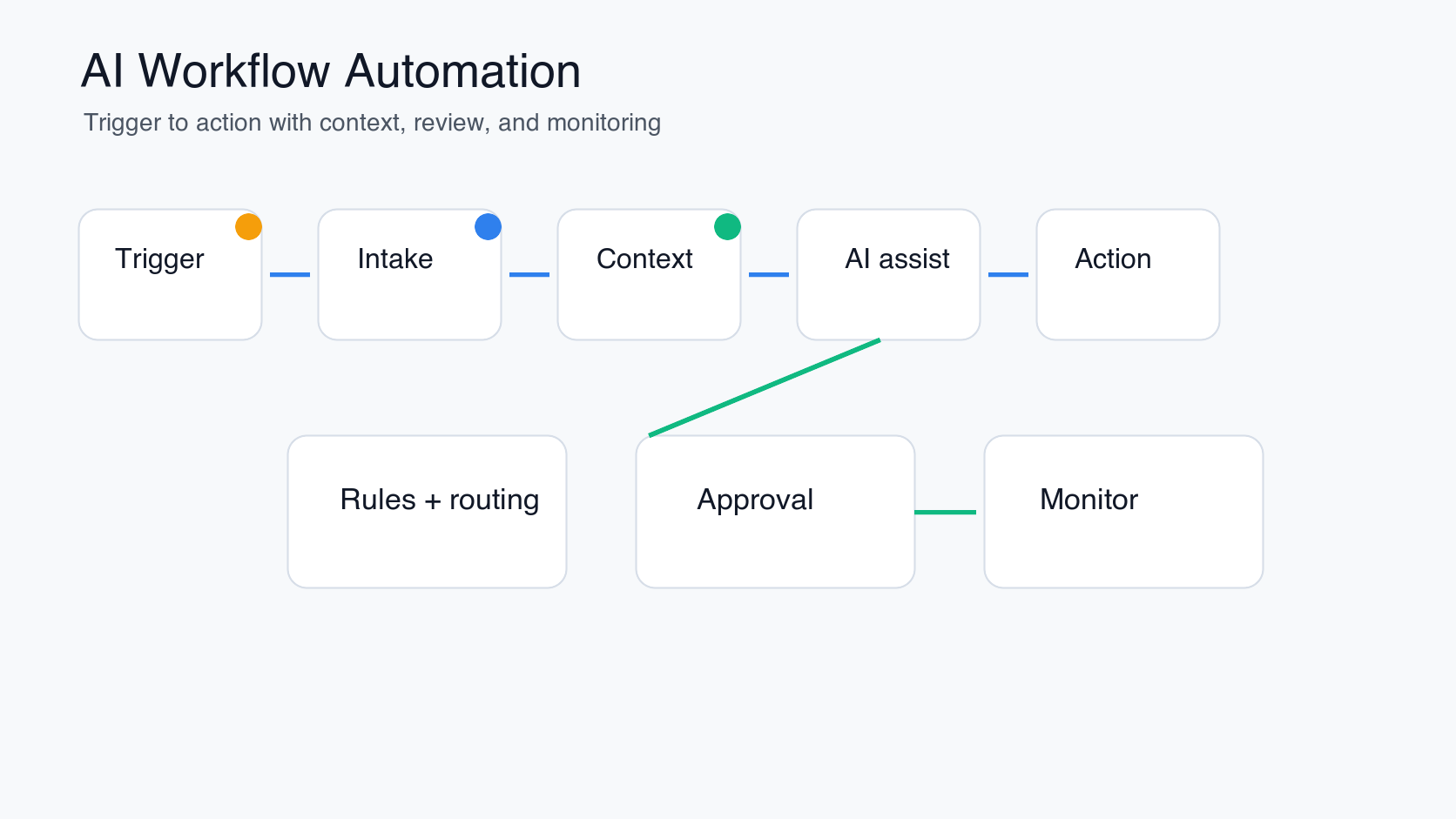
What AI Workflow Automation Means
Traditional workflow automation moves tasks through predefined rules. AI workflow automation adds judgment-like support where the task needs summarization, classification, extraction, routing, drafting, retrieval, or recommendation. It can read an incoming request, pull context from a knowledge base, classify urgency, draft a response, update a CRM, or prepare a decision for a person to approve.
The important design choice is how much autonomy the workflow should have. Some processes only need rules and API integrations. Some need an LLM or RAG assistant. Some need a supervised AI agent that can choose from approved tools. NextPage's AI development services focus on that practical selection: the architecture should match the workflow risk, data quality, and business value.
Best Use Cases for AI Workflow Automation
The strongest use cases sit between fully manual work and high-risk autonomous decisions. They are repetitive enough to justify automation, but structured enough to evaluate. They also have a visible owner who can define what a good output looks like.
| Use case | What AI can do | Human role |
|---|---|---|
| Customer support triage | Classify tickets, summarize context, suggest response drafts, route urgent issues | Approve sensitive replies and exceptions |
| Sales operations | Research accounts, summarize calls, draft follow-ups, update CRM fields | Review messaging, pricing, and next steps |
| Finance operations | Extract invoice data, match records, flag anomalies, prepare approval packets | Approve payment, exceptions, and policy calls |
| HR and recruiting | Summarize resumes, route candidates, answer policy questions, prepare interview notes | Make hiring decisions and review sensitive cases |
| Internal IT requests | Classify requests, recommend fixes, trigger approved scripts, escalate incidents | Approve privileged actions and incident response |
| Operations reporting | Pull data, explain exceptions, draft summaries, recommend follow-up tasks | Validate business interpretation and action |
If the work is trapped in spreadsheets, email, and ad hoc approvals, the first step may be a proper internal system rather than an AI agent. NextPage's guide to internal tool development explains when custom workflow software beats spreadsheets and no-code workarounds.
Rules, Integrations, RAG, or Agents?
AI workflow automation should not default to the most complex architecture. Use deterministic automation when the decision tree is stable. Use integrations when the main problem is moving data between systems. Use RAG when the workflow needs grounded answers from documents or knowledge bases. Use an agent only when the system must plan steps, call tools, and respond to changing context.
| Approach | Best fit | Risk to manage |
|---|---|---|
| Rules | Stable routing, approvals, alerts, and status changes | Rule sprawl and brittle edge cases |
| Integrations | Moving data between CRM, ERP, helpdesk, billing, or internal tools | API limits, permissions, retries, and audit trails |
| RAG or LLM copilot | Knowledge retrieval, summarization, drafting, and decision prep | Grounding, hallucination, privacy, and stale sources |
| Supervised AI agent | Multi-step work that needs approved tool use and exception handling | Tool permissions, human approval, logging, and rollback |
For knowledge-heavy workflows, LLM development usually includes retrieval design, prompt boundaries, evaluations, and monitoring. For action-heavy workflows, an agent design should define tool permissions, approval thresholds, and audit logs before any production rollout. The generative AI vs AI agents vs agentic AI comparison is useful when the team is still deciding the right level of autonomy.
AI Workflow Automation Architecture
A production workflow needs more than a model call. The architecture should include the business trigger, input validation, identity and permissions, retrieval or data access, model or rules layer, tool/API layer, human review, system update, observability, and rollback path. This is why AI workflow automation is a software delivery problem, not a prompt-writing task.
At minimum, document these layers before implementation:
- Trigger: the event that starts the workflow, such as a ticket, form submission, invoice, lead, email, or scheduled check.
- Context: the records, documents, policies, and recent activity the system may use.
- Decision layer: the rules, model prompts, retrieval logic, scoring, and confidence checks.
- Action layer: the approved APIs, tools, scripts, or system updates the workflow can perform.
- Review layer: the human approval queue for low-confidence or high-risk cases.
- Monitoring: quality feedback, escalation rate, latency, cost, errors, and audit logs.
This sequence aligns with the practical rollout model in NextPage's AI implementation roadmap: pick one workflow, test with real examples, evaluate risk and value, add controls, pilot with users, then expand.
AI Workflow Automation Readiness Checklist
Before building, score the workflow across business clarity, data readiness, integration access, review controls, evaluation, and rollout ownership. A weak score in one area does not always mean the idea is bad. It means the first release should be narrower or more supervised.
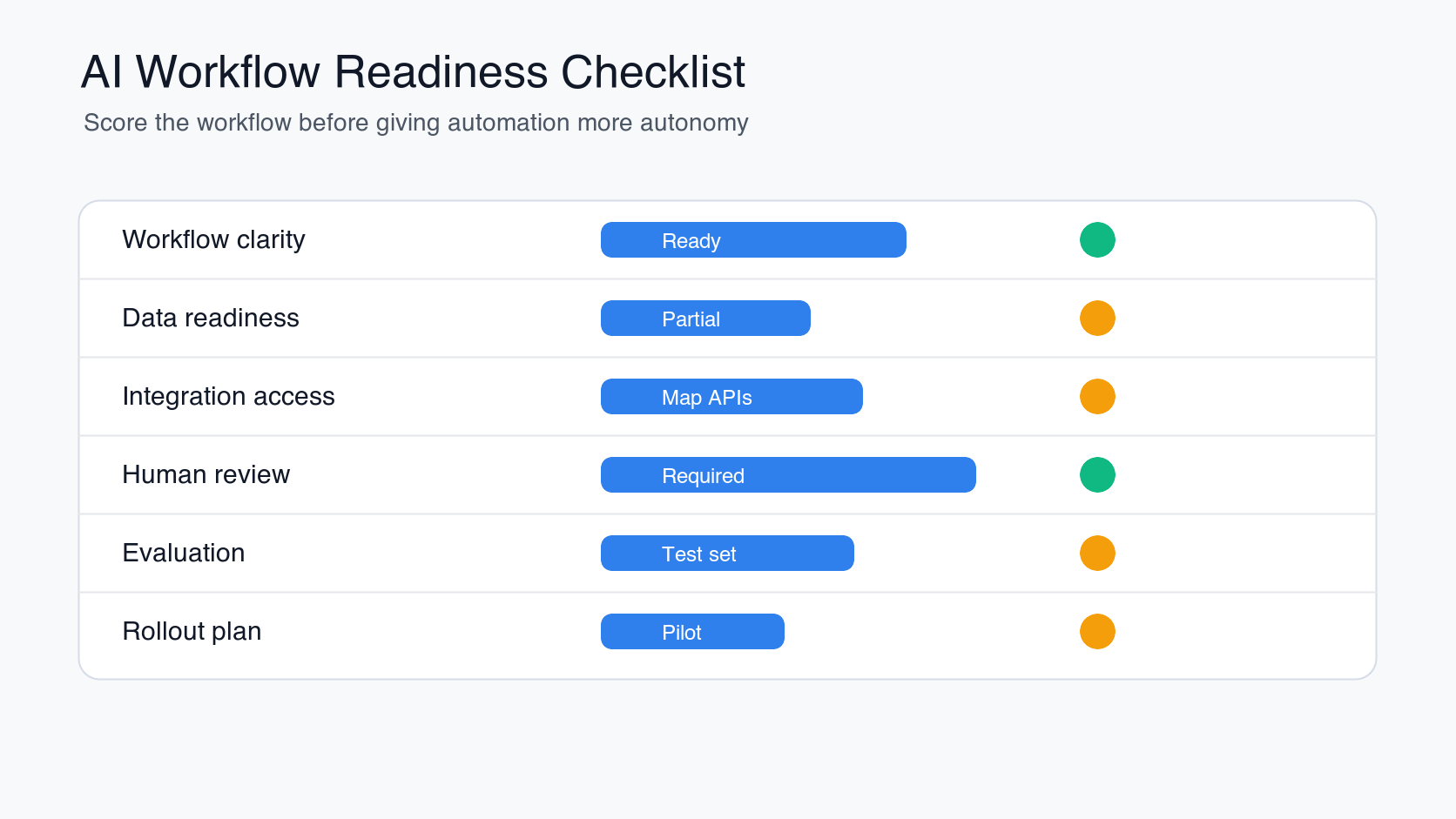
| Readiness area | Good signal | Fix before build |
|---|---|---|
| Workflow clarity | The trigger, owner, inputs, outputs, and exceptions are known | No one can describe the current process consistently |
| Data readiness | Approved sources are accessible, fresh, and permission-aware | Data is scattered, stale, duplicated, or sensitive without controls |
| Integration access | Required APIs and systems can be connected safely | Manual steps depend on systems with no API or unclear ownership |
| Human review | Risky actions can route to a named reviewer | The workflow needs autonomous action before trust is proven |
| Evaluation | The team has real examples and pass/fail criteria | Success is described as "better productivity" without a measurable target |
| Rollout | A small pilot group can test and give feedback | The plan jumps directly to company-wide automation |
The AI Agent Readiness Assessment is the best CTA for this stage because it scores workflow clarity, data, integrations, and governance before a team invests in a supervised agent or automated workflow.
How to Estimate ROI and Cost
ROI should start with the current cost of the workflow. Estimate weekly volume, people involved, time per task, hourly cost, error cost, cycle-time impact, and the portion of the work that can be automated safely. Then compare that with implementation cost, integration complexity, review effort, ongoing monitoring, and model or infrastructure usage.
Do not count every manual minute as savings. Some time moves from doing the task to reviewing exceptions, improving prompts, updating knowledge sources, and monitoring quality. The better business case is usually a mix of time saved, faster response, fewer errors, better throughput, and more consistent decisions. For agent-heavy builds, NextPage's AI agent development cost guide explains why workflow complexity, tool permissions, evaluation, and governance drive the budget more than the model name.
A Practical Implementation Plan
Start with one workflow and a small pilot. Document the current process, define the target outcome, gather real examples, score readiness, choose the architecture, build a narrow prototype, evaluate outputs, add controls, connect systems, and launch with a limited user group. Keep high-risk actions behind human approval until the workflow has enough evidence.
For many companies, the first useful release is not an autonomous agent. It is a workflow assistant that summarizes requests, retrieves context, drafts the next step, and prepares the action for approval. Once data quality, evaluation, and user trust improve, the workflow can take on more automation. NextPage's guide to agentic AI business use cases shows how to expand autonomy when the process is mature enough.
Teams with existing IT automation should also compare AI automation with standard process automation. The IT process automation and AI agents guide explains where scripts, workflow engines, and AI agents fit together.
How NextPage Helps
NextPage helps teams move from automation ideas to working systems. We evaluate workflow value, process readiness, integration depth, data quality, risk level, and governance needs before recommending rules, integrations, RAG, copilots, or supervised AI agents.
If your team is choosing a first workflow, start with the AI Agent Readiness Assessment. If the workflow is already clear, NextPage can help design and build the production path through AI development services, LLM implementation, workflow automation, and custom software integration.