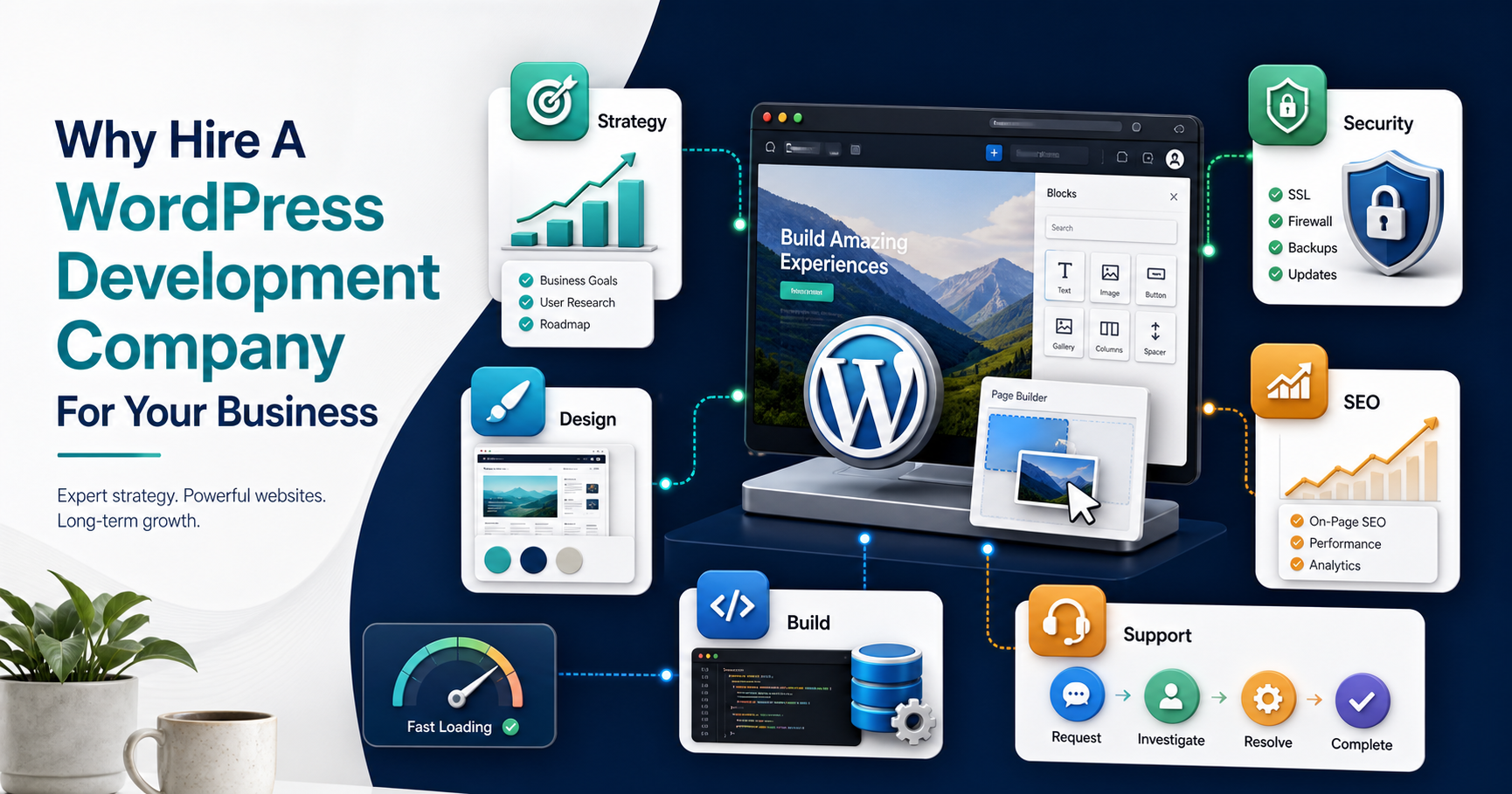

Hiring a WordPress development company is not just about finding someone who can install a theme. For a business website, the real value is in turning strategy, design, content, performance, security, analytics, integrations, and long-term support into one accountable delivery system.
The short answer: hire a WordPress development company when the website needs to support lead generation, ecommerce, content operations, search visibility, integrations, or ongoing improvements that are too important to leave to ad hoc fixes. A good partner should help you decide what belongs in WordPress, what needs custom engineering, and when a broader web app development path makes more sense than forcing every workflow into plugins.
Quick Answer: Why Hire A WordPress Development Company?
A WordPress development company gives your business a dedicated team for planning, design, development, testing, launch, maintenance, and growth. That matters when the site is expected to generate leads, publish content reliably, support campaigns, integrate with business tools, stay secure, and remain easy for non-technical teams to manage.
- For new business websites: an agency can plan the site structure, conversion paths, CMS setup, and launch checklist from the start.
- For outdated websites: an agency can audit performance, design, mobile usability, SEO gaps, plugin risk, and content quality before rebuilding.
- For growing businesses: an agency can connect WordPress to CRM, analytics, ecommerce, marketing automation, custom forms, and operational tools.
- For complex workflows: an agency can advise when WordPress should stay the CMS while custom software development handles portals, dashboards, subscriptions, approvals, or data-heavy workflows.
What A WordPress Development Company Actually Does
A professional WordPress company should combine business analysis, UX design, frontend development, backend configuration, plugin governance, hosting guidance, security hardening, SEO basics, testing, deployment, and post-launch support. The work is broader than coding because the website must be useful to visitors and manageable for the team that runs it.
The strongest partners start with discovery. They clarify audience, offers, pages, content ownership, conversion goals, required integrations, analytics needs, and maintenance expectations. That discovery keeps the project from becoming a collection of disconnected pages and plugins.
WordPress Agency Vs Freelancer Vs In-House Support
Freelancers can be useful for focused tasks, and in-house teams can work well when the company already has product, design, SEO, and engineering capacity. A WordPress development company is usually a better fit when you need coordinated delivery across multiple disciplines and one accountable owner for launch quality.
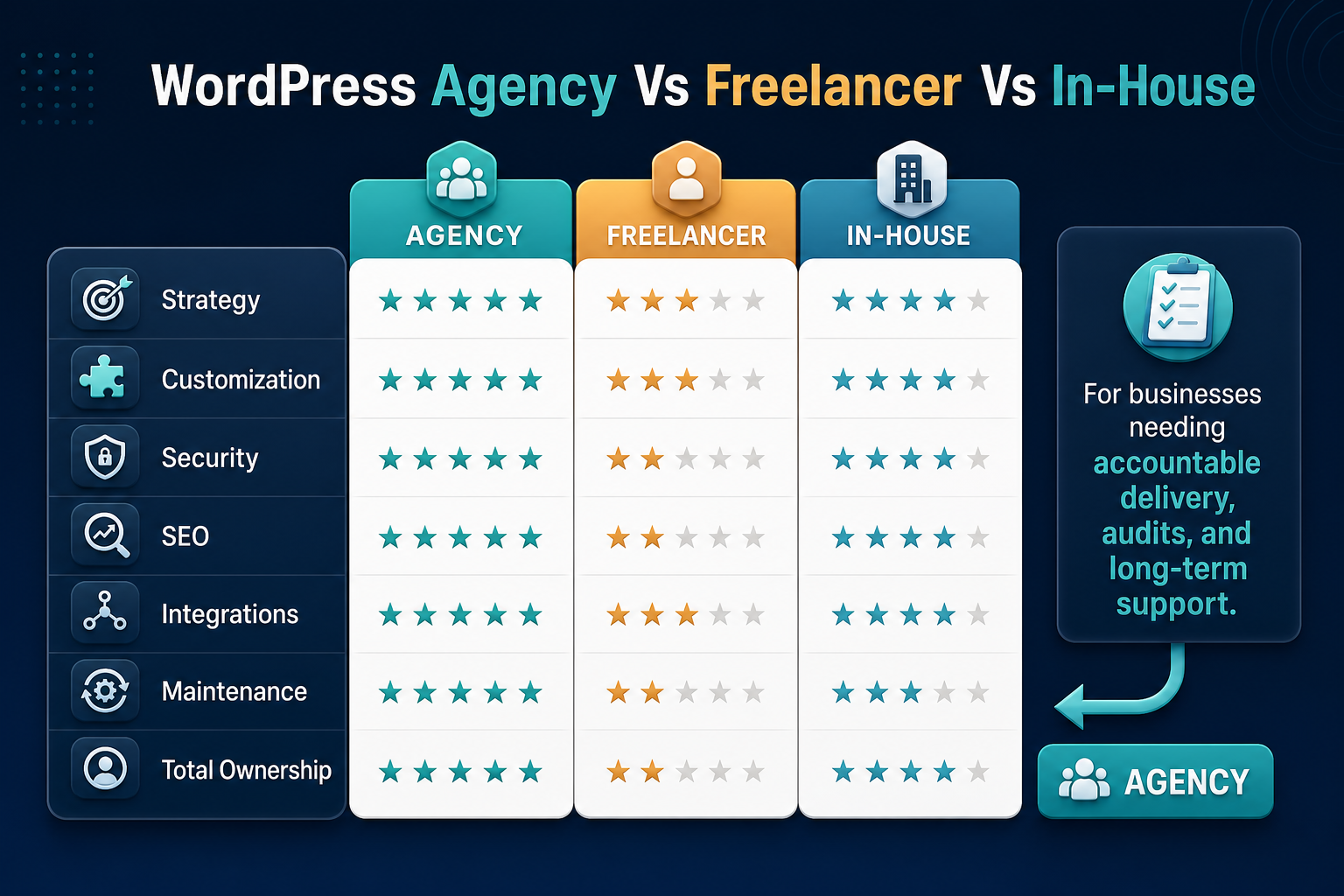
| Option | Best Fit | Main Risk |
|---|---|---|
| DIY theme setup | Very small sites with low business risk | Weak structure, poor performance, plugin conflicts, and limited conversion thinking |
| Freelancer | Specific tasks such as small fixes, page builds, or theme edits | Coverage gaps when strategy, QA, security, SEO, and support all matter |
| In-house generalist | Ongoing content updates and light maintenance | Limited capacity for redesigns, migrations, integrations, and deeper engineering work |
| WordPress development company | Business-critical websites, redesigns, migrations, ecommerce, SEO-led sites, and integration-heavy builds | Needs clear scope, ownership, and communication to avoid overbuilding |
Key Benefits Of Hiring A WordPress Development Company
1. Strategy Before The Build
A good company starts with business goals, audience needs, content priorities, and conversion paths. That planning prevents a common problem: a website that looks finished but does not guide users toward the next action.
If your team is still deciding what type of site you need, compare the scope against a practical website development process before locking the design or plugin stack.
2. Custom Design Without Losing CMS Control
WordPress is useful because business teams can manage content, but template choice still matters. A development company can create a custom design system, reusable sections, landing page patterns, blog templates, and editing workflows that keep the site branded without making every update dependent on developers.
3. Cleaner Technical Implementation
Business websites often need more than pages. They may need custom post types, form routing, analytics events, CRM handoff, landing page variants, gated content, multilingual structure, ecommerce, booking flows, or membership logic. A professional team can implement those needs without stacking plugins blindly.
4. Better Security And Performance Habits
WordPress sites can become slow or risky when themes, plugins, hosting, backups, and updates are treated casually. A development company can set standards for plugin selection, update policy, roles, backups, caching, image handling, Core Web Vitals, and recovery planning.
Hosting also matters. If the site is business-critical, avoid fragile setups that limit control over performance, backups, and migration. The same logic behind why free hosting is bad for business websites applies to any WordPress setup where ownership and reliability are unclear.
5. SEO And Content Structure Support
WordPress can be strong for SEO when the site architecture, page templates, metadata, heading hierarchy, internal links, schema, image alt text, and crawl behavior are planned properly. A development company can make the CMS easier for marketers while protecting technical quality.
For AI-era discovery, public service pages and blog posts also need clear entities, proof, and answer-ready structure. NextPage's AI Search Visibility Checker can help review whether important pages are understandable to search engines and AI answer systems.
6. Ongoing Support After Launch
The website is not finished on launch day. Pages need updates, analytics should be reviewed, forms must keep working, plugins need maintenance, and conversion pages should improve as the business learns from users. A WordPress company gives you a support path instead of leaving the team to solve production issues alone.
A Practical WordPress Delivery Workflow
The best WordPress projects follow a clear workflow instead of jumping straight into visual design. Each stage should reduce risk before the next stage begins.
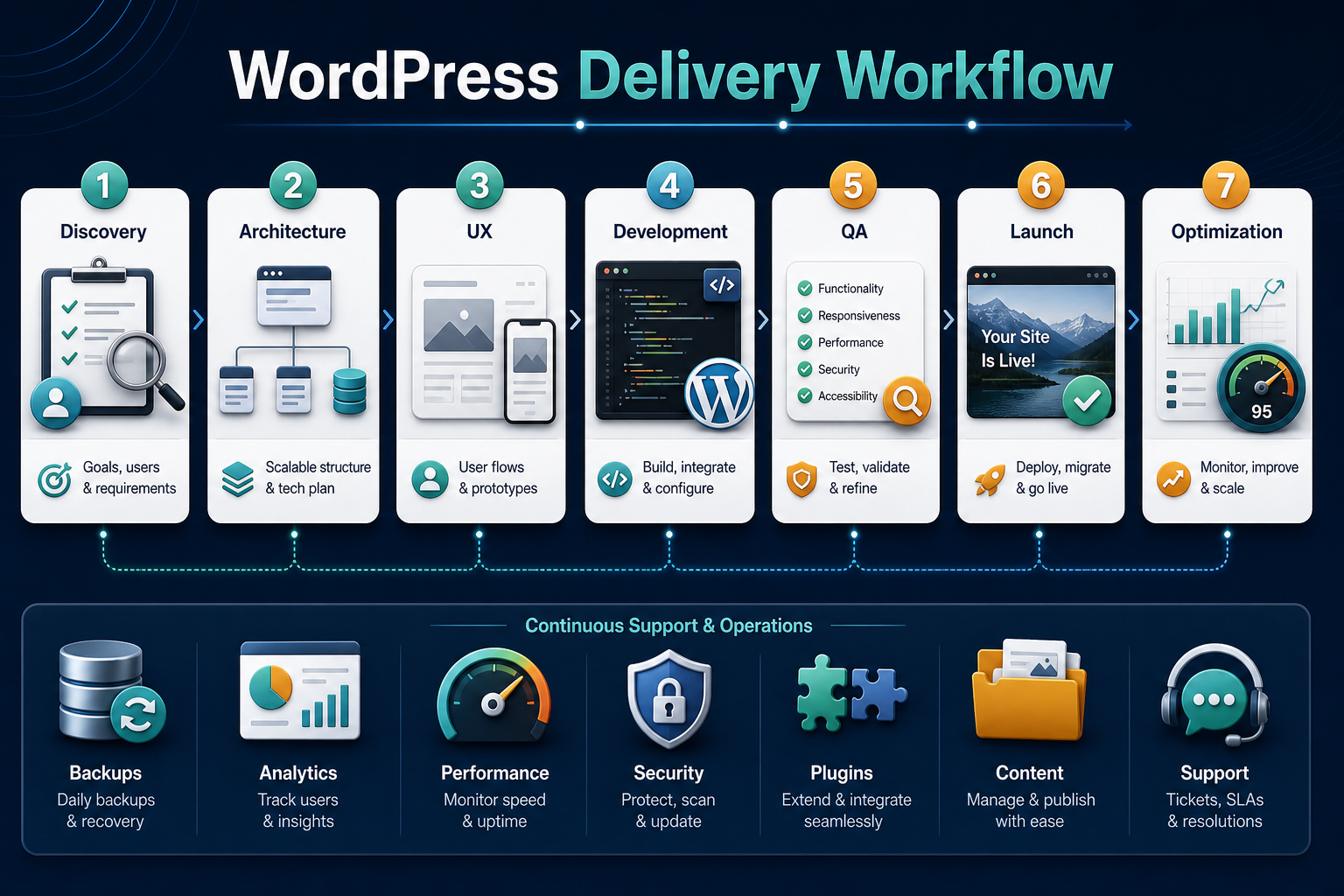
- Discovery: define goals, audiences, offers, pages, integrations, content owners, and success metrics.
- Architecture: plan templates, navigation, CMS fields, content types, hosting, plugins, security, and analytics.
- UX and design: create page flows, reusable sections, mobile states, conversion paths, and editorial layouts.
- Development: build the theme, configure WordPress, integrate tools, migrate content, and prepare admin workflows.
- QA: test responsiveness, forms, speed, accessibility basics, security, SEO fields, redirects, and editor usability.
- Launch: deploy, monitor, verify tracking, check forms, review crawlability, and confirm backup/recovery paths.
- Optimization: improve pages based on analytics, lead quality, search behavior, campaign needs, and user feedback.
When WordPress Needs Custom Development
WordPress is excellent for marketing sites, blogs, service pages, editorial content, simple ecommerce, and many business websites. It becomes less ideal when the website starts behaving like a software product with user roles, dashboards, approvals, multi-step workflows, complex reporting, subscriptions, or heavy third-party data.
In those cases, WordPress can still handle the public CMS while a custom application handles the operational workflow. Use a custom software cost estimator to frame budget and complexity before stretching WordPress too far.
If the issue is engineering capacity rather than platform fit, a dedicated development team can support a longer roadmap across WordPress, custom web apps, integrations, and maintenance.
What This Looks Like In Real Projects
A business website often becomes more valuable when it connects content, conversion, payment, CRM, and operational workflows. For example, NextPage's CodeCamp Studio case study shows how a public education website, WordPress-sourced content, Stripe payments, CRM handoff, center lookup, and camp/class workflows can work together instead of living as separate tools.
The same principle applies to WordPress business websites: the CMS should support the growth system, not sit apart from it. If your current site no longer supports that system, the signs may look similar to the issues covered in website revamp planning.
How To Choose The Right WordPress Development Company
Do not choose only by portfolio visuals or hourly rate. Choose by how well the company thinks through business goals, content management, technical quality, launch risk, and post-launch ownership.
- Ask about discovery: they should want to understand your offers, audience, content, integrations, and success metrics.
- Review technical standards: ask how they handle plugin selection, performance, backups, security, staging, and deployment.
- Check CMS usability: editors should be able to update key content without breaking the design.
- Confirm SEO basics: metadata, headings, internal links, schema, image alt text, redirects, and crawl rules should be part of delivery.
- Clarify support: agree on maintenance, update cadence, response expectations, analytics review, and improvement cycles.
- Plan future visibility: if search and AI answer engines matter, connect the website roadmap with AI search optimization instead of treating content structure as an afterthought.
Final Recommendation
Hire a WordPress development company when your website affects revenue, brand trust, customer acquisition, content operations, or business workflows. The right partner should give you more than a finished theme. It should give you a site that is easier to manage, safer to maintain, clearer for users, stronger for search, and flexible enough to support the next stage of the business.