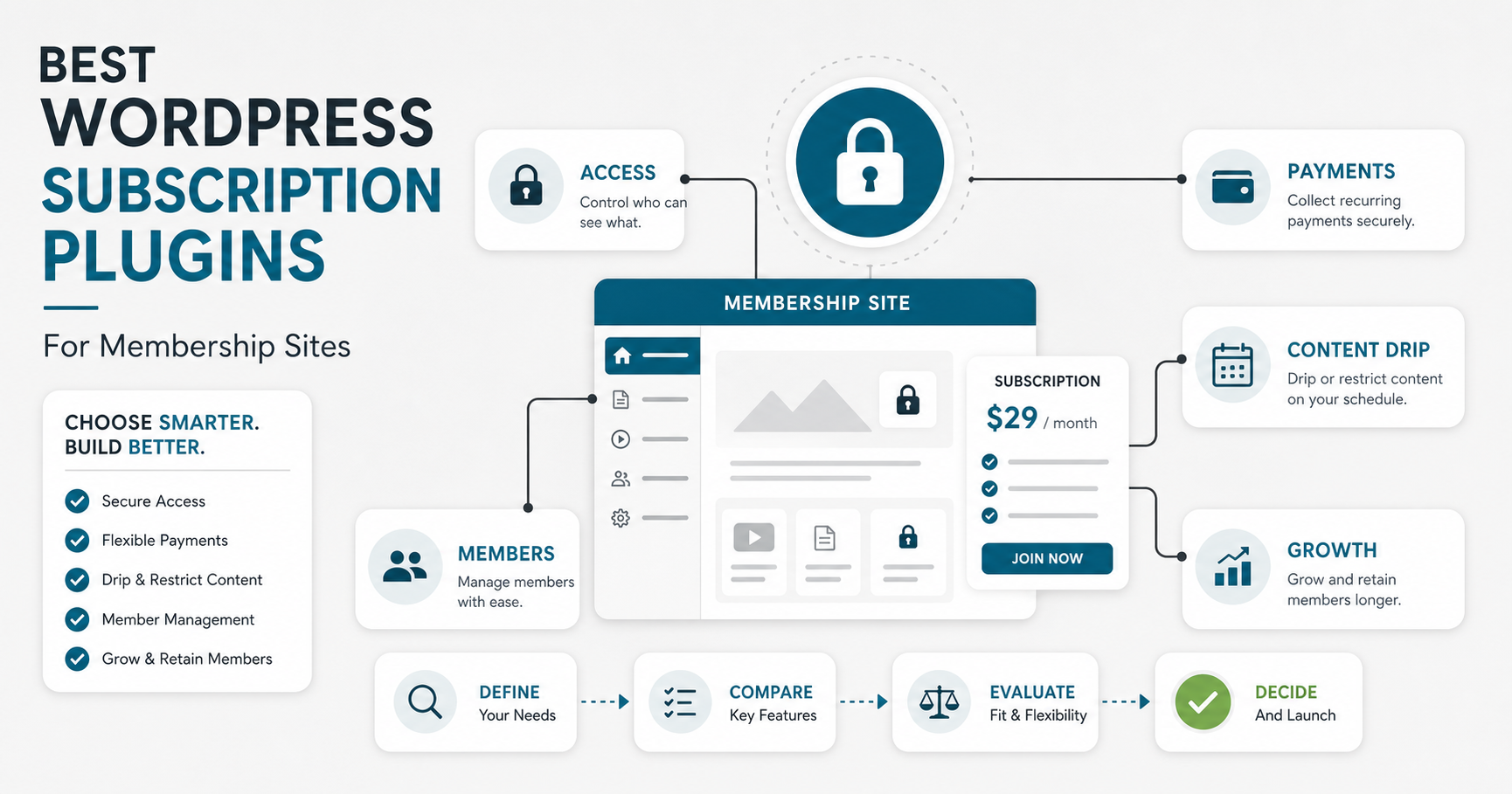

Choosing a WordPress subscription plugin is not only a plugin comparison. It is a business-model decision: what people pay for, how access is controlled, how billing renews, how content is released, and what happens when the membership grows beyond a simple WordPress setup.
The short answer: for most membership sites, start by matching the plugin to your revenue model. MemberPress and Paid Memberships Pro are strong general-purpose choices, WooCommerce Memberships works best when membership is tied to commerce, Restrict Content Pro is useful for content restriction, and tools such as WishList Member, MemberMouse, and aMember can fit more specialized workflows. If your membership product needs custom onboarding, dashboards, multi-role portals, or deep business-system integrations, plan the plugin setup alongside web app development or a custom build path instead of treating WordPress as the whole product.
Quick Answer: Which WordPress Subscription Plugin Should You Choose?
Choose the plugin that protects the content you sell, supports the billing model you need, and leaves room for the operational workflow behind the membership. A creator selling gated lessons has different needs from a retailer bundling member-only products, a coach selling cohorts, or a company building a paid customer portal.
- Best for many content memberships: MemberPress, Paid Memberships Pro, or Restrict Content Pro.
- Best for stores and product bundles: WooCommerce Memberships, usually with WooCommerce Subscriptions when recurring billing is central.
- Best for flexible legacy-style membership workflows: WishList Member, MemberMouse, or aMember.
- Best when the membership is becoming a software product: validate whether WordPress should remain the core platform or whether custom software development will be more stable long term.
What A WordPress Subscription Plugin Should Handle
A good membership plugin should do more than hide pages. It should help you create membership tiers, protect the right content, connect payment gateways, handle renewals, support member management, and give admins enough visibility to solve access and billing issues quickly.
Before installing anything, map the workflow end to end: visitor reads a sales page, chooses a plan, pays, gets the correct access, receives onboarding emails, consumes content, upgrades or cancels, and receives support. That workflow is the difference between a plugin that looks good in a feature list and one that actually supports recurring revenue.
Choose The Right Plugin For Your Membership Model
The best plugin depends on what you are selling. A paid newsletter, protected video library, course catalog, member-only store, professional association, and client portal all need different access rules.
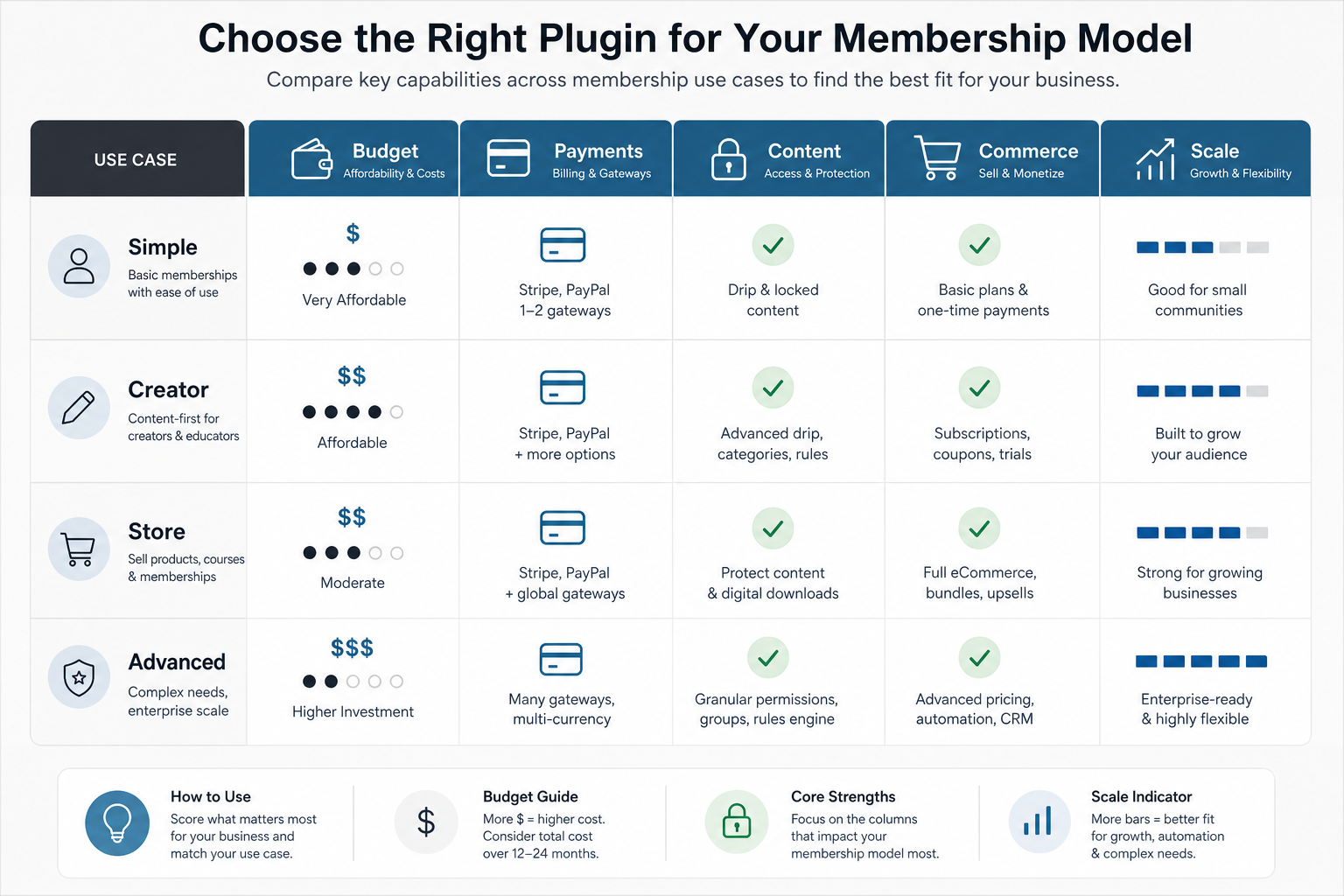
| Membership Model | Plugin Priorities | Good Fit |
|---|---|---|
| Simple gated content | Easy setup, page/post restriction, Stripe or PayPal, basic member management | Paid Memberships Pro, Restrict Content Pro, MemberPress |
| Courses or creator content | Drip content, coupons, bundles, email integrations, upgrade paths | MemberPress, WishList Member, MemberMouse |
| Commerce-led membership | Product access, member discounts, subscriptions, store rules | WooCommerce Memberships with WooCommerce Subscriptions |
| Advanced business workflow | Custom dashboards, reporting, CRM/ERP integrations, roles, APIs | Plugin plus custom integration, or custom portal development |
Best WordPress Subscription Plugins To Evaluate
1. MemberPress
MemberPress is a strong option for site owners who want memberships, access rules, subscriptions, coupons, and content dripping inside WordPress. It is often a practical fit for course creators, publishers, coaches, and businesses that need more control than a basic paywall.
Choose it when you want an all-in-one membership setup and the site owner is comfortable managing rules, pages, coupons, and emails inside WordPress.
2. Paid Memberships Pro
Paid Memberships Pro is a flexible choice for sites that need membership levels, recurring payments, content restriction, and a large add-on ecosystem. It can work well when the team wants a broad membership framework and expects to extend the setup over time.
It is a good candidate for associations, communities, publishers, and businesses that want to start with a lightweight setup and add capabilities as the model matures.
3. Restrict Content Pro
Restrict Content Pro is focused on content restriction, membership levels, payments, and add-ons. It is worth considering when your core requirement is controlled access to posts, pages, downloads, or premium resources without turning the whole website into a complex application.
Use it when simple content access is more important than heavy commerce or advanced operations.
4. WooCommerce Memberships
WooCommerce Memberships makes the most sense when membership access is tied to products, purchases, store perks, member-only catalog rules, or discounts. If the membership is part of an ecommerce strategy, staying close to WooCommerce can reduce operational friction.
For recurring billing, evaluate it with WooCommerce Subscriptions and test the renewal, cancellation, failed-payment, and refund flows before launch.
5. WishList Member
WishList Member is a long-running WordPress membership plugin with support for modular membership levels, content protection, integrations, and automation-style actions. It can fit creators and education businesses that want detailed control over access levels and member journeys.
It is most useful when you want flexible membership rules but still want the business team to run most changes inside WordPress.
6. MemberMouse
MemberMouse is positioned for more advanced membership businesses that care about sales optimization, member lifecycle workflows, reporting, upsells, and retention controls. It can be helpful when the business model is already validated and the team wants more revenue operations inside the membership stack.
Evaluate it carefully if you expect higher scale, because operational complexity can become more important than the initial plugin setup.
7. aMember Pro
aMember Pro is not a typical WordPress-only plugin. It is membership software that can protect content, support recurring and non-recurring billing, and integrate with WordPress. It may fit businesses that want a separate membership engine rather than relying entirely on WordPress plugin conventions.
Consider it when you need more control over billing, integrations, and membership operations, and you have technical support available.
8. MagicMembers
MagicMembers is a legacy membership plugin that has historically focused on content dripping, payment integrations, and restricted access. Treat it as a candidate only after checking current support, updates, compatibility, and documentation for your WordPress version.
9. OptimizePress
OptimizePress is better understood as a landing page and funnel-building tool that can support membership marketing pages. It may pair with membership features, but it should not be chosen purely as the membership engine unless its current membership capabilities match your access, billing, and support requirements.
10. Cart66 Cloud
Cart66 Cloud has historically combined ecommerce and membership-style capabilities. For a new project, compare it against a WooCommerce-centered stack and confirm current product status, payment support, and long-term maintenance before committing.
Implementation Checklist Before You Launch
A subscription plugin touches money, access, content, and support. Test the whole experience before the first paid member joins.
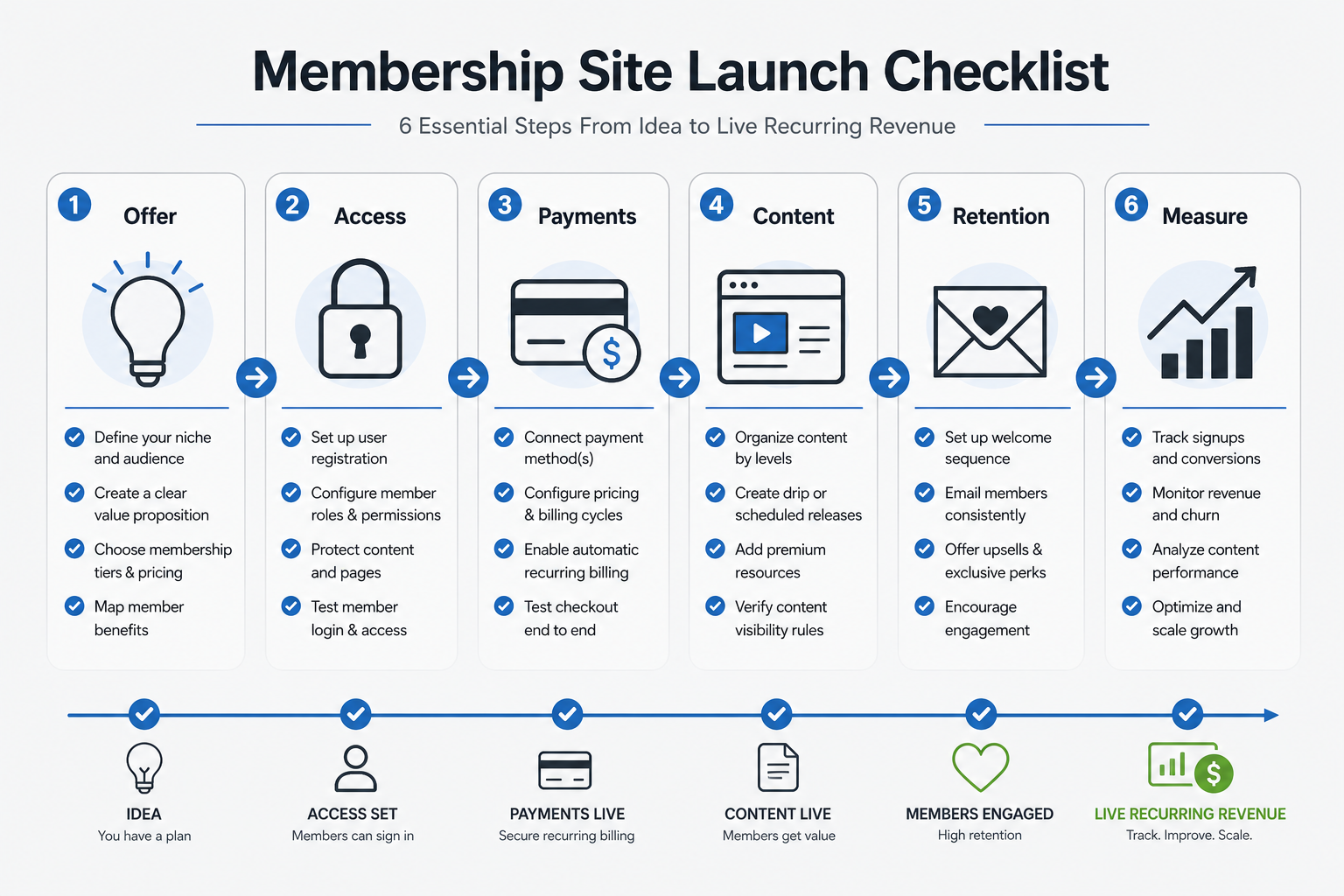
- Define the offer: Decide whether members pay for content, community, tools, discounts, support, or a bundle.
- Map access rules: Write down which pages, posts, files, products, categories, and resources each tier can access.
- Test payment flows: Test sign-up, renewal, failed payment, cancellation, refund, coupon, tax, and upgrade paths.
- Plan content operations: Decide who creates protected content, who reviews it, and how drip schedules are managed.
- Measure retention: Track signups, active members, churn, failed payments, content usage, and support requests.
If the website itself needs broader redesign, performance work, conversion improvements, or clearer navigation before membership launch, use a full website development process instead of bolting a subscription plugin onto a weak site.
Common Mistakes When Choosing Membership Plugins
The most common mistake is choosing a plugin because it appears in a list, not because it matches the workflow. A plugin can be popular and still be wrong for your payment model, admin skills, support process, or growth plan.
- Ignoring failed-payment handling: Recurring revenue depends on dunning, retries, cancellation controls, and clear account pages.
- Underestimating support work: Members will lose passwords, change cards, request refunds, and ask why content is locked.
- Mixing too many plugins: Membership, LMS, ecommerce, page builder, automation, and CRM plugins can conflict unless tested together.
- Forgetting search visibility: Public pages still need clear entities, answer-ready sections, schema, and crawlable value. NextPage's AI Search Visibility Checker can help review whether your public membership pages are understandable to search and AI answer engines.
- Waiting too long to redesign: If users cannot find plans, pricing, benefits, or login pages, the membership will suffer. That is one reason older sites often need a website revamp before adding paid access.
When A Plugin Is Not Enough
A WordPress subscription plugin is usually the fastest path when the product is content-led and the workflow is simple. It becomes limiting when the membership includes custom dashboards, multi-tenant organizations, internal approvals, role-heavy permissions, mobile apps, analytics, CRM sync, marketplace logic, or complex product entitlements.
At that point, compare plugin extension against a custom portal or product build. A build vs buy decision tool can help frame whether to buy, configure, integrate, or build. If the work is moving toward custom software, use a custom software cost estimator to plan scope, timeline, team shape, and budget before the plugin stack becomes difficult to unwind.
If you still want WordPress as the public CMS, a hybrid approach can work well: WordPress handles marketing and content, while a custom web app handles member dashboards, data workflows, and integrations. This is also when it helps to involve a WordPress development company that understands both WordPress and product engineering.
Final Recommendation
Start with the simplest plugin that supports your membership model, payment workflow, and content rules without forcing major workarounds. For many sites, MemberPress, Paid Memberships Pro, Restrict Content Pro, or WooCommerce Memberships will be enough. For advanced member operations, treat the plugin decision as part of a broader product architecture decision, not just a WordPress admin setting.