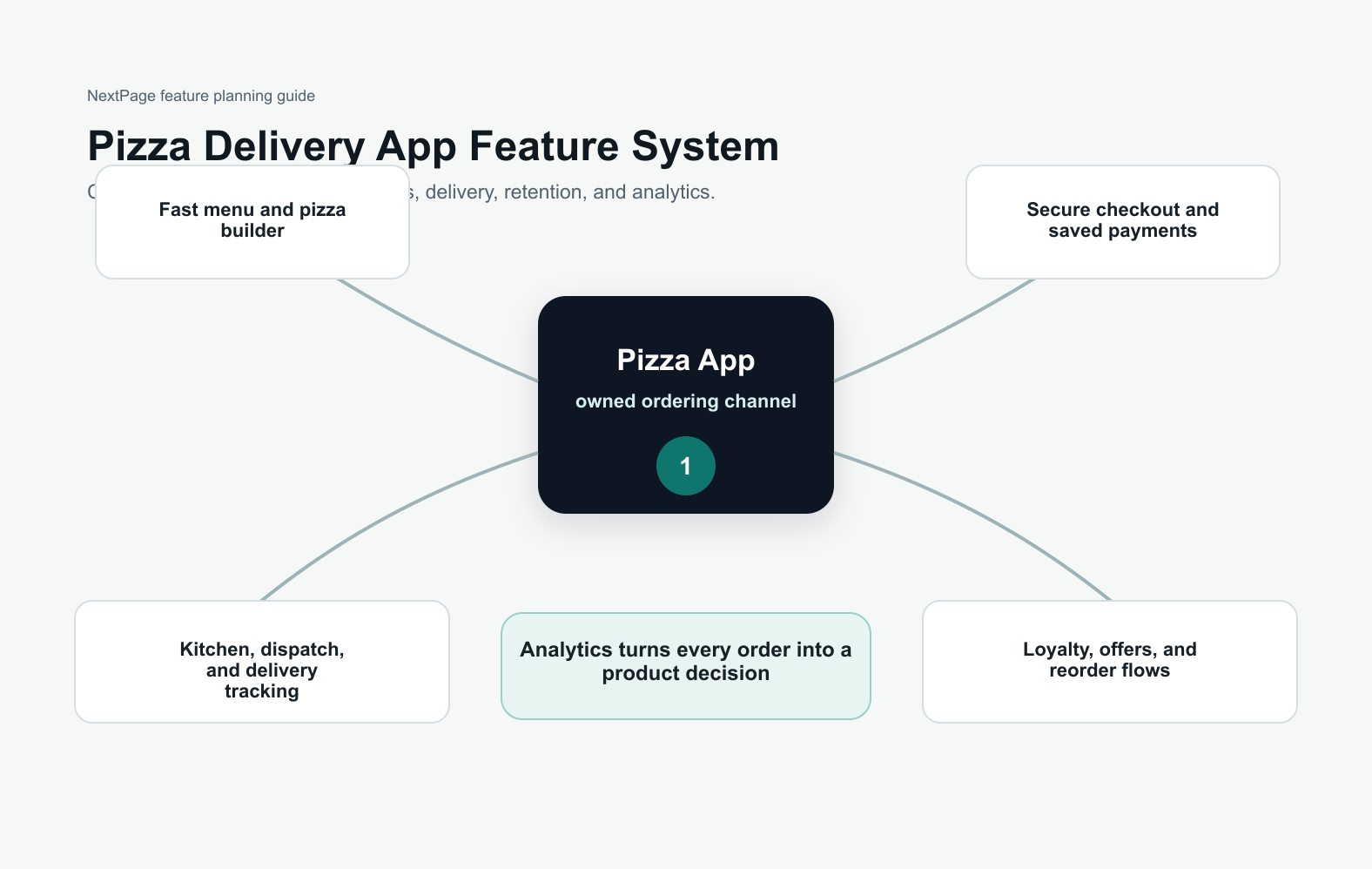

Quick Answer: Essential Food App Features
A successful food app needs more than a menu and a checkout screen. The core feature set should help customers discover the right meal, trust the restaurant, customize the order, pay securely, track fulfillment, get support, and come back through relevant offers. For restaurants and food delivery startups, the best first release connects customer experience with kitchen operations, delivery logistics, analytics, and retention.
If you are planning mobile app development for a restaurant, marketplace, cloud kitchen, or delivery business, treat features as a connected operating system. A polished interface matters, but the product succeeds when menus stay accurate, payments reconcile, order status is reliable, and the team can improve the app after launch.
Start With The Food App Model
Feature priorities change based on the business model. A single-restaurant app needs strong menu management, pickup and delivery slots, loyalty, and direct customer communication. A multi-restaurant marketplace needs restaurant onboarding, commission rules, courier assignment, dispute handling, and marketplace search. A cloud-kitchen app may need brand switching, kitchen capacity controls, and repeat-order flows.
Before engineering starts, define who uses the app, what the first transaction should feel like, and which operational bottlenecks the software must solve. A small but reliable MVP is usually more valuable than a broad feature list that cannot handle real dinner rush traffic.
Feature Priority Stack For A Food App MVP
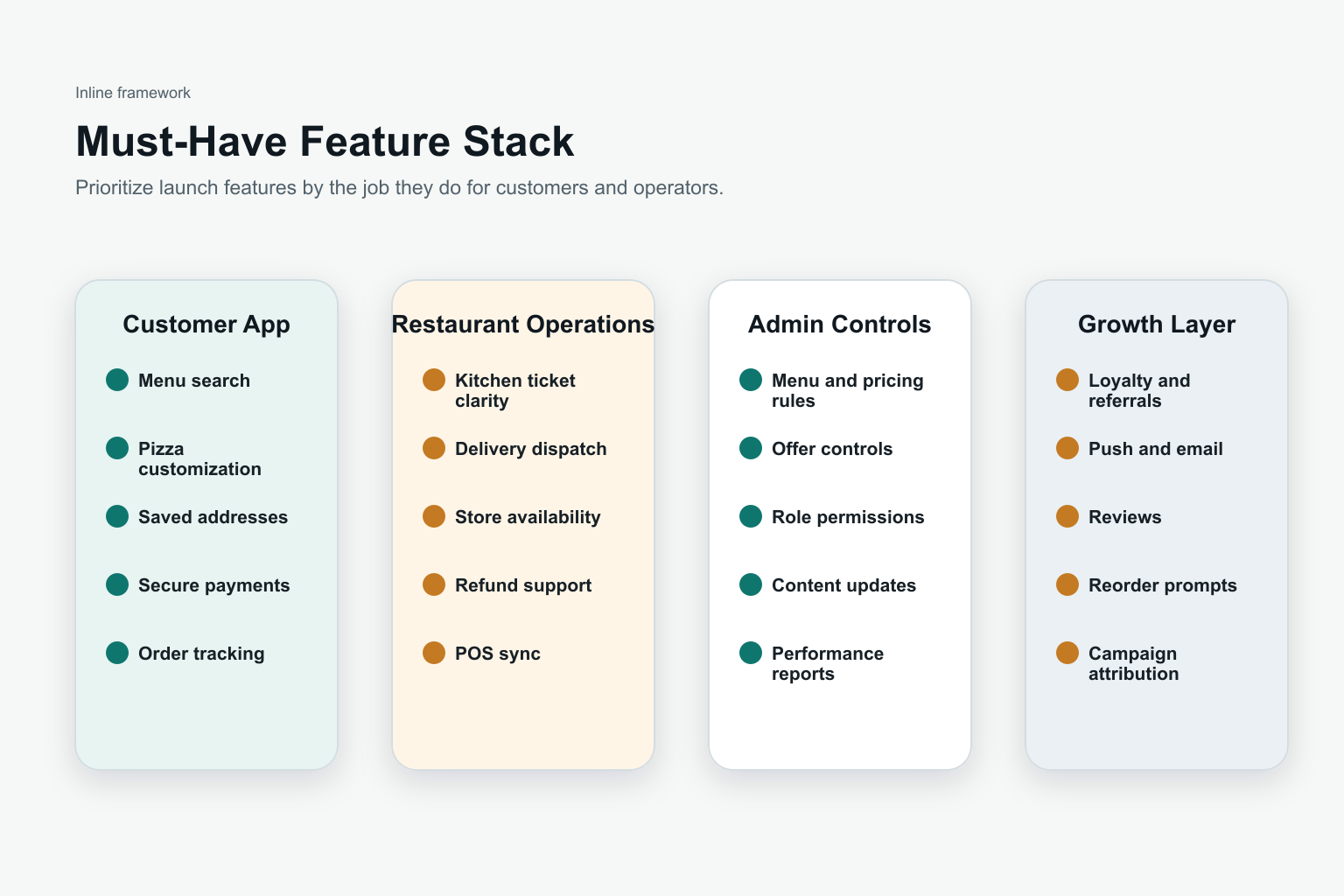
The first release should prove that customers can browse, order, pay, and receive food without confusion. Prioritize user accounts, restaurant or menu listings, search, cart customization, checkout, payments, order status, support, and admin tools. Then add richer personalization, subscriptions, advanced loyalty, marketplace automation, and AI-assisted recommendations once the core flow is stable.
This phased approach keeps cost, QA, and launch risk under control. Teams comparing feature scope with budget can use the related food delivery app development cost guide to separate MVP essentials from later growth investments.
1. User Registration And Profiles
User accounts should make ordering faster without forcing a long sign-up before value is clear. Let customers browse menus as guests, then ask for account details when they save addresses, reorder favorites, track points, or check out. Support email, phone, and social login when they match your audience.
Profiles should store useful preferences: delivery addresses, dietary needs, favorite restaurants, payment methods, order history, refund status, notification choices, and loyalty progress. For food businesses, this data also powers segmentation, retention campaigns, and customer service.
2. Restaurant Listings And Menu Management
Restaurant and menu screens need accurate cuisine type, item availability, photos, ingredients, modifiers, allergen notes, preparation time, delivery radius, price, taxes, packaging fees, and operating hours. Food apps lose trust quickly when a customer can order unavailable items or sees surprise charges at checkout.
Build admin workflows for menu updates, sold-out items, price changes, category sorting, promotional tags, and branch-level availability. If the product is a marketplace, restaurant onboarding and approval workflows are just as important as the customer-facing catalog.
3. Search, Filters, And Personalization
Search should support restaurant names, dishes, cuisines, dietary preferences, delivery time, price range, ratings, and open-now filters. Users often arrive with a specific craving, constraint, or time limit, so the app should reduce browsing effort.
Personalization can start simply: recently ordered items, favorite cuisines, nearby restaurants, saved dietary filters, and reorder prompts. Over time, recommendations can use location, order history, basket size, daypart, and promotion response to surface more relevant choices.
4. Cart Customization And Checkout
Food checkout is more complex than standard ecommerce because customers need modifiers, add-ons, substitutions, notes, delivery instructions, pickup timing, coupon handling, taxes, tips, and packaging preferences. The cart should show the full price before payment and make editing simple.
Secure payment support should include cards, digital wallets, UPI or local wallet options where relevant, cash-on-delivery if the business supports it, refunds, partial refunds, and payment failure recovery. The checkout lessons in broader ecommerce mobile app development also apply to food apps: remove friction, explain fees, and make the next step obvious.
5. Real-Time Order Tracking
Order tracking should show meaningful stages: order received, restaurant accepted, preparing, ready for pickup, courier assigned, out for delivery, delivered, cancelled, or refunded. Customers should not need to contact support just to know whether dinner is moving.
For delivery products, tracking depends on kitchen status, courier location, route updates, ETA calculation, push notifications, and exception handling. A pizza-focused version of this workflow is covered in NextPage's guide to essential pizza delivery app features, but the same trust principle applies to every food category.
Order Operations Architecture
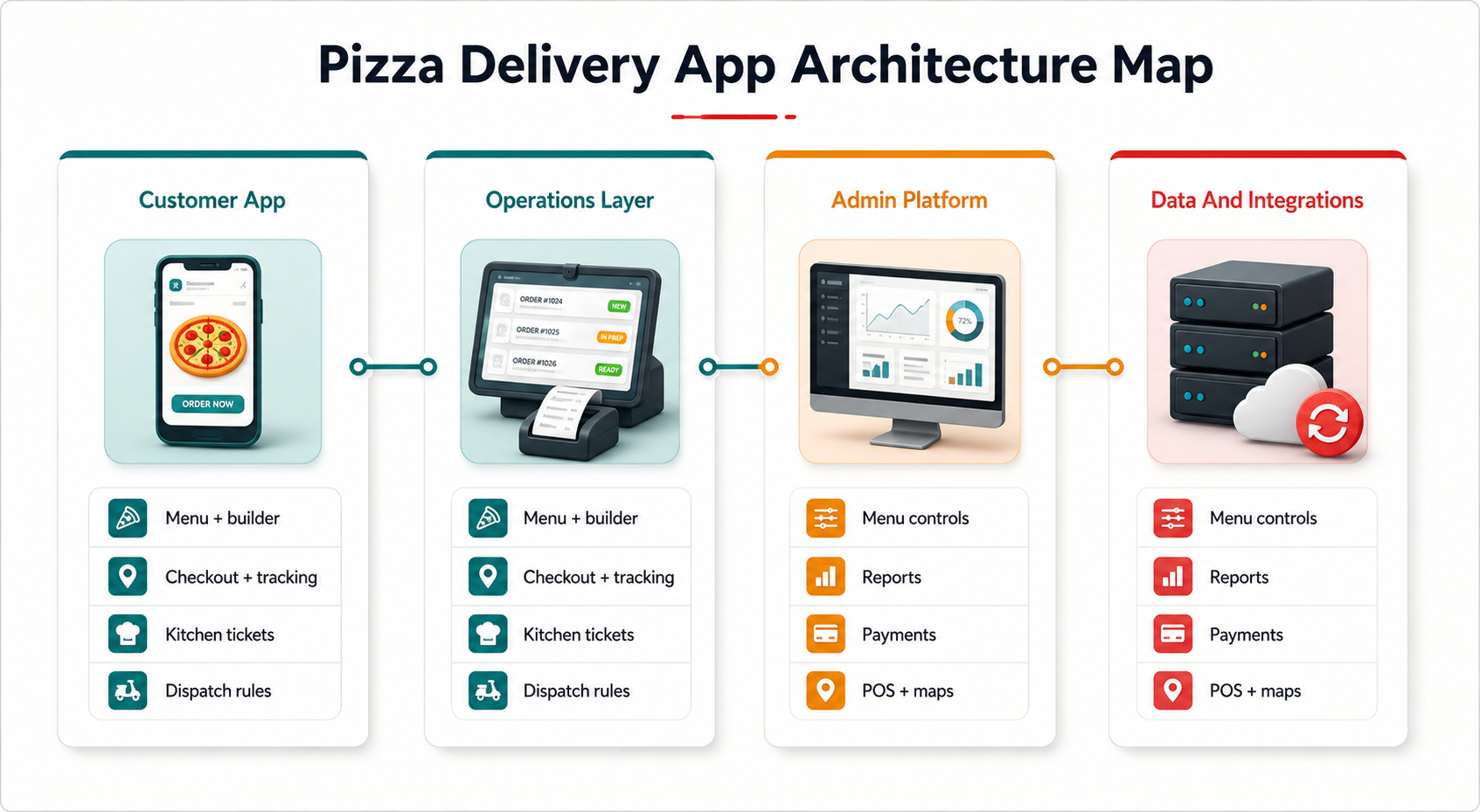
A food app should connect the customer experience with the operational dashboard behind it. Restaurant teams need order queues, preparation timers, cancellation reasons, stock controls, courier handoff status, support notes, and daily reconciliation. Marketplace operators also need commission tracking, partner performance, SLA alerts, and issue escalation.
Plan these admin flows early. Without them, the customer app may look finished while the business still handles order changes, refunds, and delivery problems manually.
6. Ratings, Reviews, And Trust Signals
Ratings and reviews help users choose restaurants and dishes, but they also need moderation and fraud controls. Let users rate delivery, packaging, taste, accuracy, and support separately when that granularity helps operators act on the feedback.
Trust signals should include verified orders, popular items, hygiene or certification badges where available, clear refund policies, realistic delivery estimates, and transparent fees. The goal is to help users decide quickly without making the listing feel cluttered.
7. Push Notifications And Alerts
Push notifications should be useful, timely, and controllable. Transactional alerts include order confirmation, preparation progress, courier assignment, delivery ETA changes, payment issues, refunds, and support replies. Marketing alerts should be personalized by preferences, location, and order behavior.
Avoid sending every promotion to every user. Food apps are habit products, so notification quality directly affects retention. Give users category controls for order updates, offers, loyalty, reminders, and restaurant announcements.
8. Loyalty, Offers, And Retention
Loyalty features can include points, wallet credits, subscriptions, free delivery thresholds, restaurant-specific offers, referral rewards, birthday offers, and reorder incentives. The strongest programs reward behavior that improves unit economics, not just discount chasing.
Food app retention also comes from convenience. Saved favorites, one-tap reorder, preferred addresses, repeat baskets, delivery-slot reminders, and personalized deals can be more valuable than a large coupon budget. For a broader business case, compare these retention levers with the customer and operator benefits in NextPage's food delivery app development benefits guide.
9. Social Sharing And Referral Loops
Social sharing works best when it is tied to a specific customer moment: a favorite dish, group order, referral code, review, party platter, or limited-time offer. Do not add social buttons as decoration. Make sharing useful to the customer and measurable for the business.
Referral loops should be fraud-aware and easy to understand. Define who receives the reward, when it becomes valid, and how refunds or cancelled orders affect eligibility.
10. Customer Support And Feedback
Food app support needs speed because problems are time-sensitive. Include order-level support, refund requests, cancellation flows, restaurant contact rules, courier issue escalation, help articles, and feedback forms. Users should not have to explain the same order details repeatedly.
Support data should feed product decisions. Track refund reasons, late deliveries, missing items, payment failures, search dead ends, and restaurant response times. These signals show where the app or operation needs improvement.
Development Roadmap For A Food App
A practical roadmap starts with discovery, business model definition, customer and restaurant journeys, UX design, technical architecture, MVP development, QA, payment and delivery integrations, beta launch, analytics setup, and post-launch iteration. If you are building a Domino's-style experience, the step-by-step planning in how to develop a pizza delivery app like Domino's is a useful reference for order flow, tracking, and launch operations.
Choose the technology stack around scale, integrations, location accuracy, admin complexity, and long-term maintenance. Native apps may be useful when performance and device capabilities are critical, while cross-platform development can help teams move faster across iOS and Android when requirements fit.
How NextPage Can Help
NextPage helps food businesses, startups, and marketplace teams plan and build mobile apps with customer apps, restaurant dashboards, delivery workflows, payment integrations, analytics, and post-launch support. The goal is to ship a product that works during real ordering peaks, not only in a demo.
If you are scoping a food app, start by defining the business model, essential ordering flow, admin operations, and retention strategy. The right feature set should make ordering easier for customers and operations clearer for the business.
Conclusion
The essential features for food app development are user profiles, restaurant listings, search and filters, cart customization, secure checkout, real-time tracking, ratings, notifications, loyalty, referrals, and support. The stronger product decision is how these features work together. A focused MVP that connects customer experience with restaurant operations can launch faster, earn trust earlier, and create the data needed for smarter growth.